Timesheet
What is a Time Sheet?
A construction timesheet is a method for recording and tracking the amount of time a worker
spends on a job, or in a given period of time.
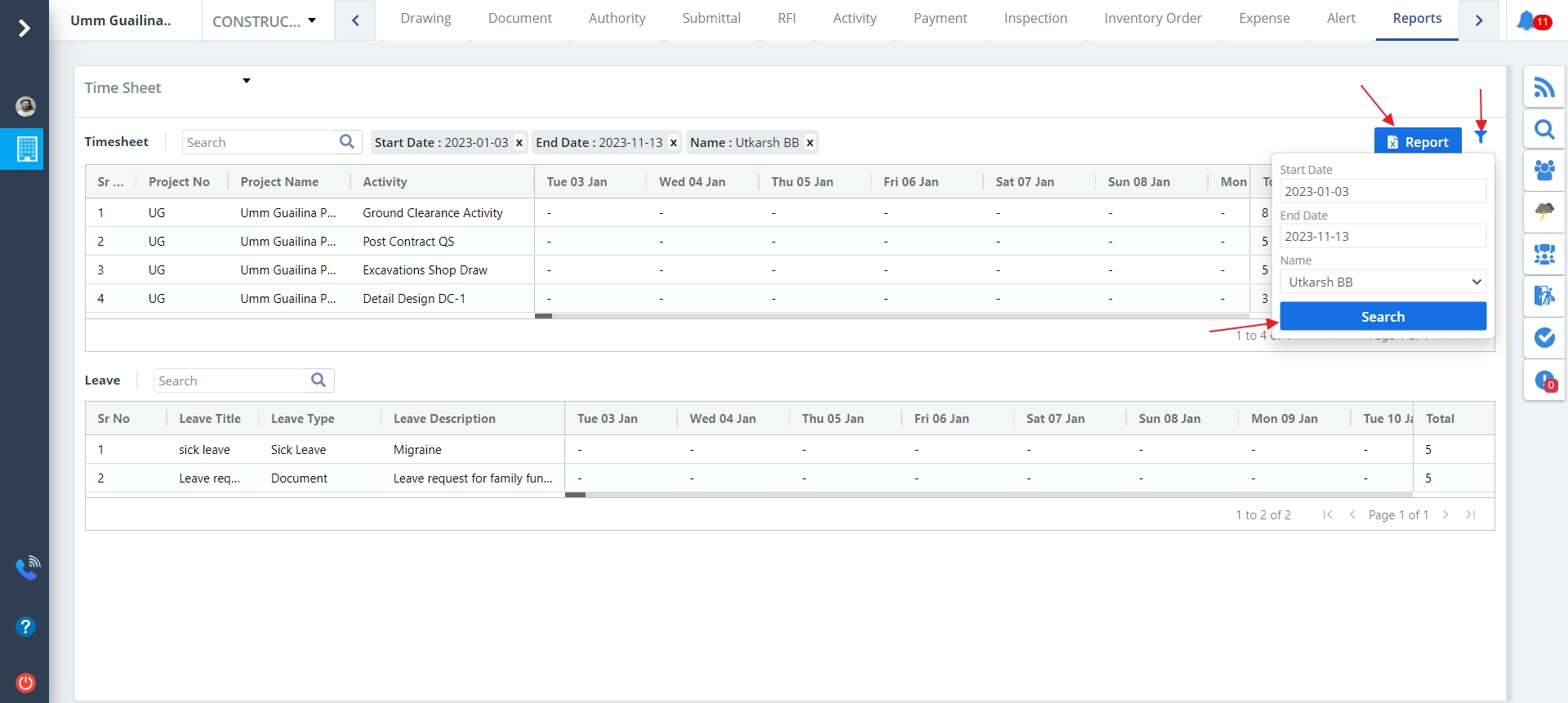
Select Report from menu. By default Time Sheet report will be visible. To change the classification select any one of the above from the dropdown list. Time Sheet report looks like this.
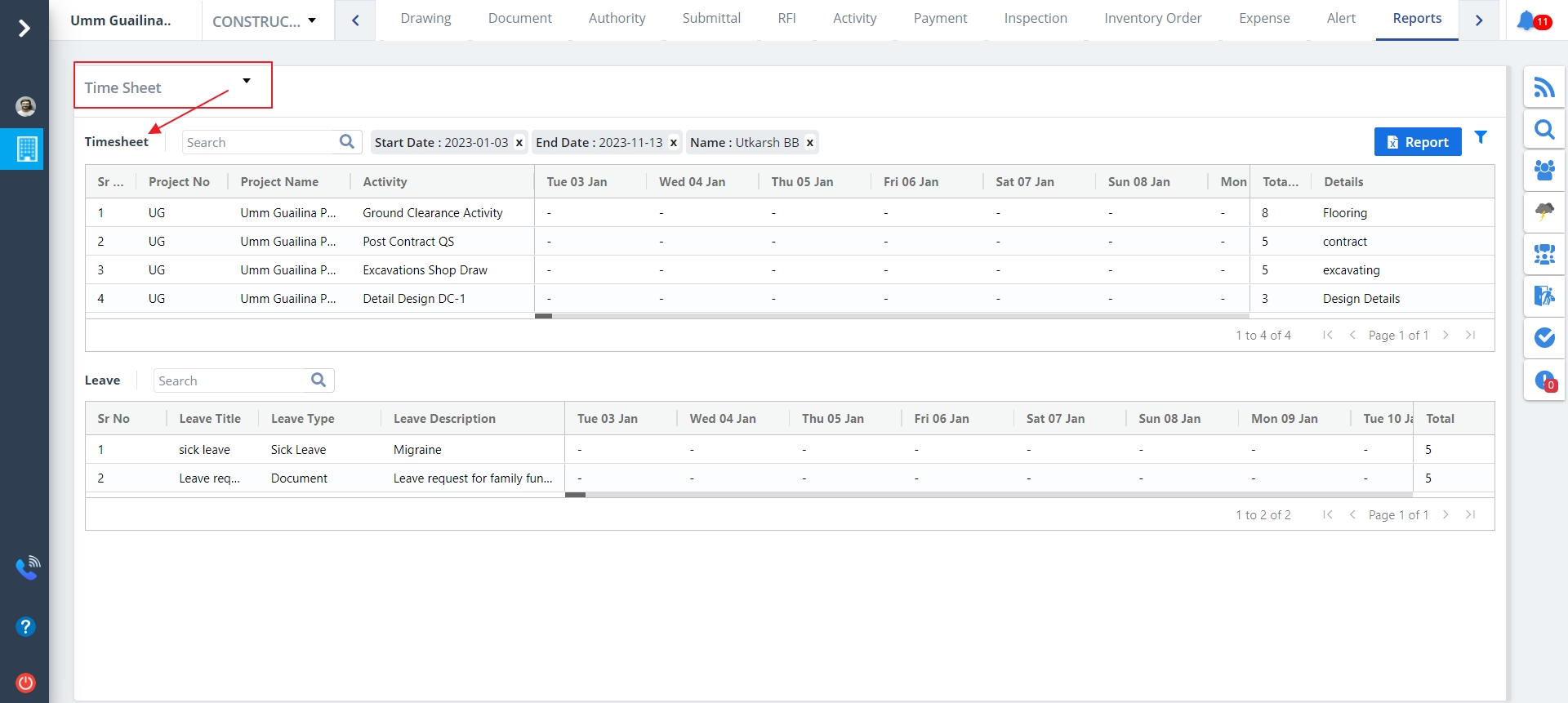
Time Sheet includes:-
- In Time Sheet classification leave list will be visible when leave request gets approved.
- You can search leaves by leave name. Just input the starting letter inside the search bar, a list of matching data will be there on the screen.
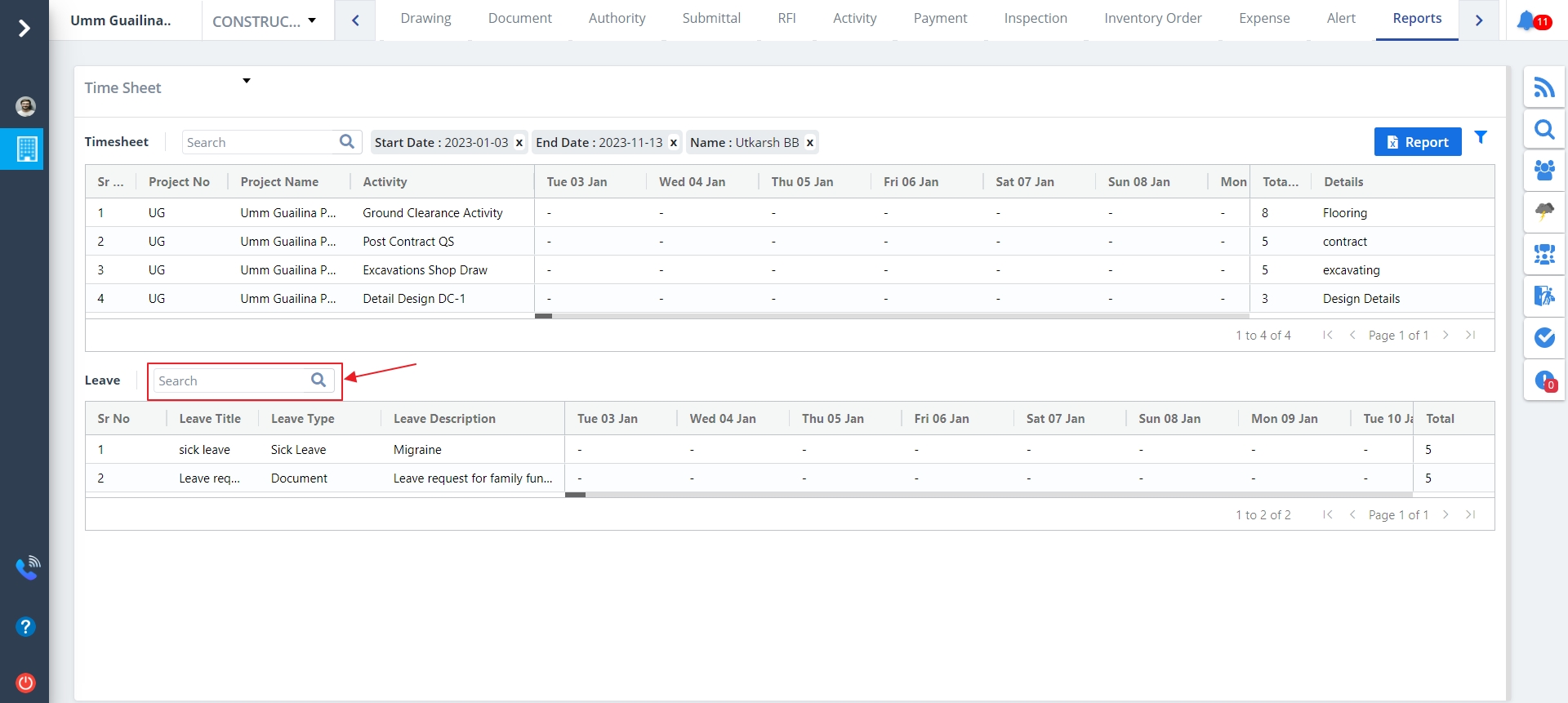
- Click on Export Report to download .xlsx file of the report. This is provided for every report classification except for Audit Report.
- Click on Filter next to Export Report to extract filtered data based on date and member.
- In conclusion click Search button for the filtered results.
Staff Diary
What is a Staff Diary?
It is the process of maintaining the record of all staff attendance.
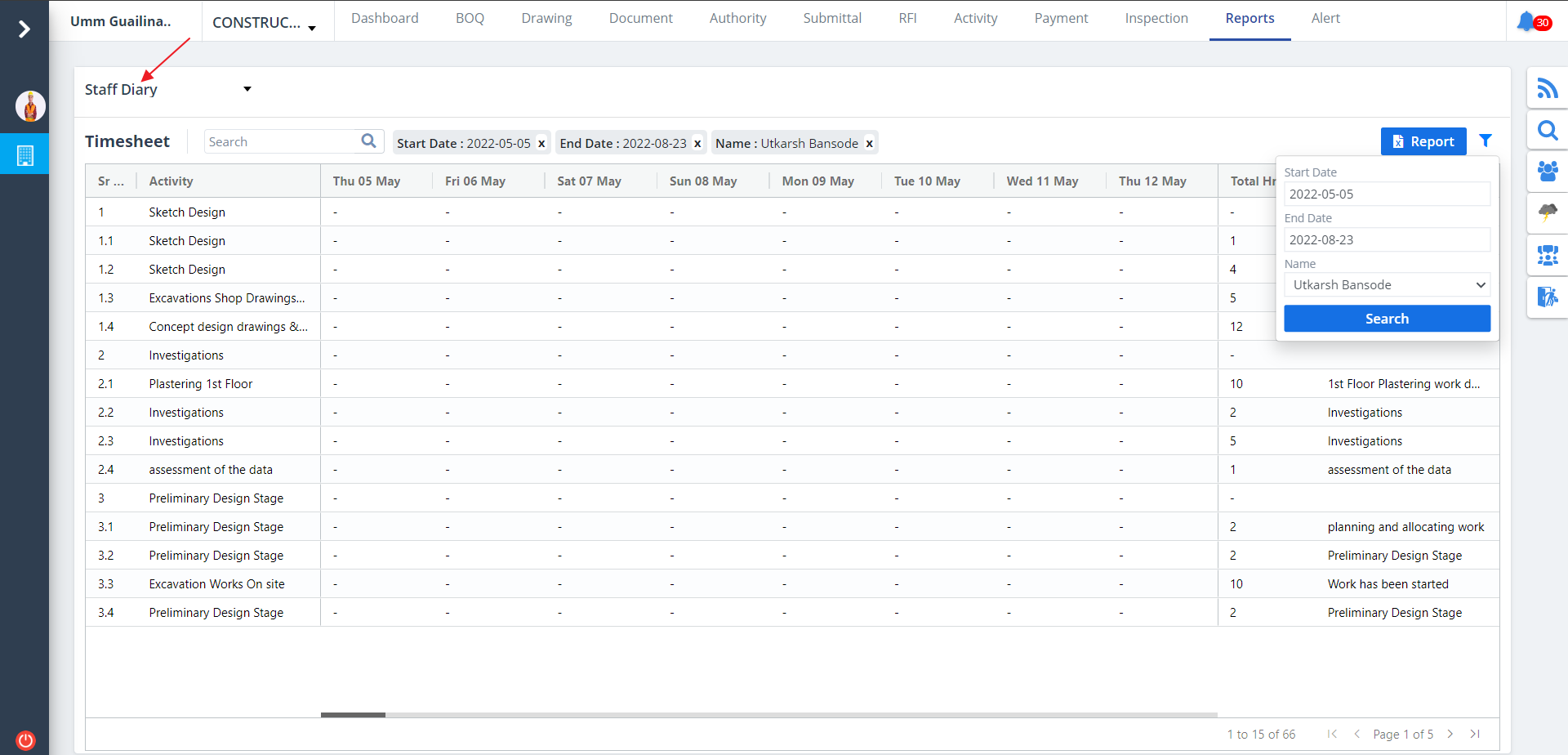
Select Report from menu. By default Time Sheet report will be visible. To change the classification select any one of the above from the dropdown list. Staff Diary looks like this.
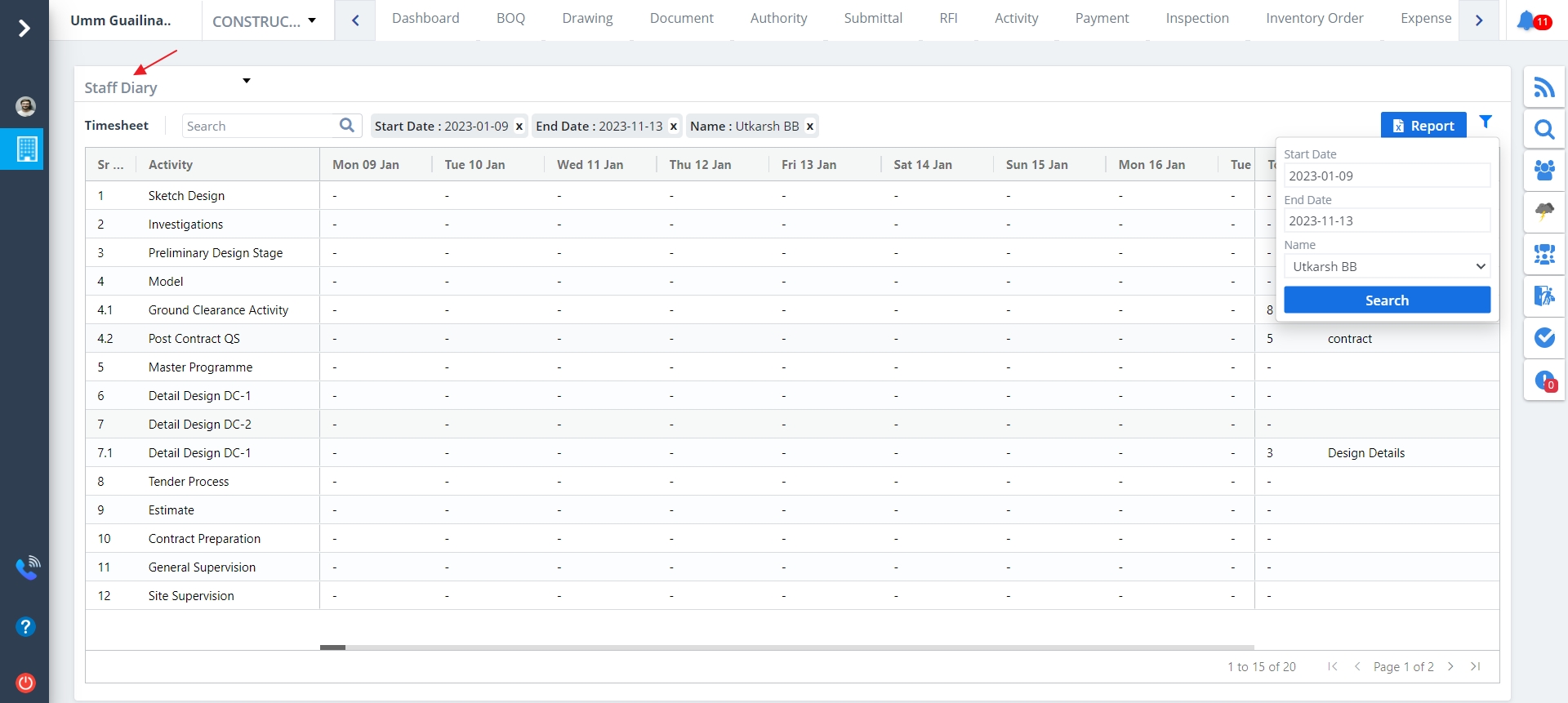
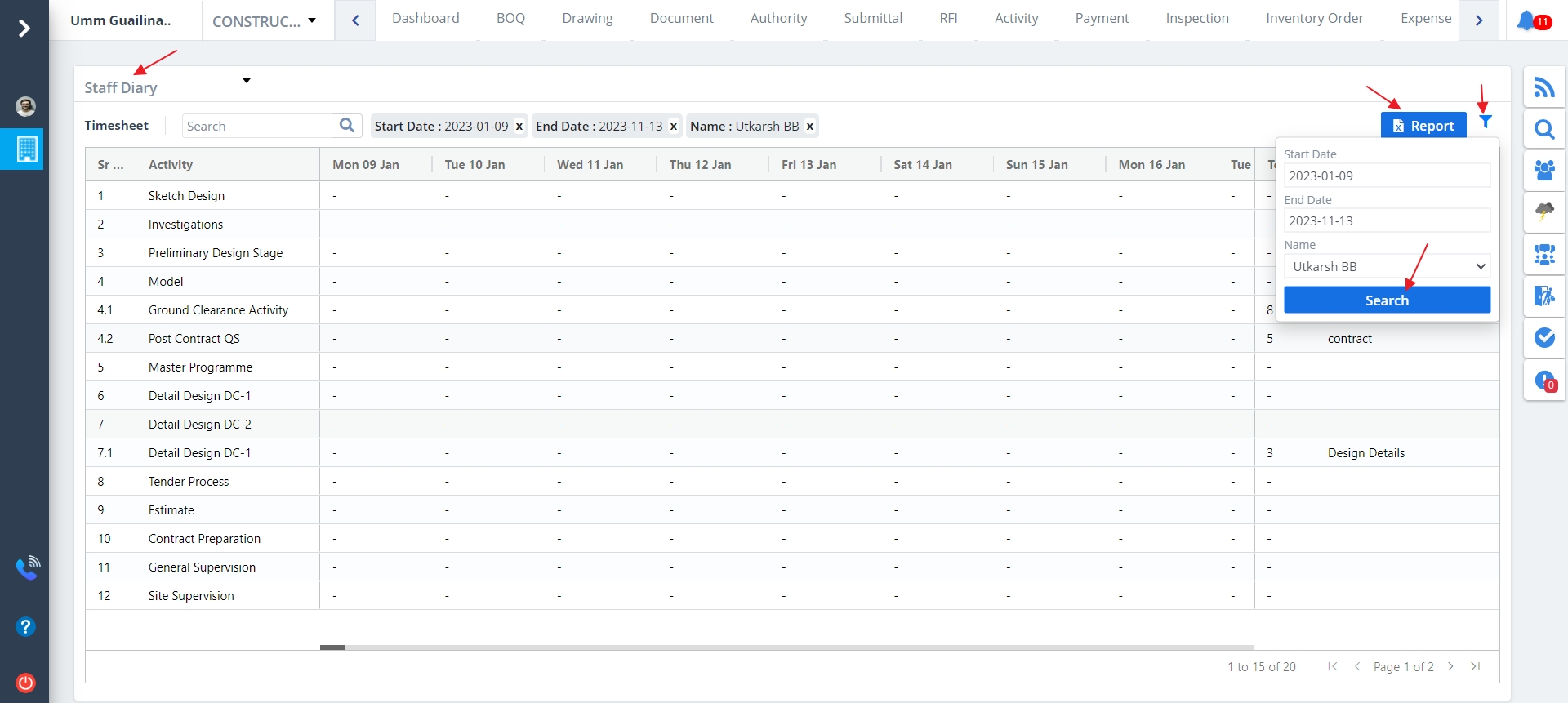
- Click on Export Report to download .xlsx file of the report. This is provided for every report classification except for Audit Report.
- Click on Filter next to Export Report to extract filtered data based on date and member.
- In conclusion click Search button for the filtered results.
Staff Site Diary
What is a Staff Site Diary?
It implies maintaining the records of staffs and their visit to the site.
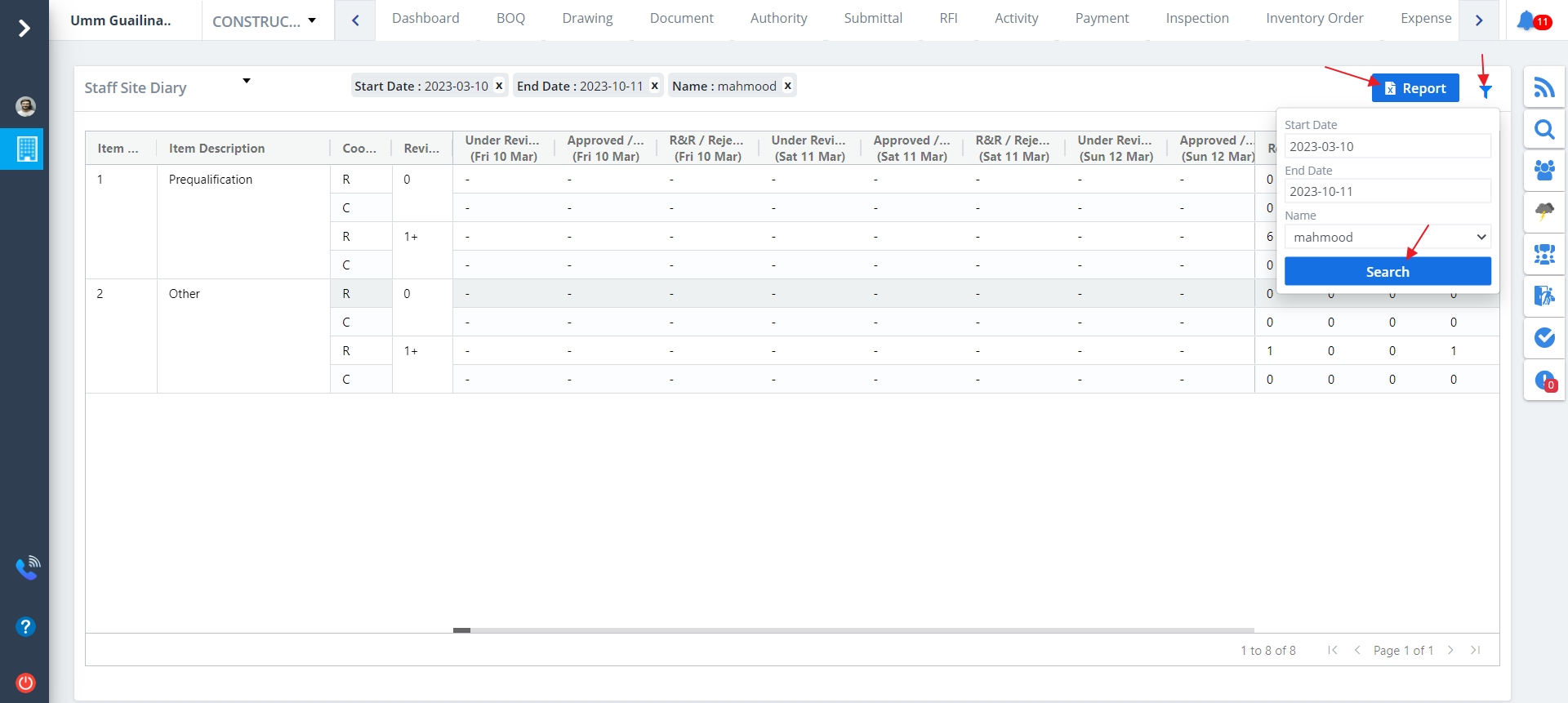
Select Report from menu. By default Time Sheet report will be visible. To change the classification select any one of the above from the dropdown list. Staff Site Diary looks like this.
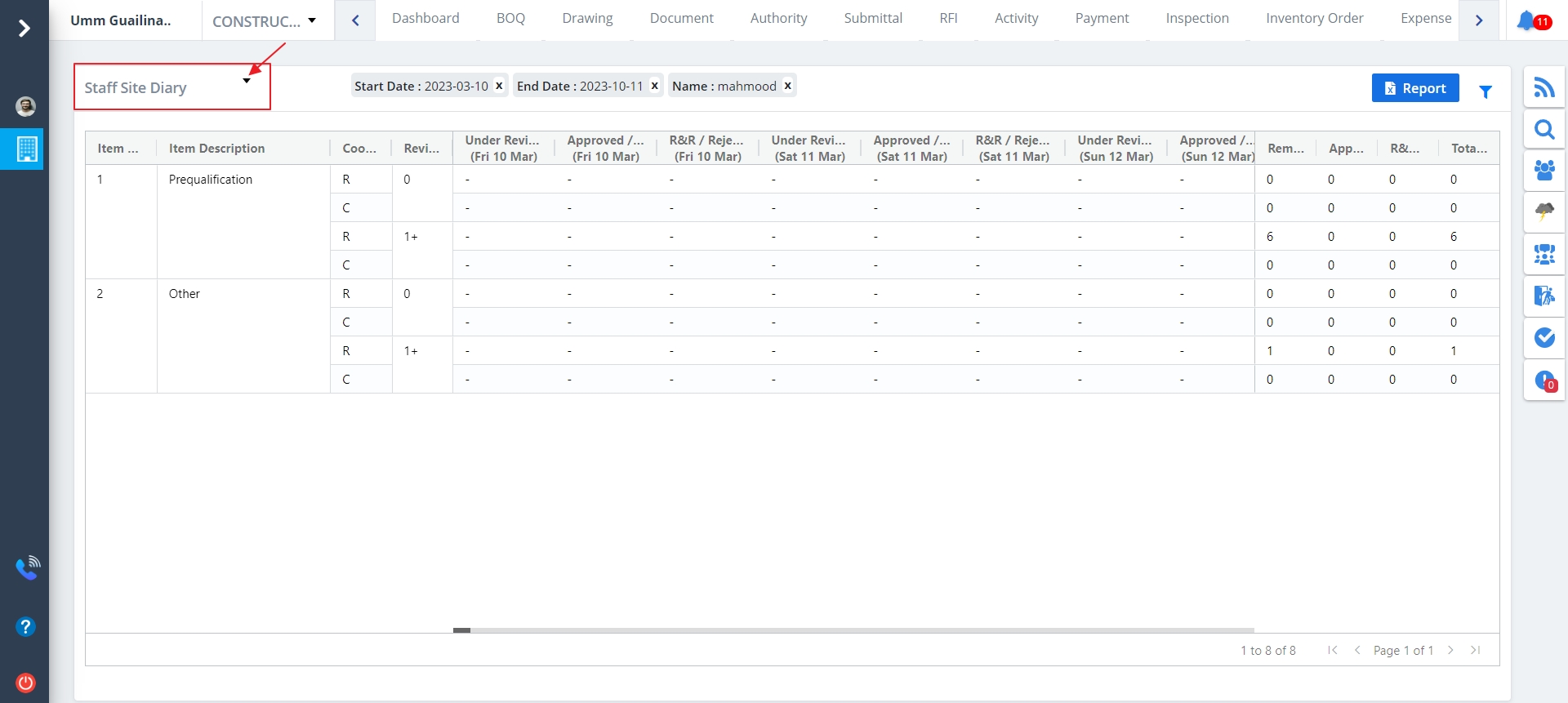
- Click on Export Report to download .xlsx file of the report. This is provided for every report classification except for Audit Report.
- Click on Filter next to Export Report to extract filtered data based on date and member.
- In conclusion click Search button for the filtered results.
Project Cost
What is a Project Cost?
Any construction project consists of direct and indirect costs which forms the total costs
and expenses resulting from the use of principal components for implementing such projects.
Select Report from menu. By default Time Sheet report will be visible. To change the classification select any one of the above from the dropdown list. Project Cost looks like this.
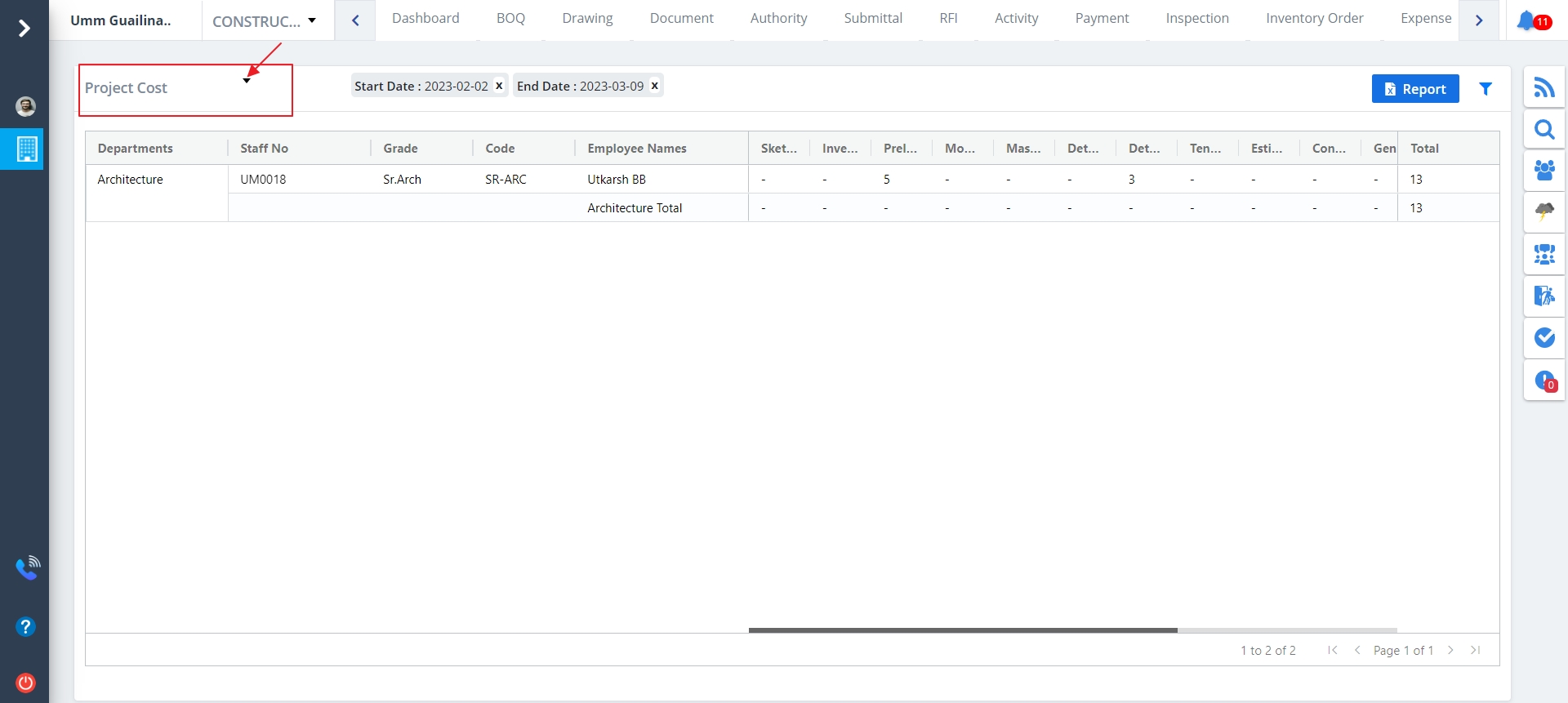
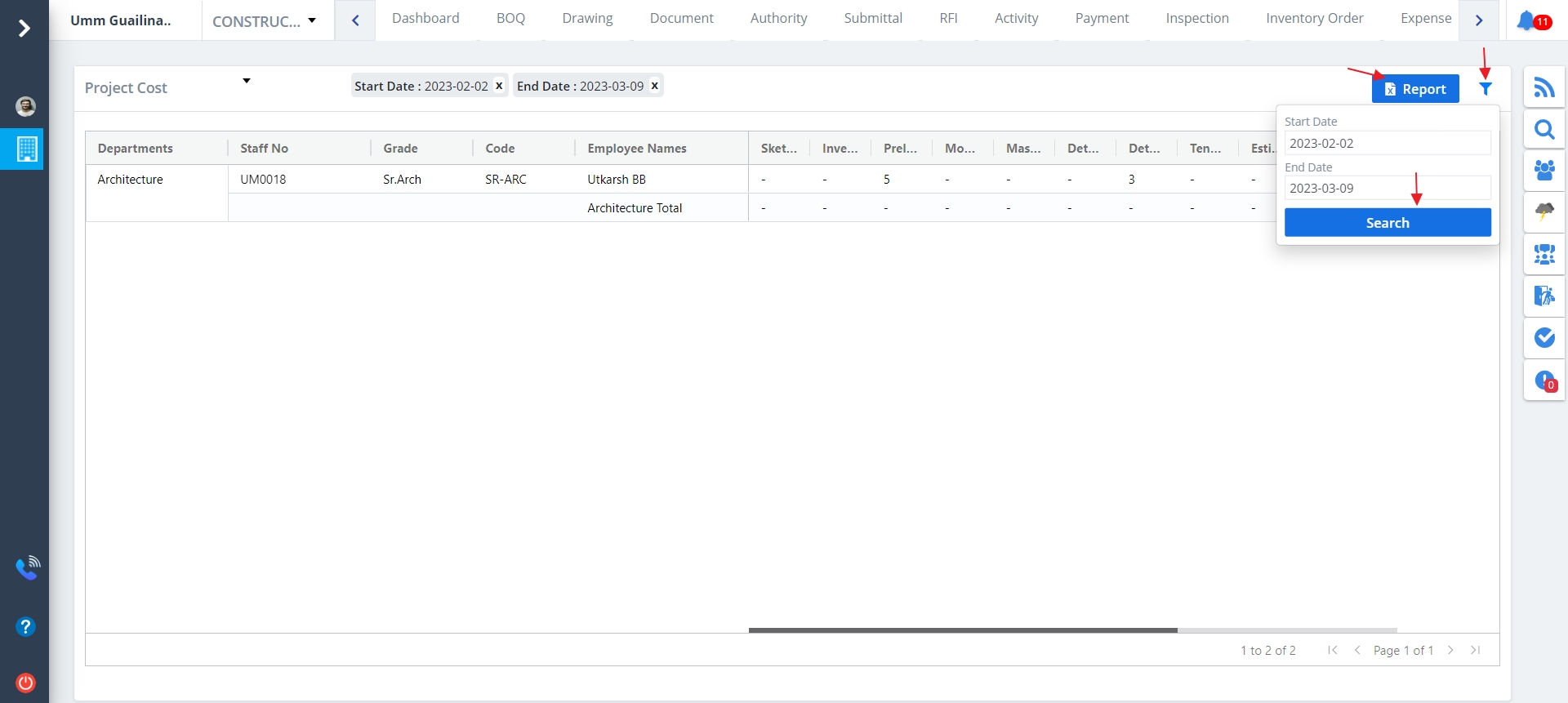
- Click on Export Report to download .xlsx file of the report. This is provided for every report classification except for Audit Report.
- Click on Filter next to Export Report to extract filtered data based on date and member.
- In conclusion click Search button for the filtered results.
Project Report
What is an Project Report?
A report containing a review of various aspects of a project to ensure they are performing
appropriately and in keeping with the contract.
- Select Reports from menu.
- By default Time Sheet report will be visible.
- To change the classification select any one of the above from the dropdown list.
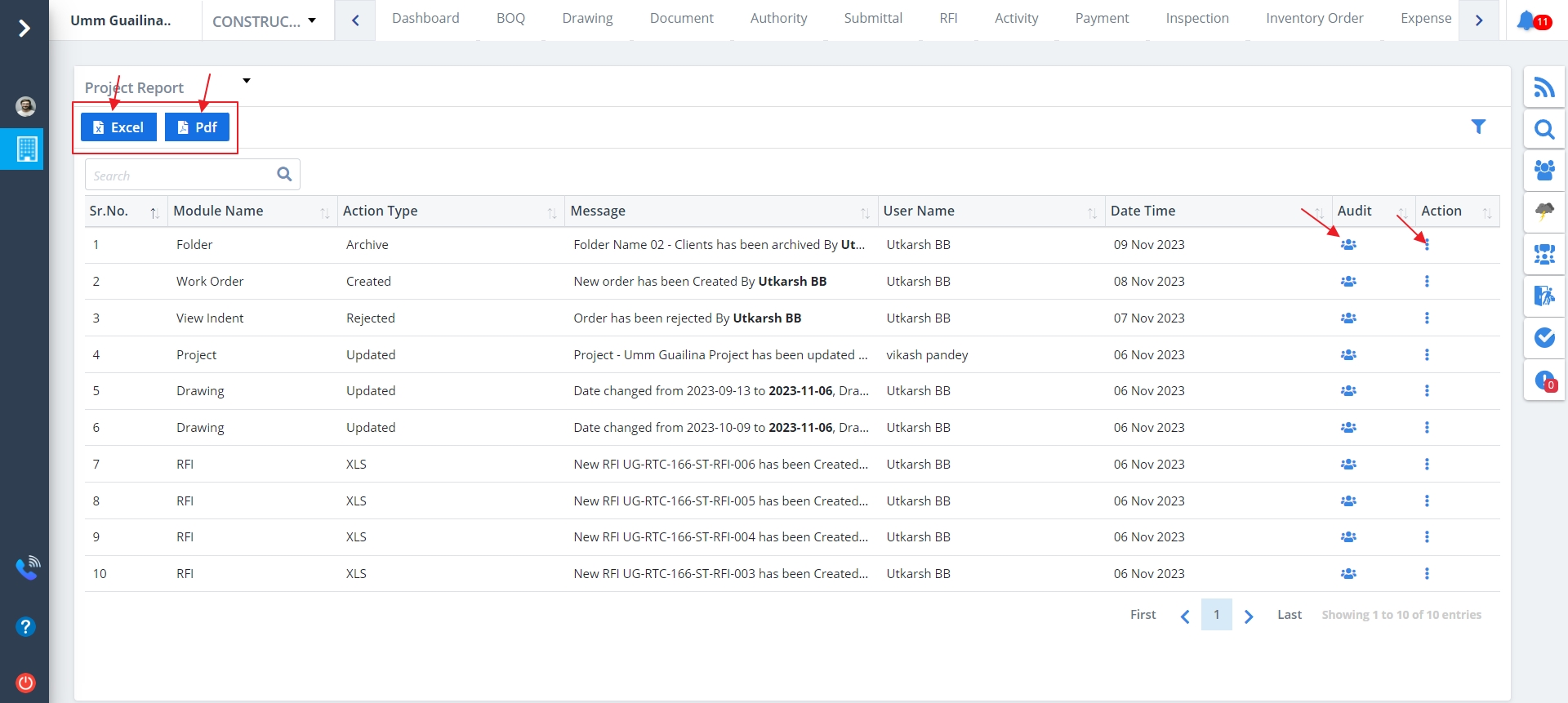
- Audit Report looks like this.
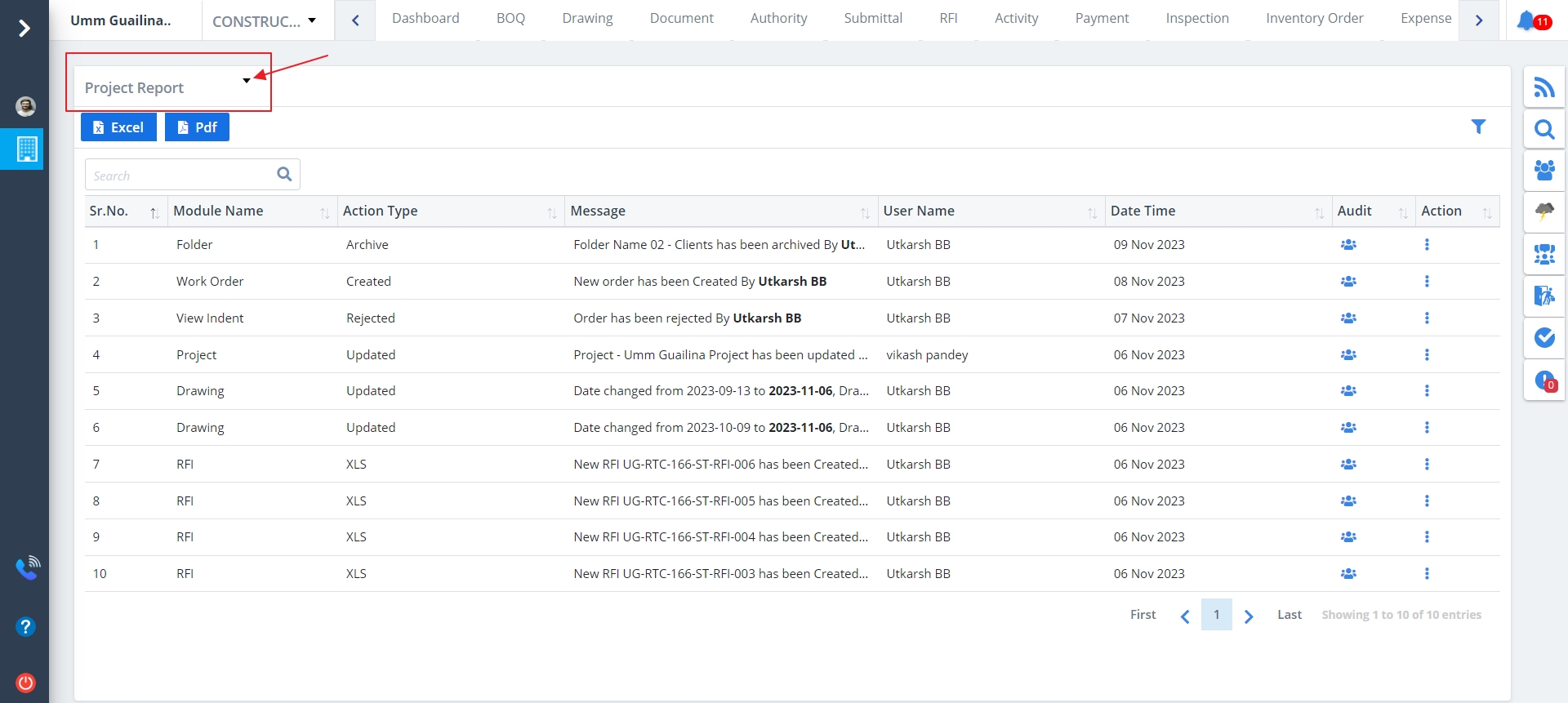
Project Report includes:-
- In Project Report listing, there are additional columns for audit and action.
- The working is same as described for the other stages/phases.
- Click on Excel button to download Project Report in excel sheet format.
- Click on Pdf button to download Project Report in pdf format.
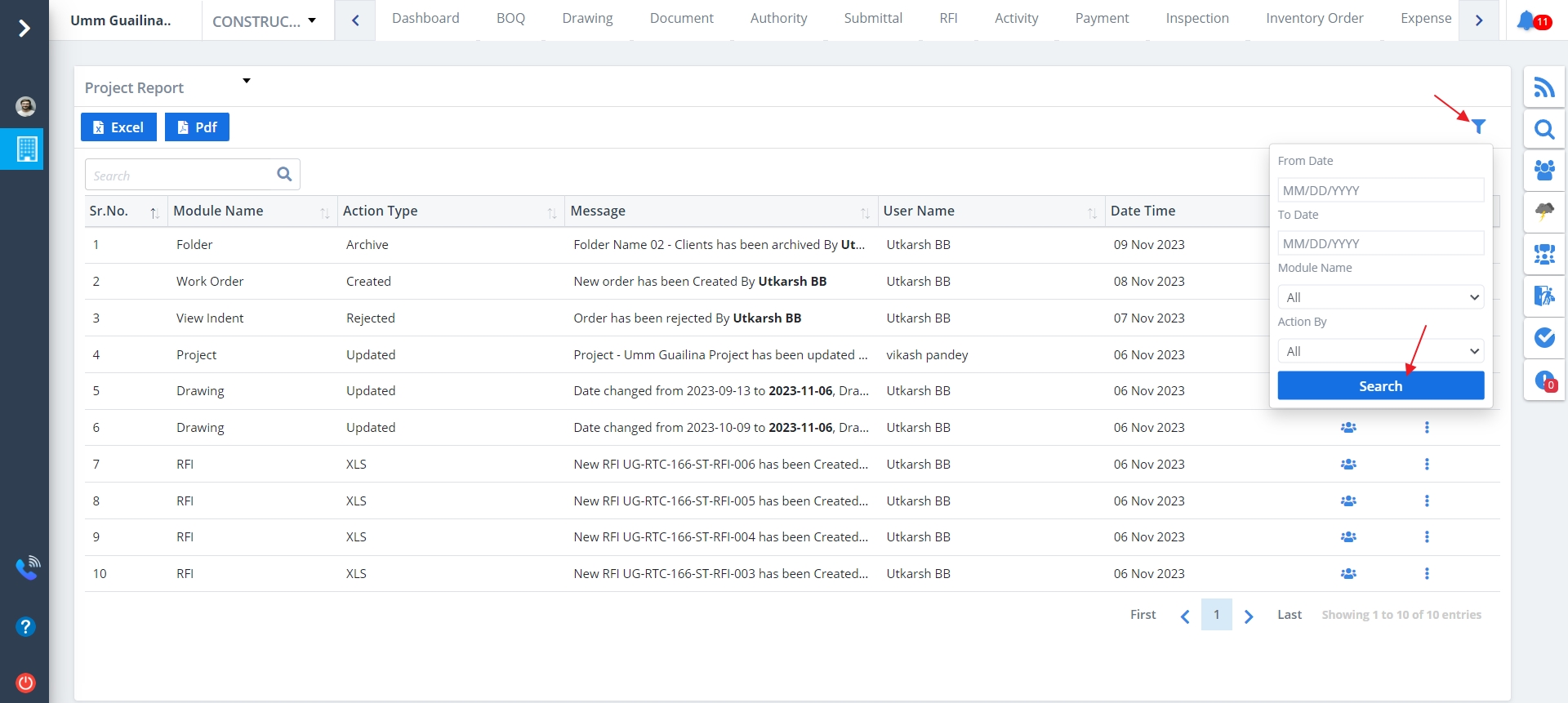
- Click on Filter next to Export Report to extract filtered data based on date and member.
- You can set the dropdown values to All if you are not sure about your choice.
- In conclusion click Search button for the filtered results.
Column Visibility
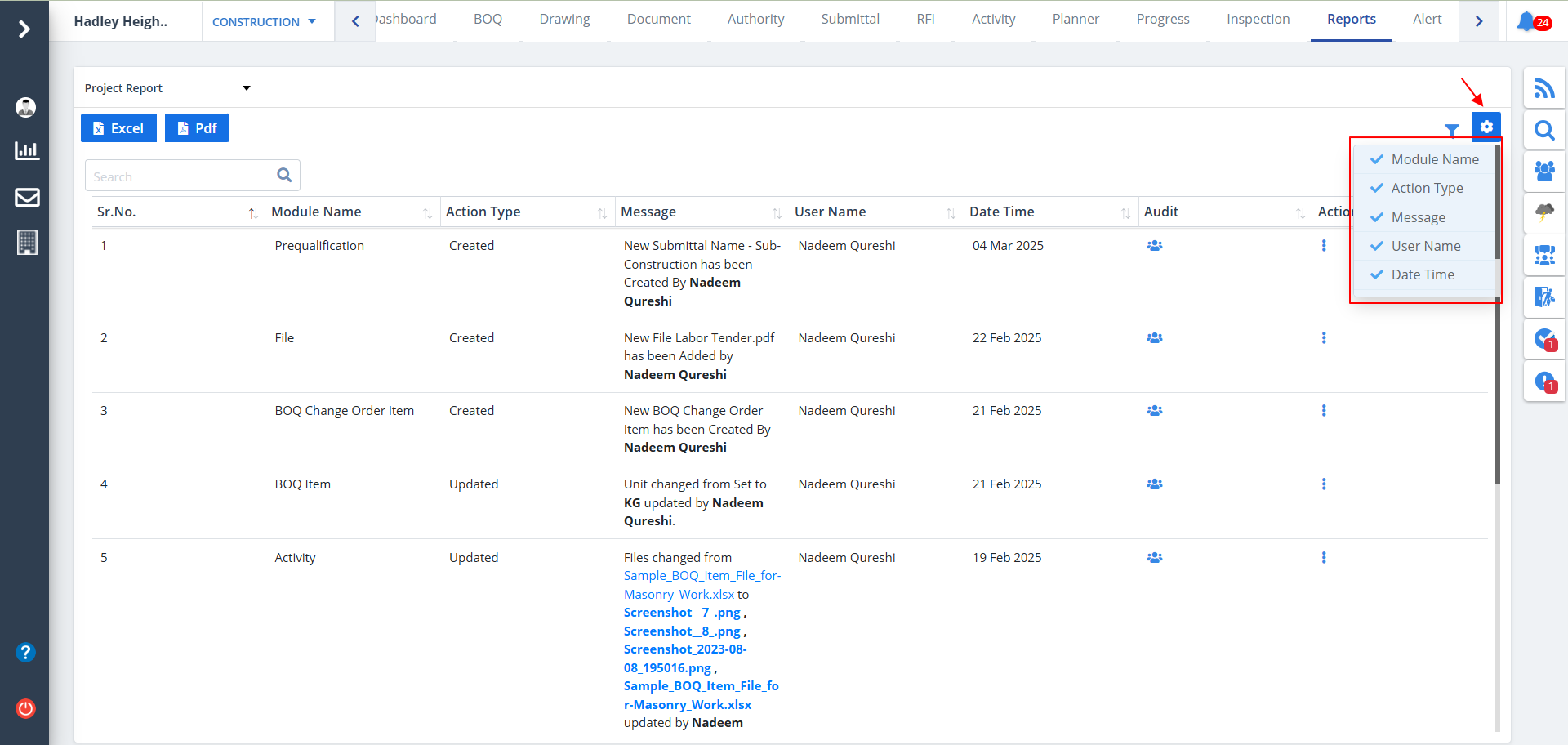
- You can control what column you prefer to be seen.
- Just click on the Settings icon as shown in the below image.
- Tick the columns that you want to view and untick the ones you don't desire to view.
- In case you change your mind, you can tick the untick ones and vice-versa.