Activity List
- Skystruct facilitates activity creation across various phases of the construction lifecycle and assigns tangible activities with timelines which the construction team is expected to adhere.
- It is this activity status that defines whether a project is on time and on budget or running out of both
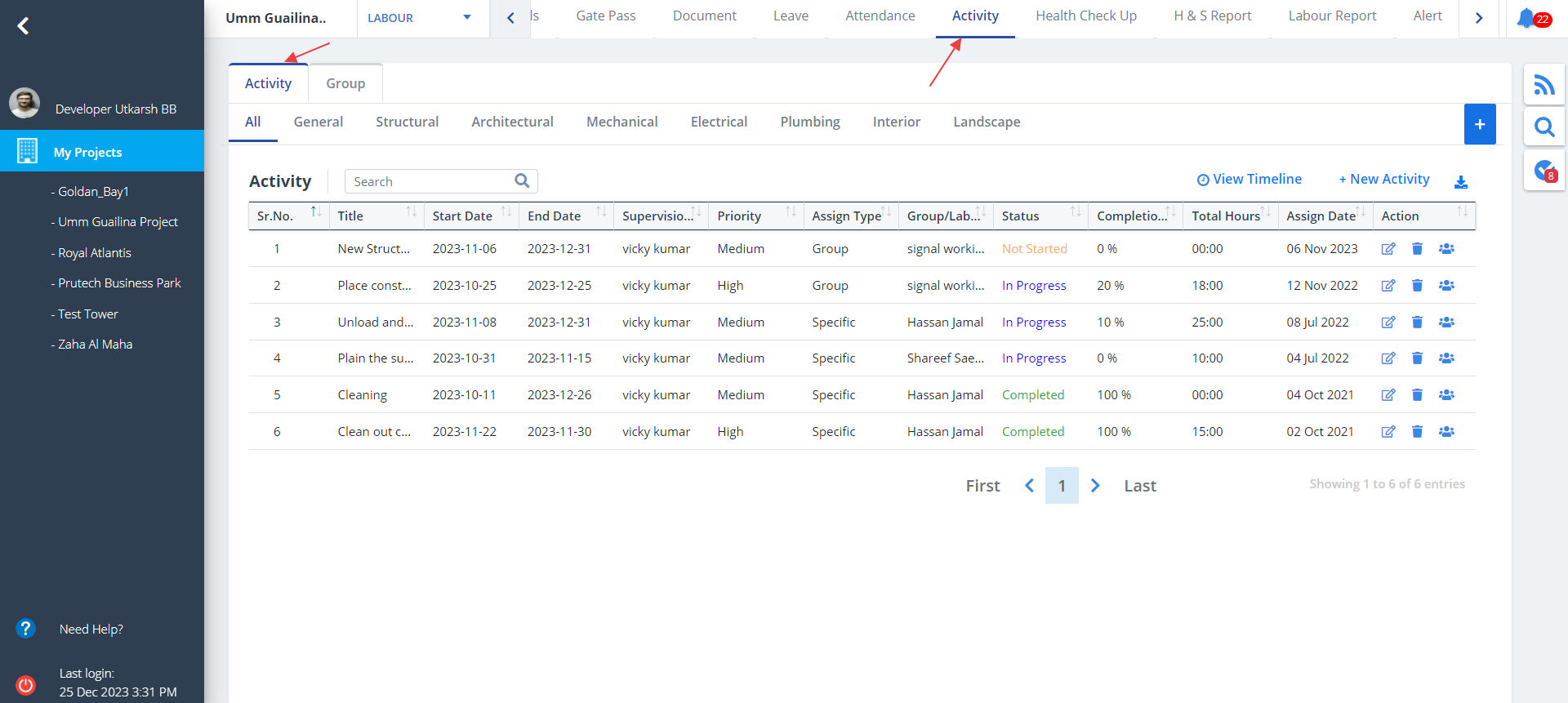
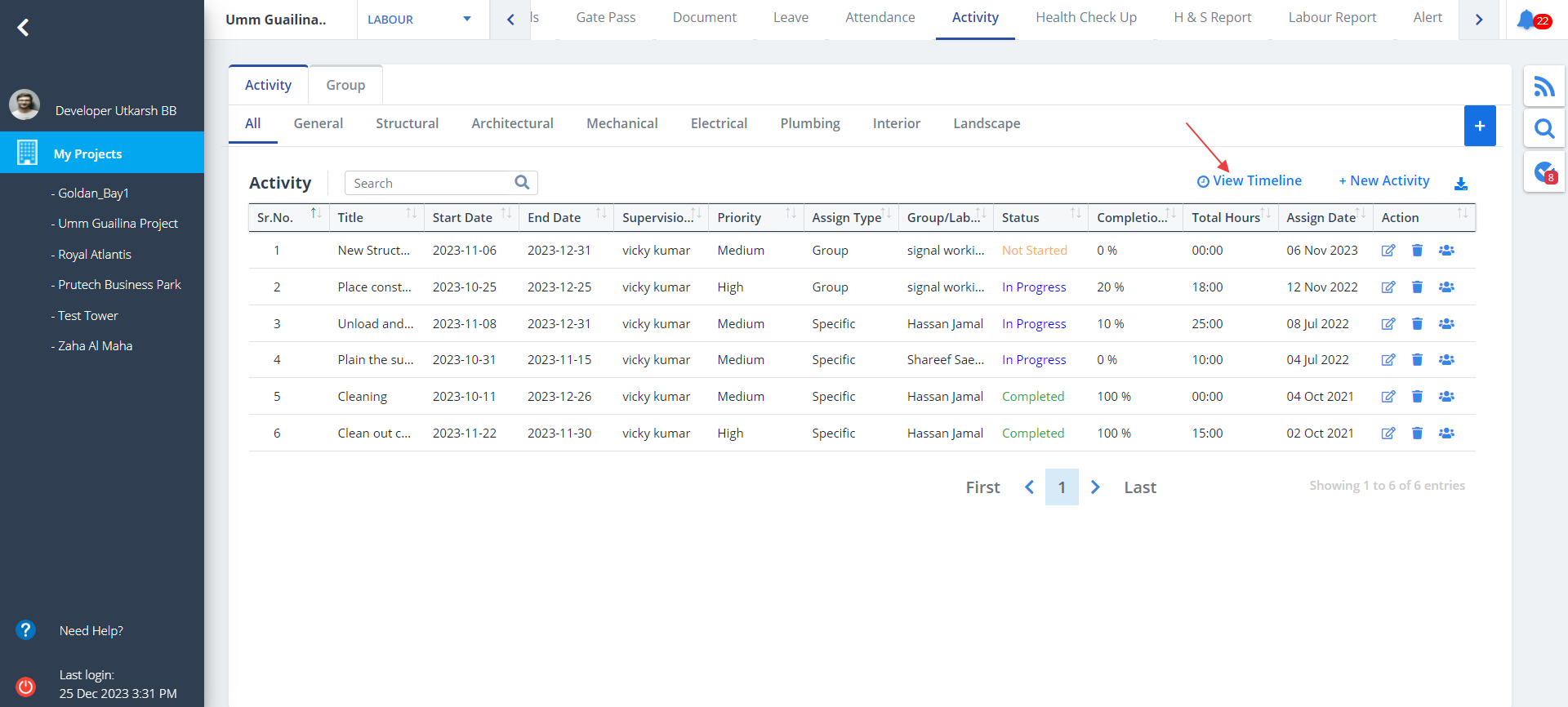
- Select Activity from menu.
- There are 2 tabs namely; Activity and Group. By default Activity is selected.
- All the activities performed by a particular labourer or group along with other details will be listed here depending on the category.
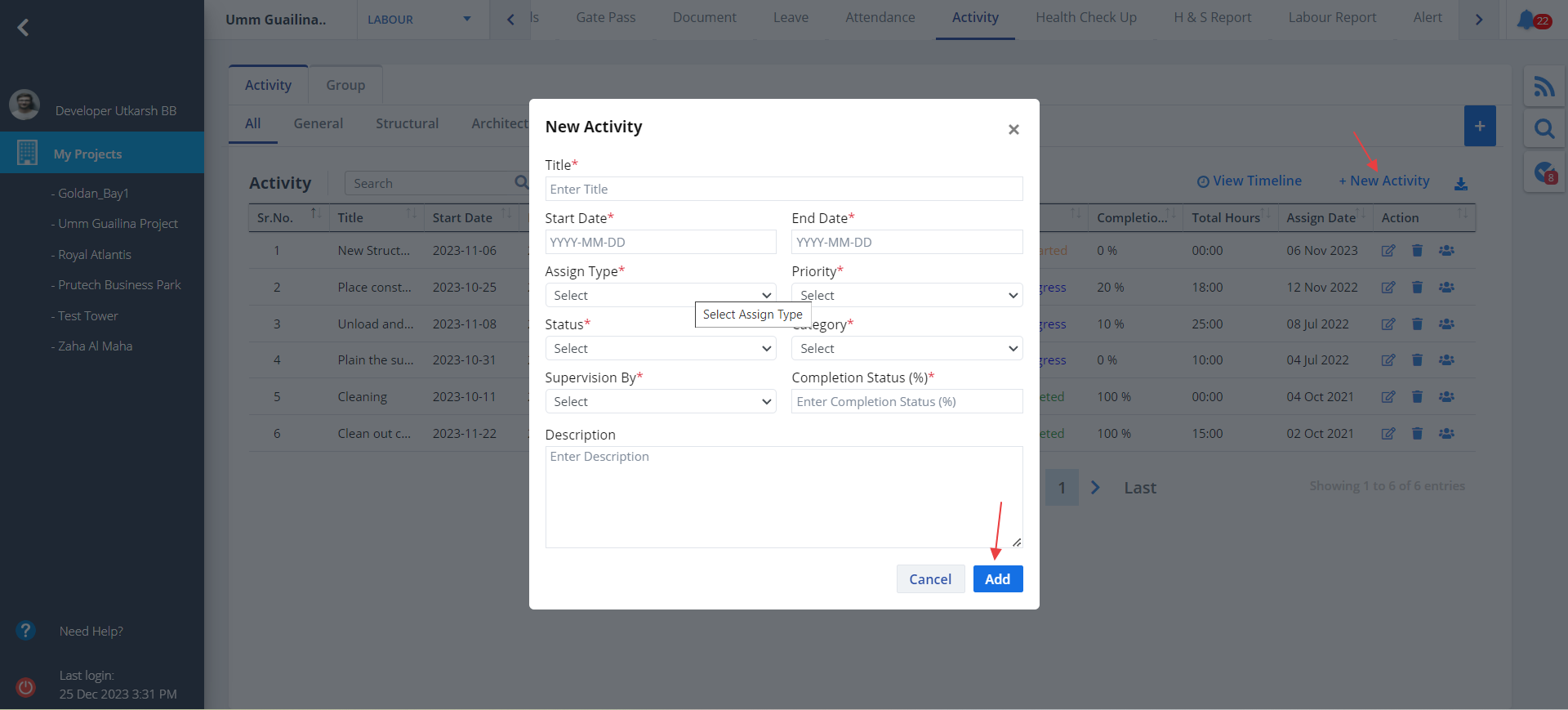
- To add a new activity, click on New Activity.
- Activity can be assigned to a specific labourer or a group, set proper status and select the category.
- Add remaining fields and ultimately click on Add.
- Click on Edit under Action column to update the existing details and Delete to delete the entry.
- Select proper dropdown values and enter activity completion status correctly.
- Make required changes and click Update.
- There is one more option for Audit. The functionality is the same as discussed for Construction and Inventory services.
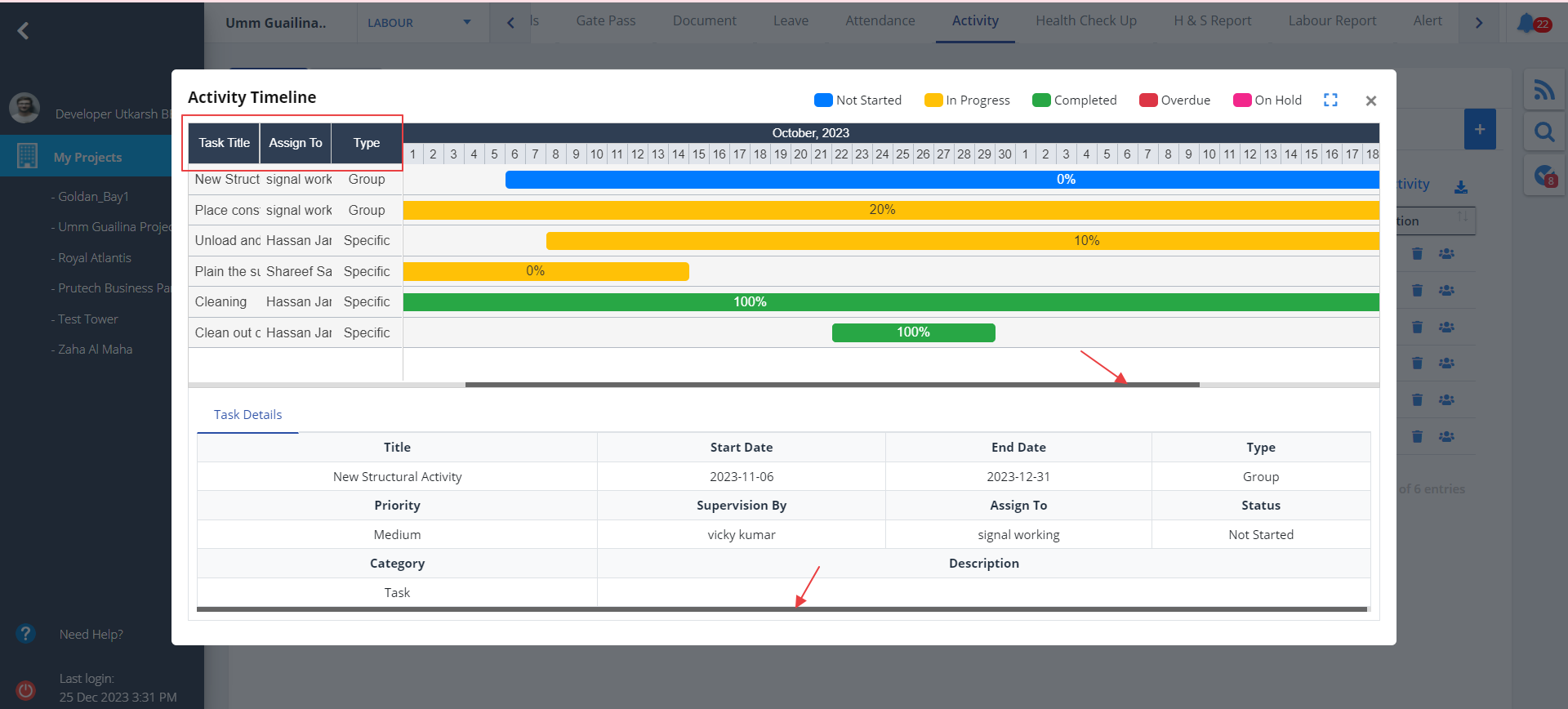
- Here you can view the Task Title, assigned to whom and the assign type (Specific or Group).
- Use the scrollbar on the bottom to toggle from left to right or right to left.
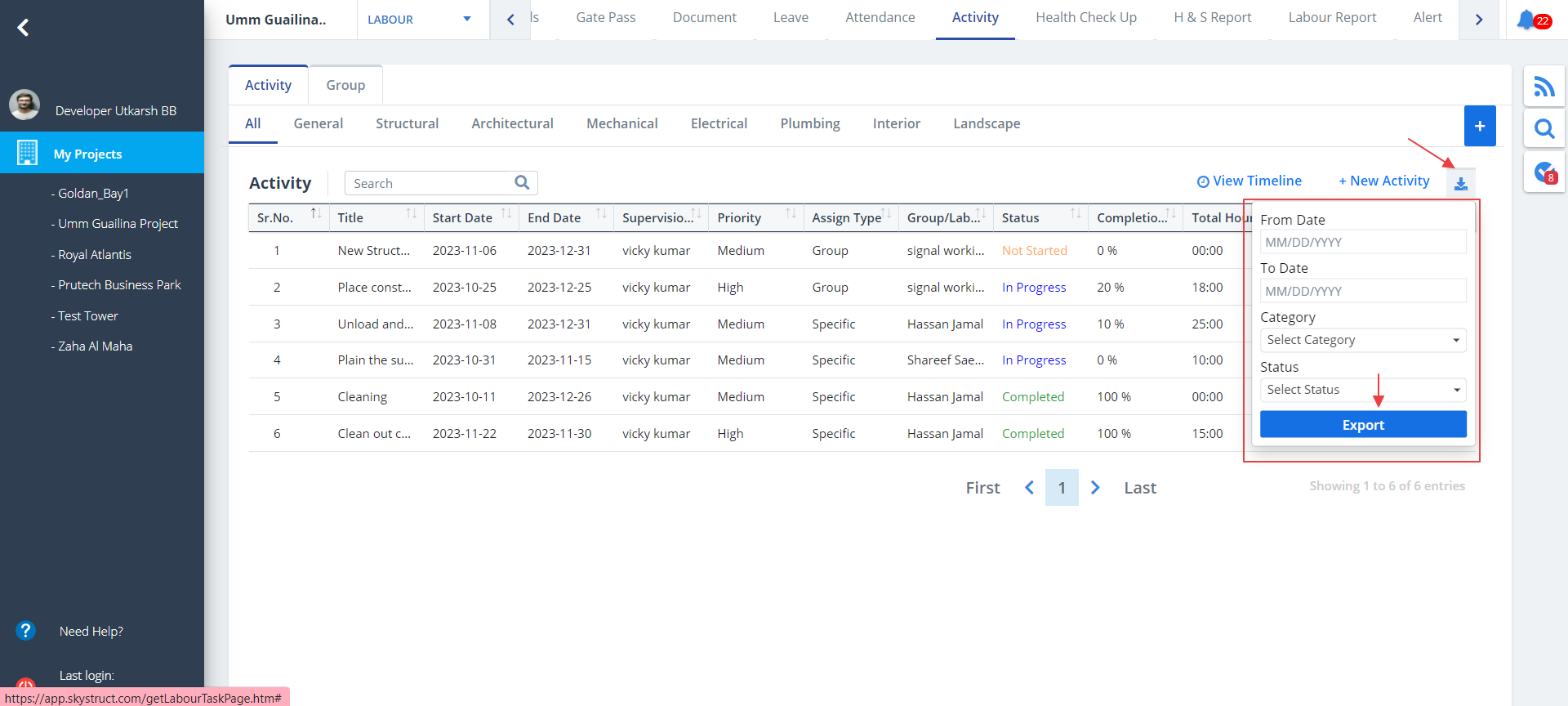
- Select dates, category and status. Now click on Export.
- Activity document will be downloaded locally.
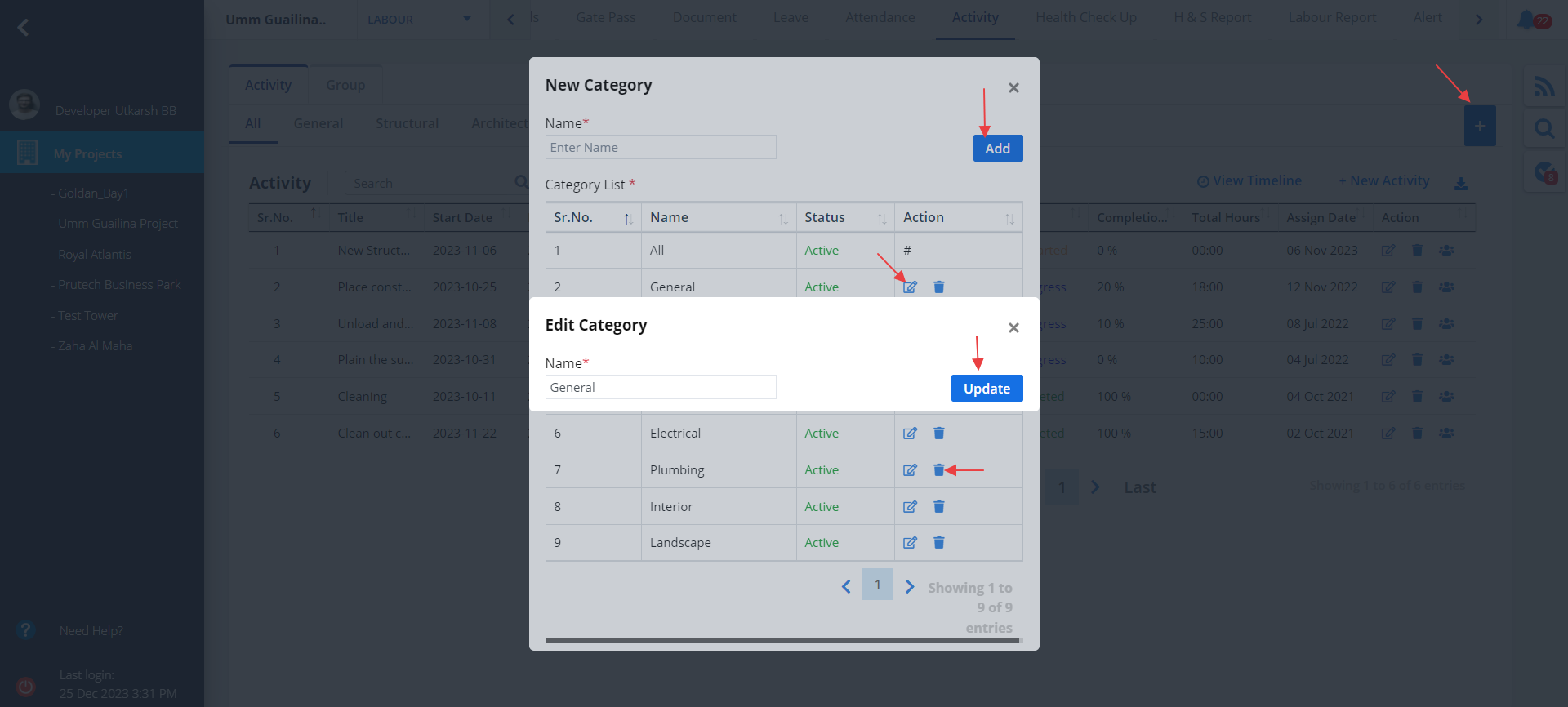
- Click on + as shown. Now you can add a category directly by clicking on Add button once name is provided.
- You can edit an existing category too. Just click on the first button under Action column<./li>
- Modify the name and click on Update button.
- Next button under Action can be used to delete a particular category.
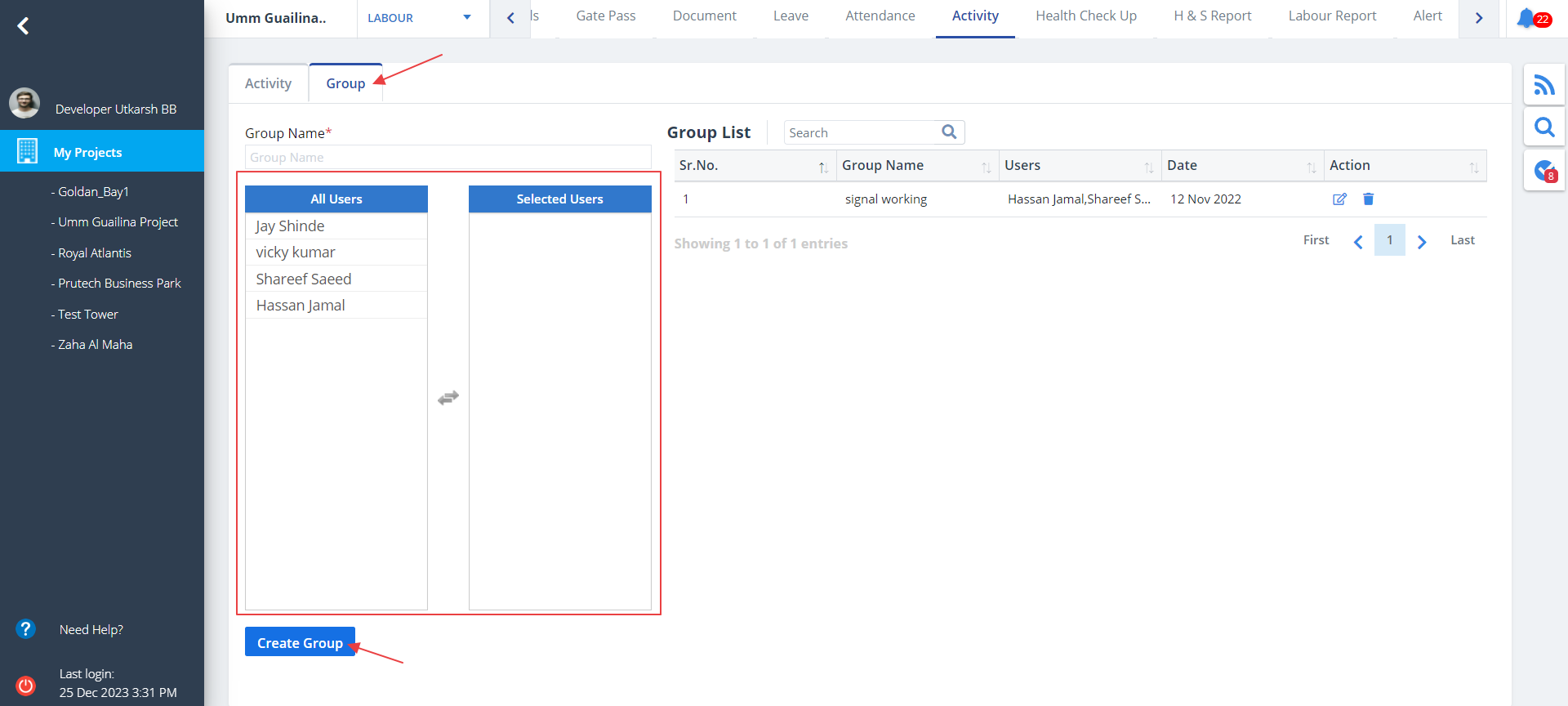
- Select Group tab as shown.
- To create a group enter name in the textbox as shown. Select users from the highlighted box. You can drag and drop the users into the neighbouring box.
- Now click Create Group.
- New and existing groups will be shown in this section.
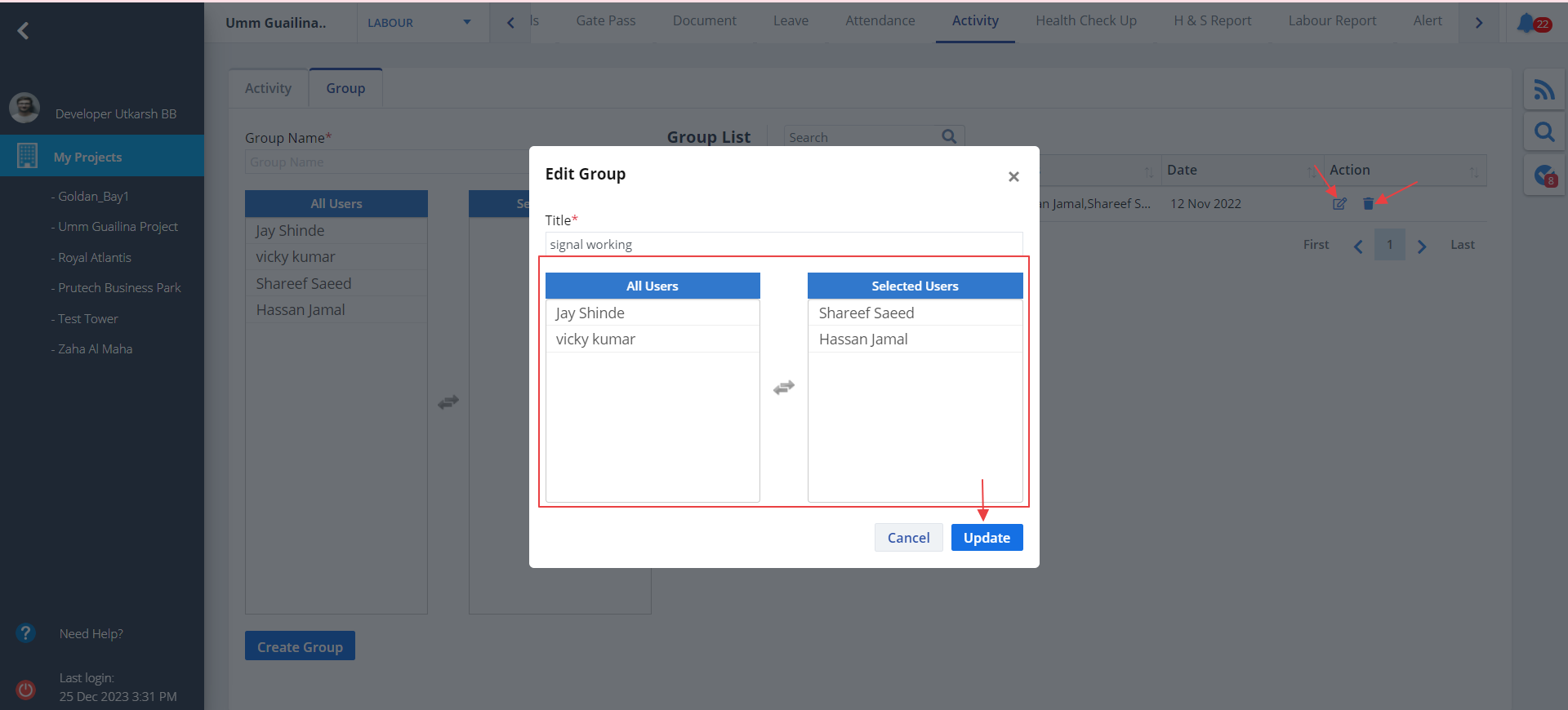
- Use the Action column to Edit the group list. Modify required details and click on Update.
- Here also you can drag and drop the users as per need.
- You can delete a group too using the button next to delete.
New Activity
Edit Activity

View Timeline
Click on View Timeline highlighted in the image for an exhaustive view of all the activities.
Download Activity
New Category
Group Tab
Group List