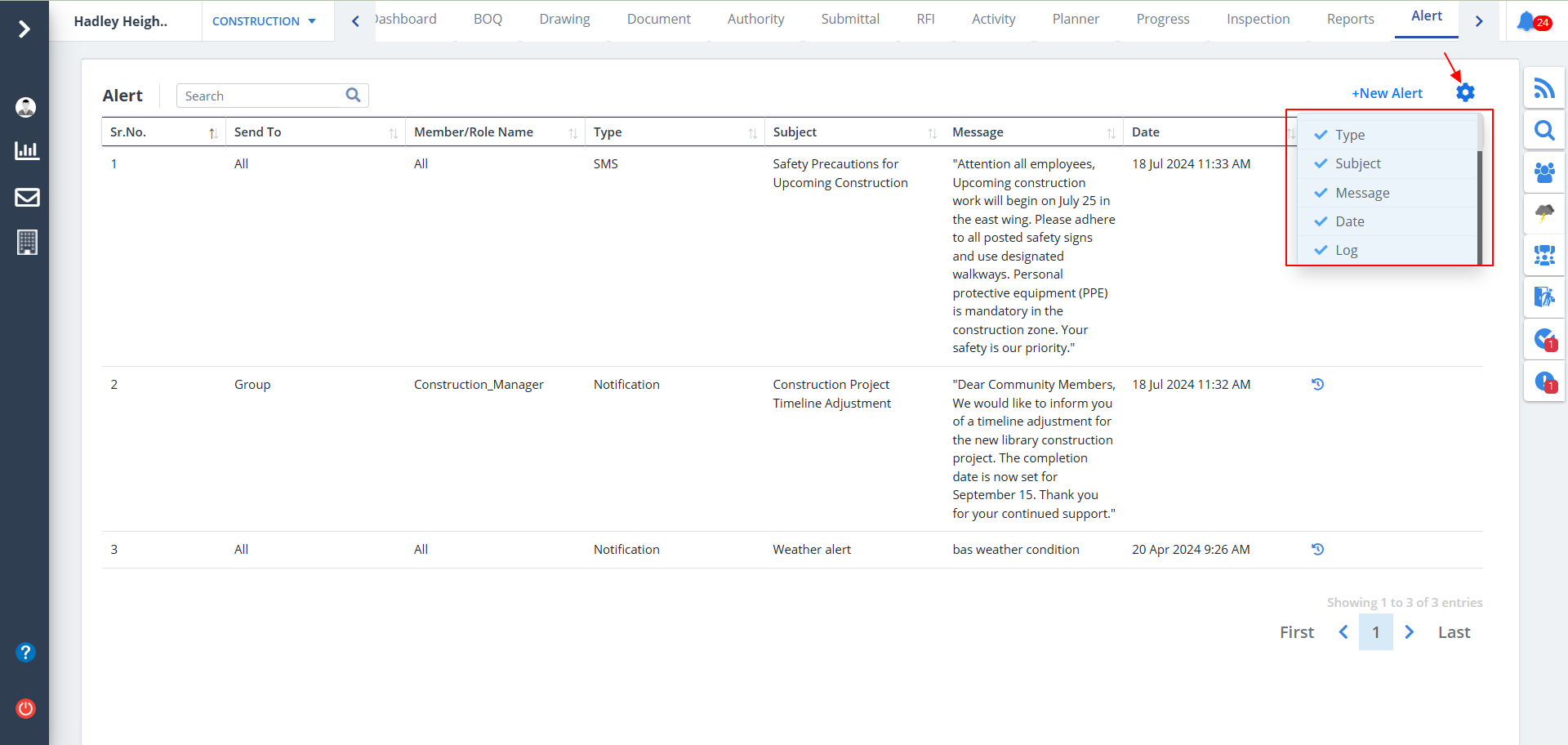
Alert List
What does Alert imply?
- An alert stage allows the user to raise bespoke process alerts at strategic points in a process.
- When an alert stage is executed it will send a specified message to users.
- Select Alert from menu. All the mentioned alerts will be shown here.
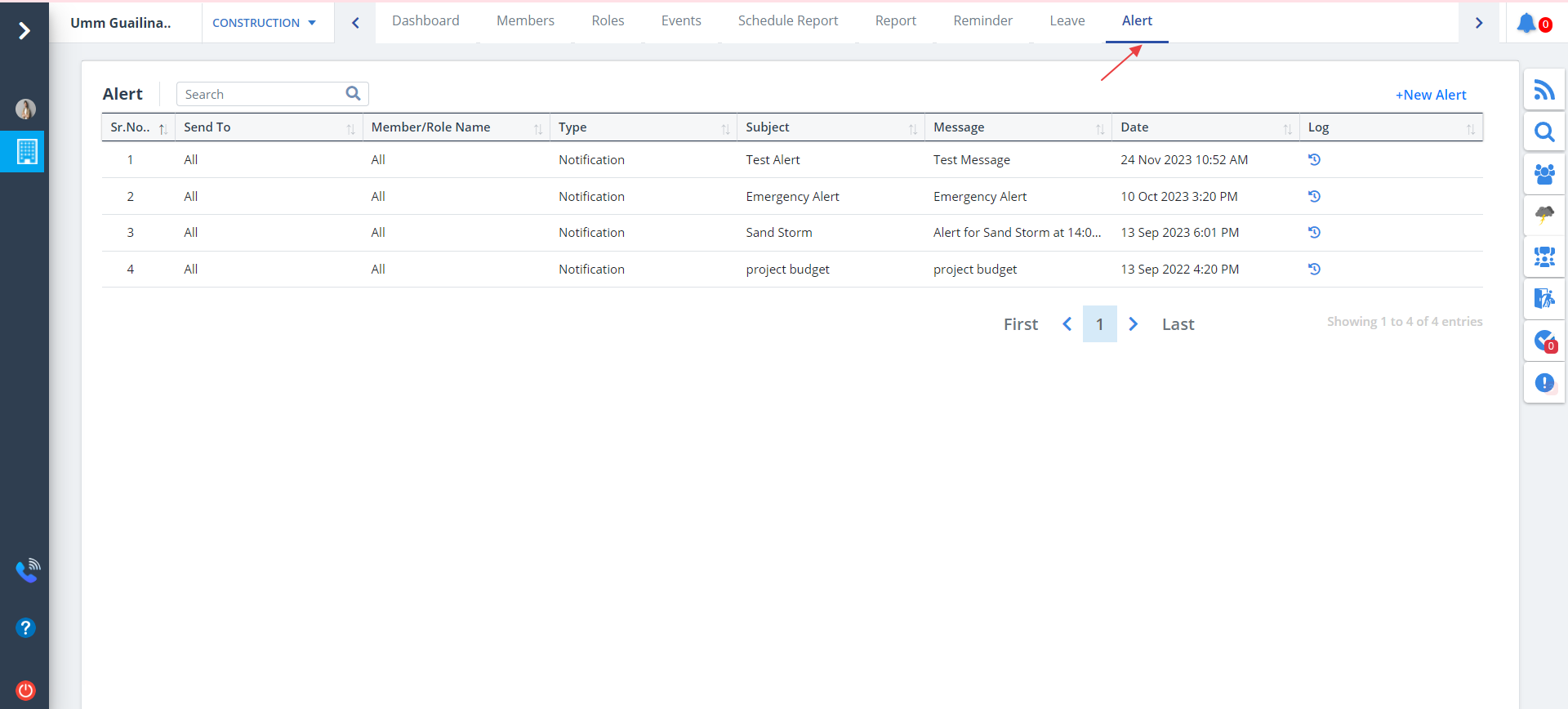
New Alert
New Alert can be created as follows:-
- Click on New Alert to generate a whole new alert message and send it to a single user, multiple users on group basis (such as developer, consultant, contractor, subcontractor and project admin) or all users.
- Alerts can be sent via Mail, SMS or Notification.
- Enter details and click on Add.
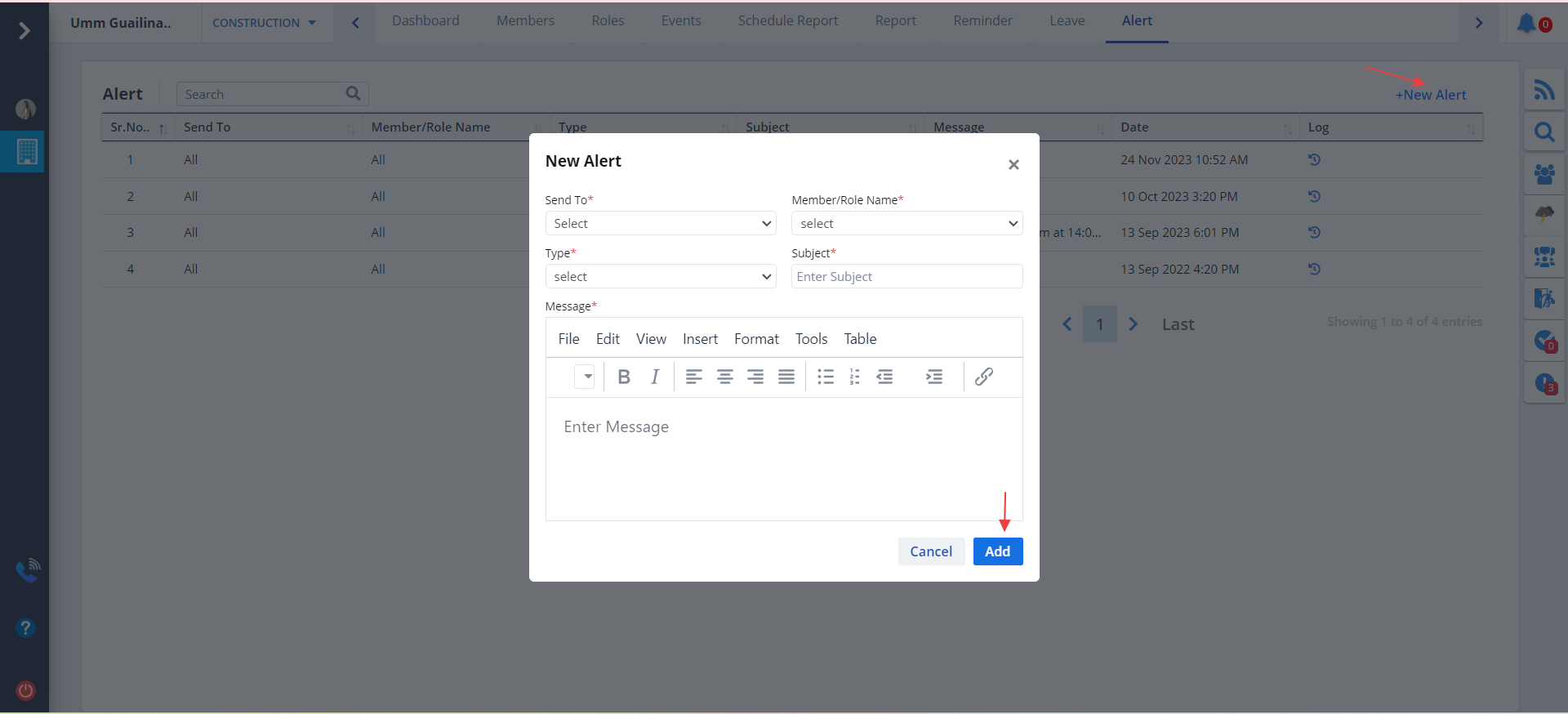
Log Action
- Click on the icon under Log column to view the specific message to be sent to member/members.
- All the logs regarding the modules will be shown.
- The budget for every project is shown too.
- If No Audit is found it will be display under Log column too.
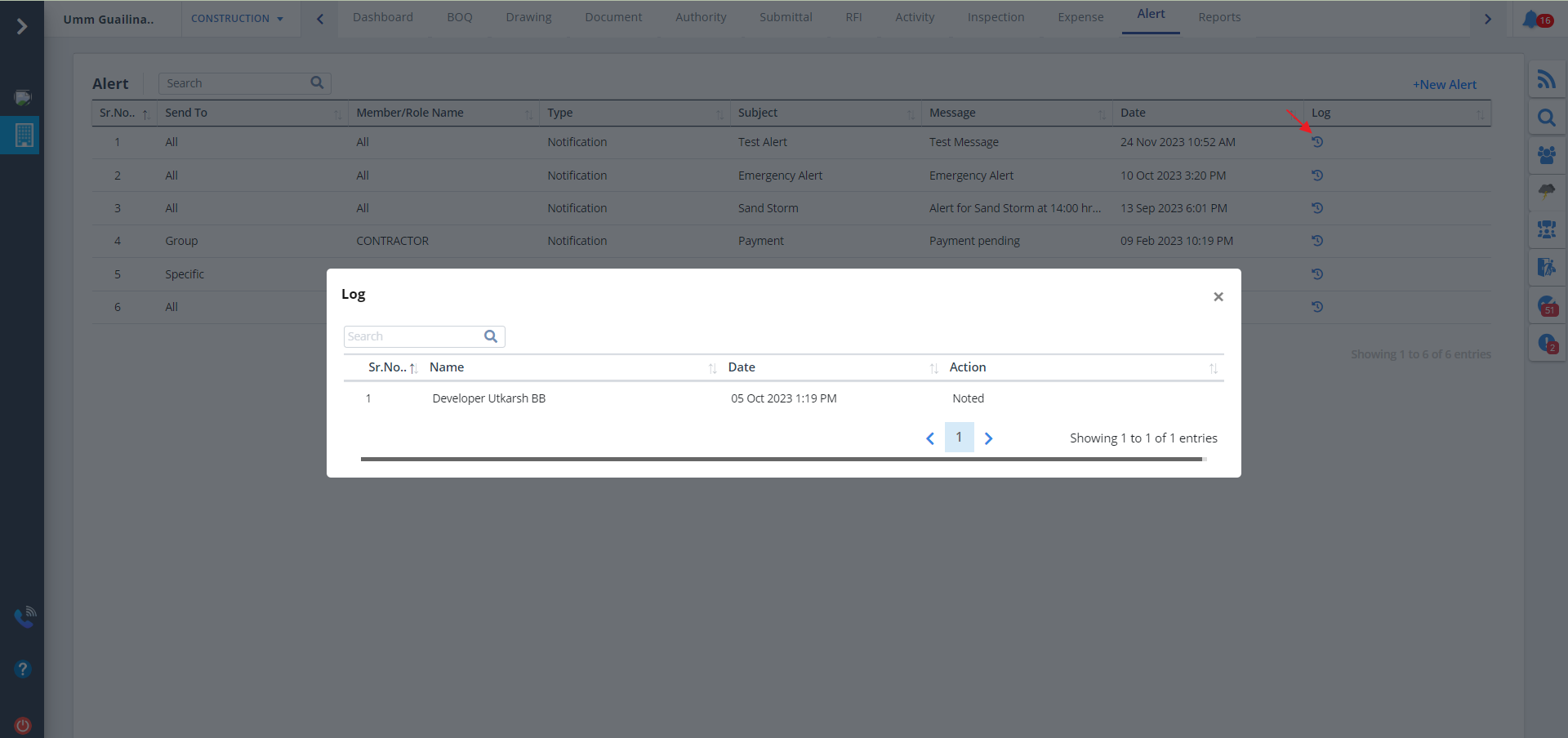
Column Visibility
- You can control what column you prefer to be seen.
- Just click on the Settings icon as shown in the below image.
- Tick the columns that you want to view and untick the ones you don't desire to view.
- In case you change your mind, you can tick the untick ones and vice-versa.