Weather Info
- Click on the icon next to Member Section.
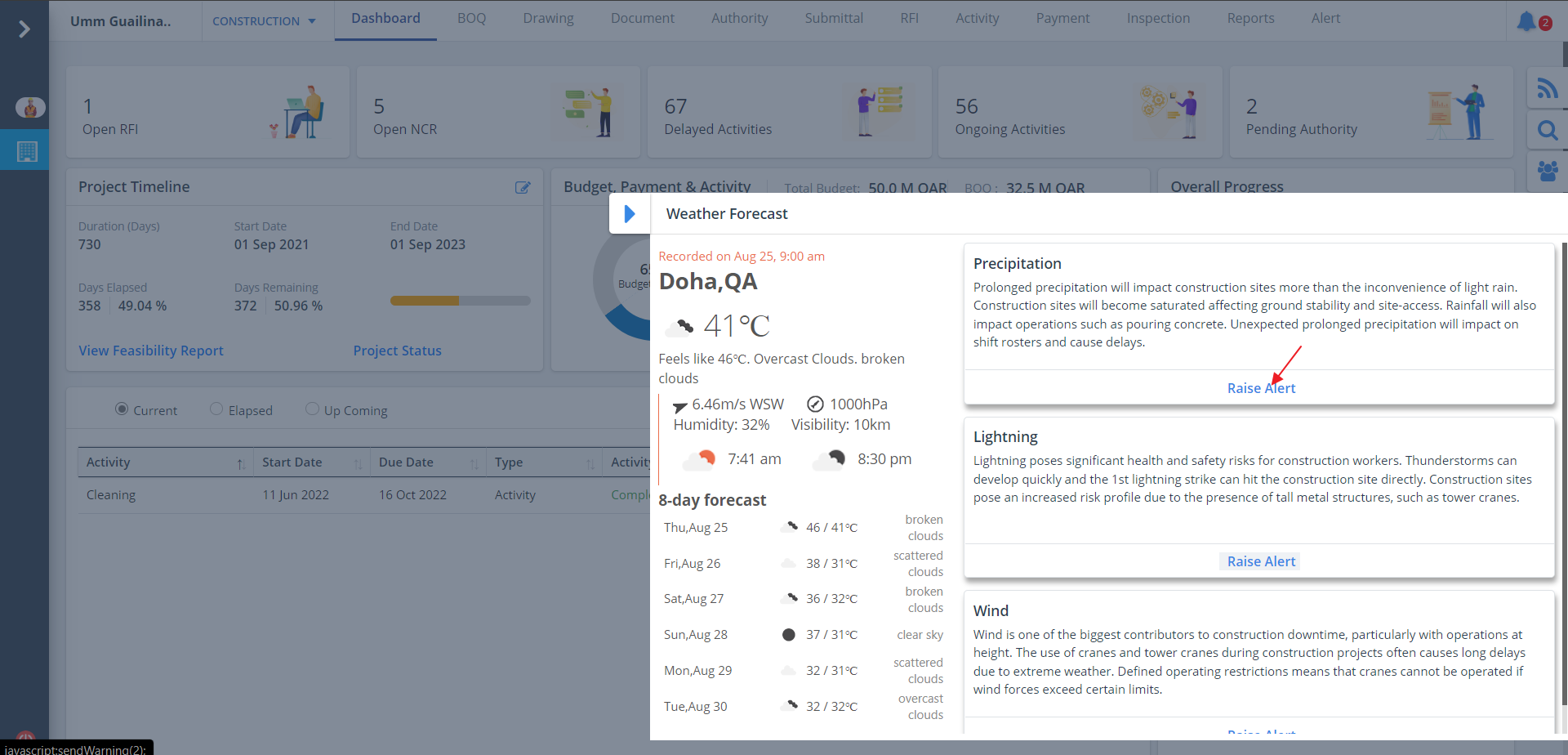
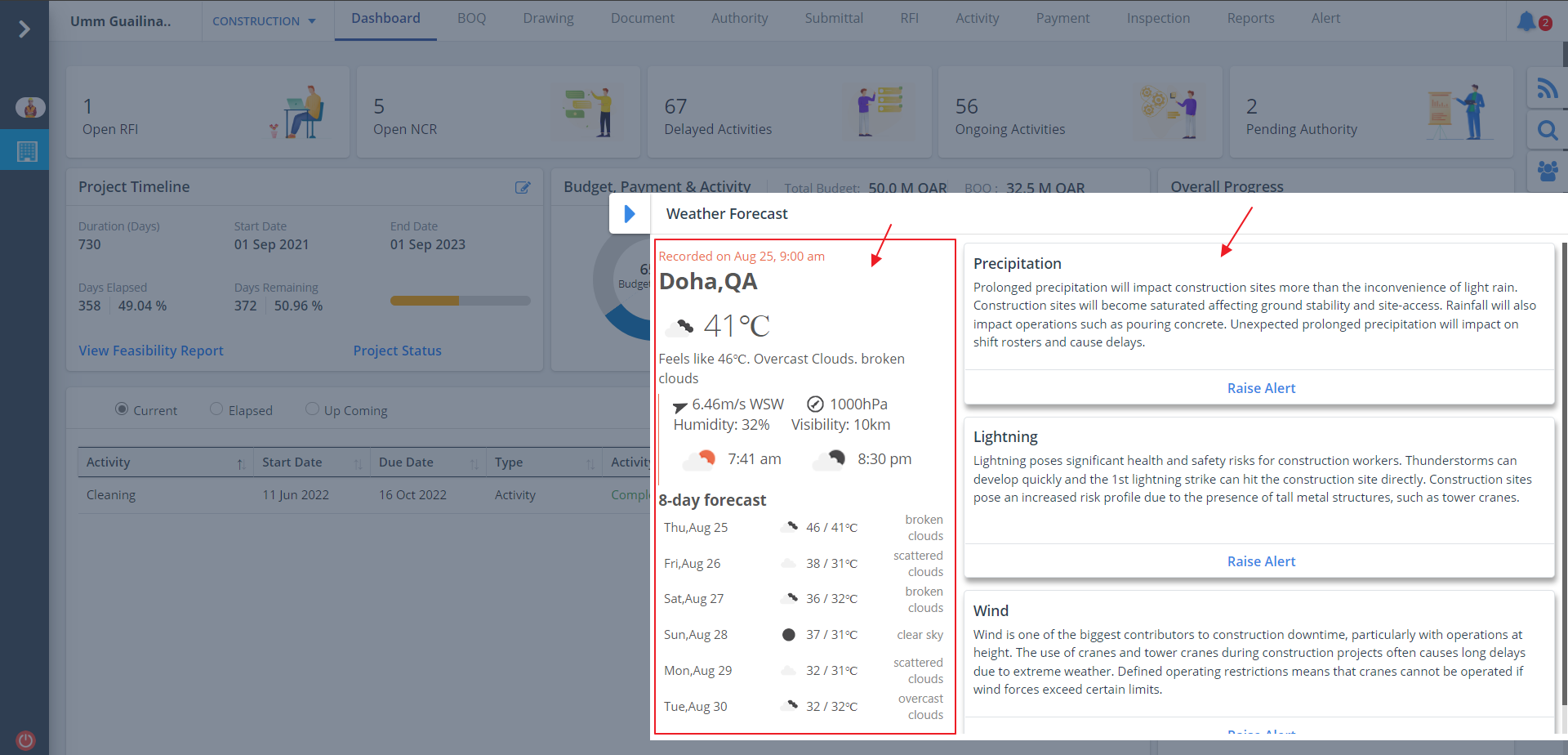
- Now you can see the precise weather information including the temperature, location and upcoming forecasts.
- Current weather information along with the expected weather change is included too.
Raise Alert
- Click on Raise Alert, a success message will be displayed that the warning has been sent successfully.
- Calamities, if any, are described in short and you can raise alert thereafter.
- Use the scrollbar to view more.