Contractor Work Order List
- A contractor work order in a construction project serves as a formal document that outlines the specific tasks, materials, and timeline agreed upon between the project owner and the contractor.
- It acts as a crucial tool for maintaining clarity and accountability throughout the construction process.
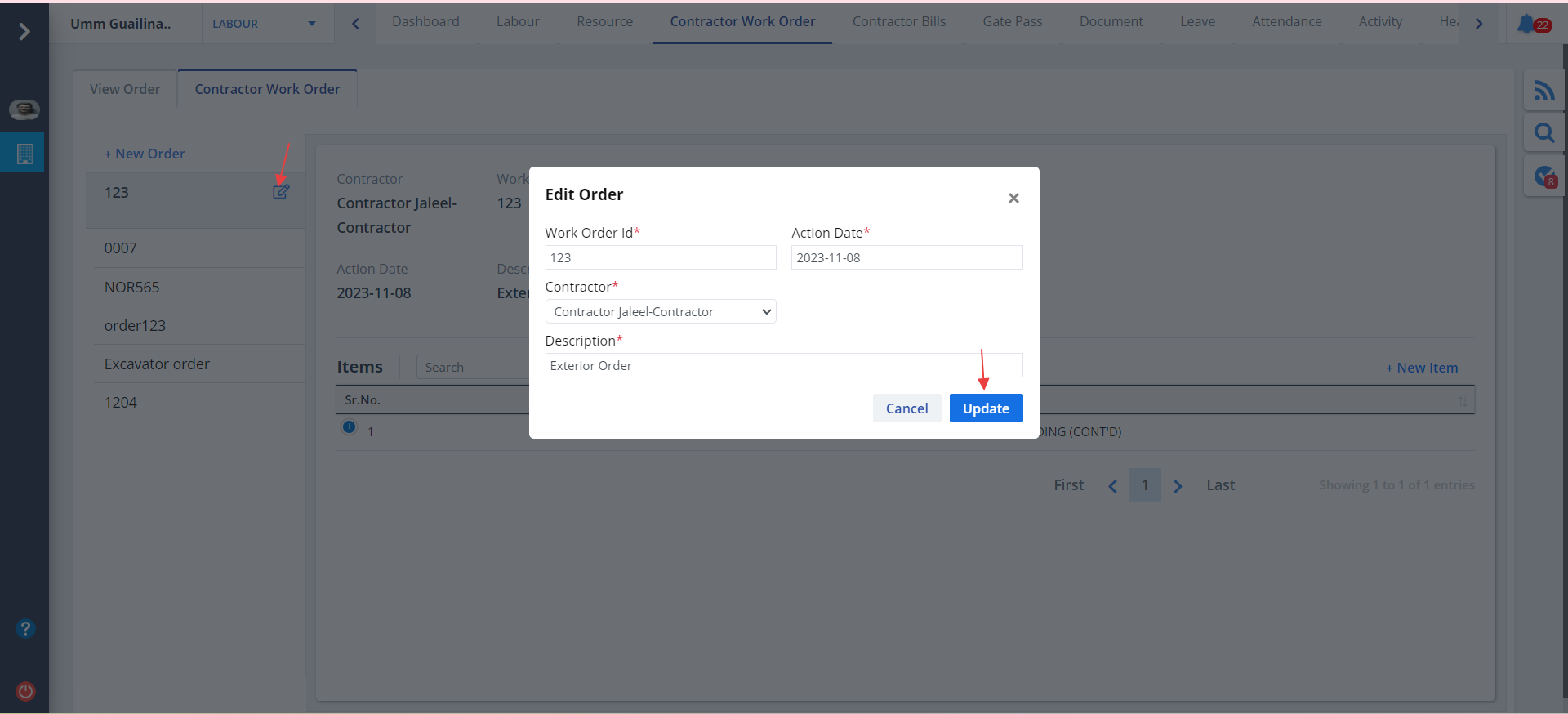
- Click on Contractor Work Order as shown. 2tabs are visible namely; View Order and Contractor Work Order.
- By default View Order is shown.
- You can use the options under Action to approve, reject, audit, analyse approval workflow and view the order. To know about these you can refer the sections in Construction and Inventory service.
New Order
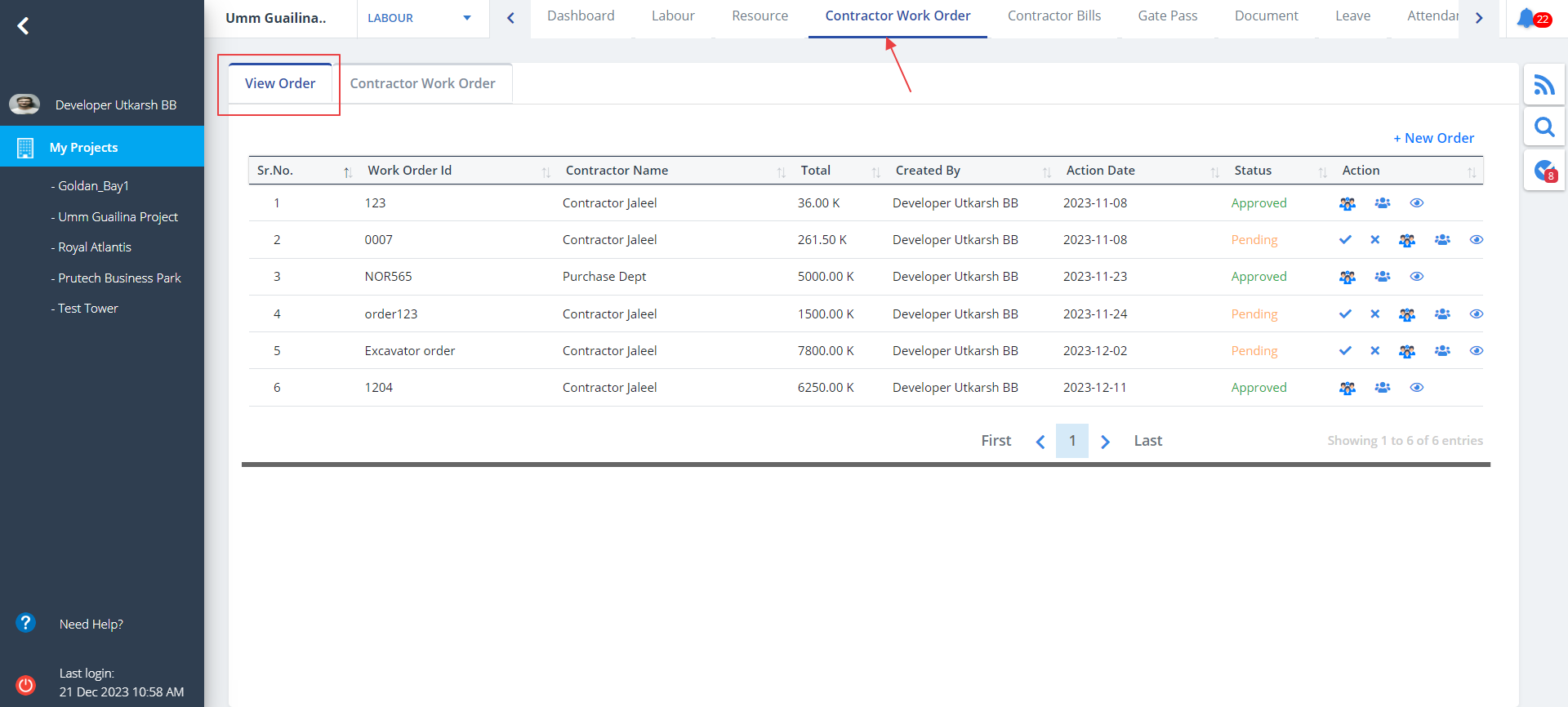
- To add a new order, click on New Order.
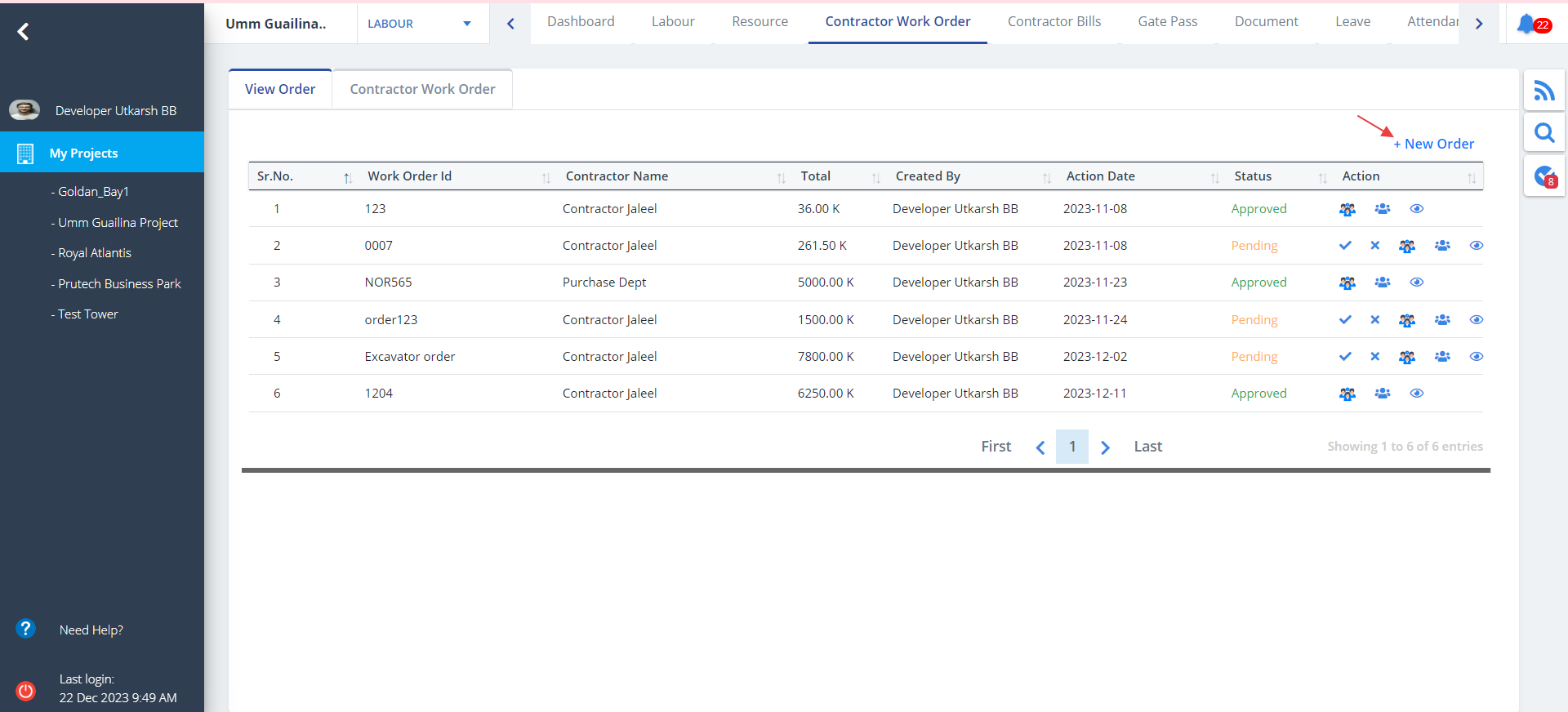
- You will be redirected to a different tab Contractor Work Order
- Now click on New Order again. Fill the details and click on Add.
New Item
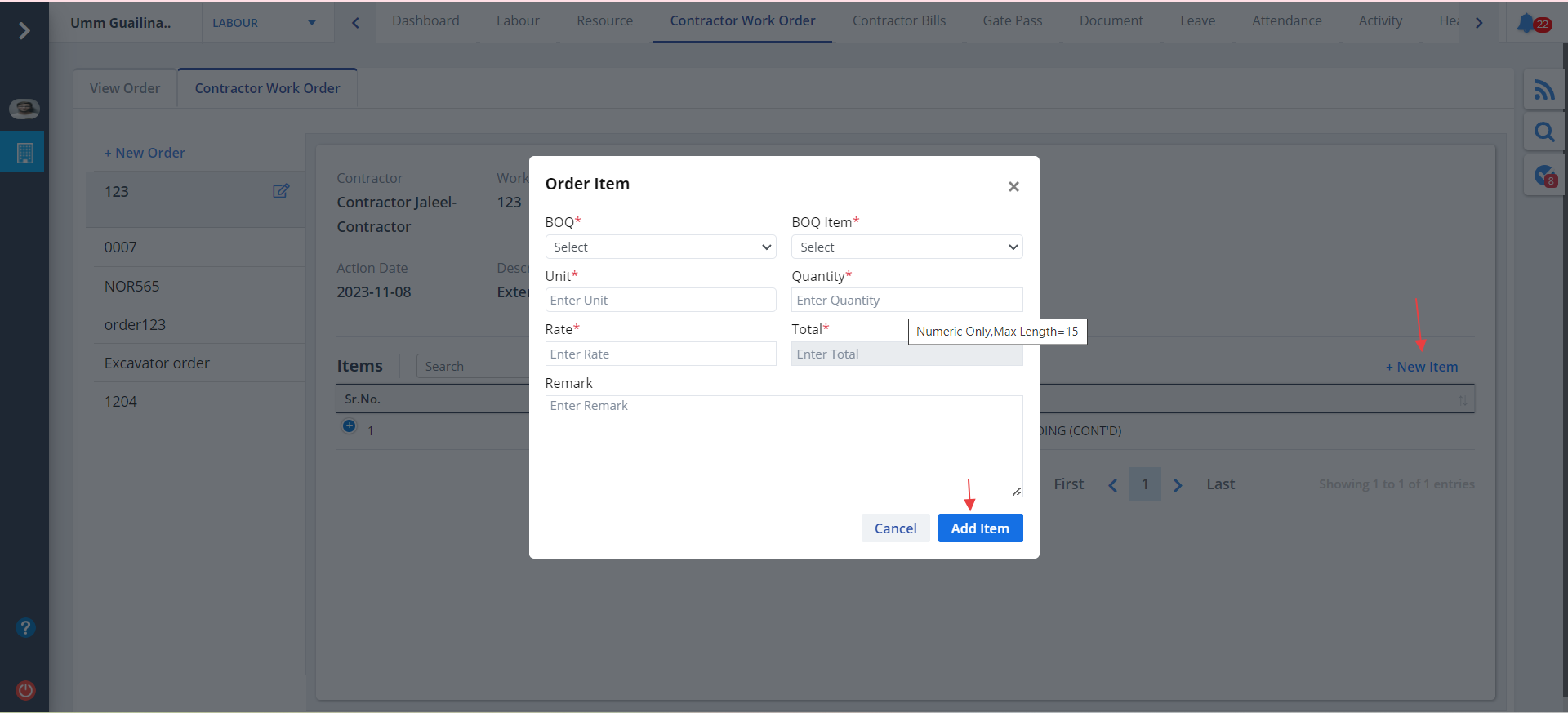
- To add a new item, click on New Item.
- Provide the details and click on Add Item
Edit Item
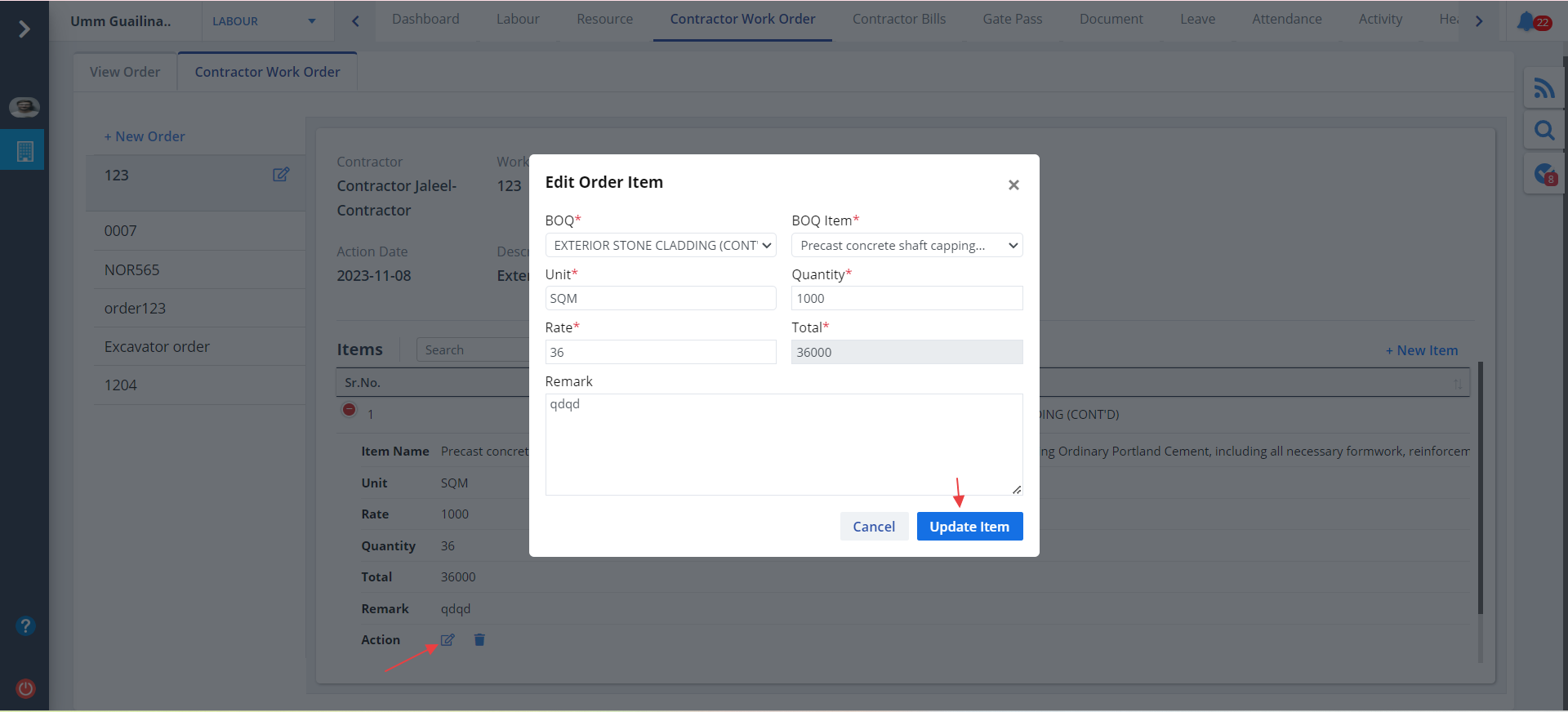
- Use the Action column to edit the order item.
- Change desired details and click on Update Item
Edit Order
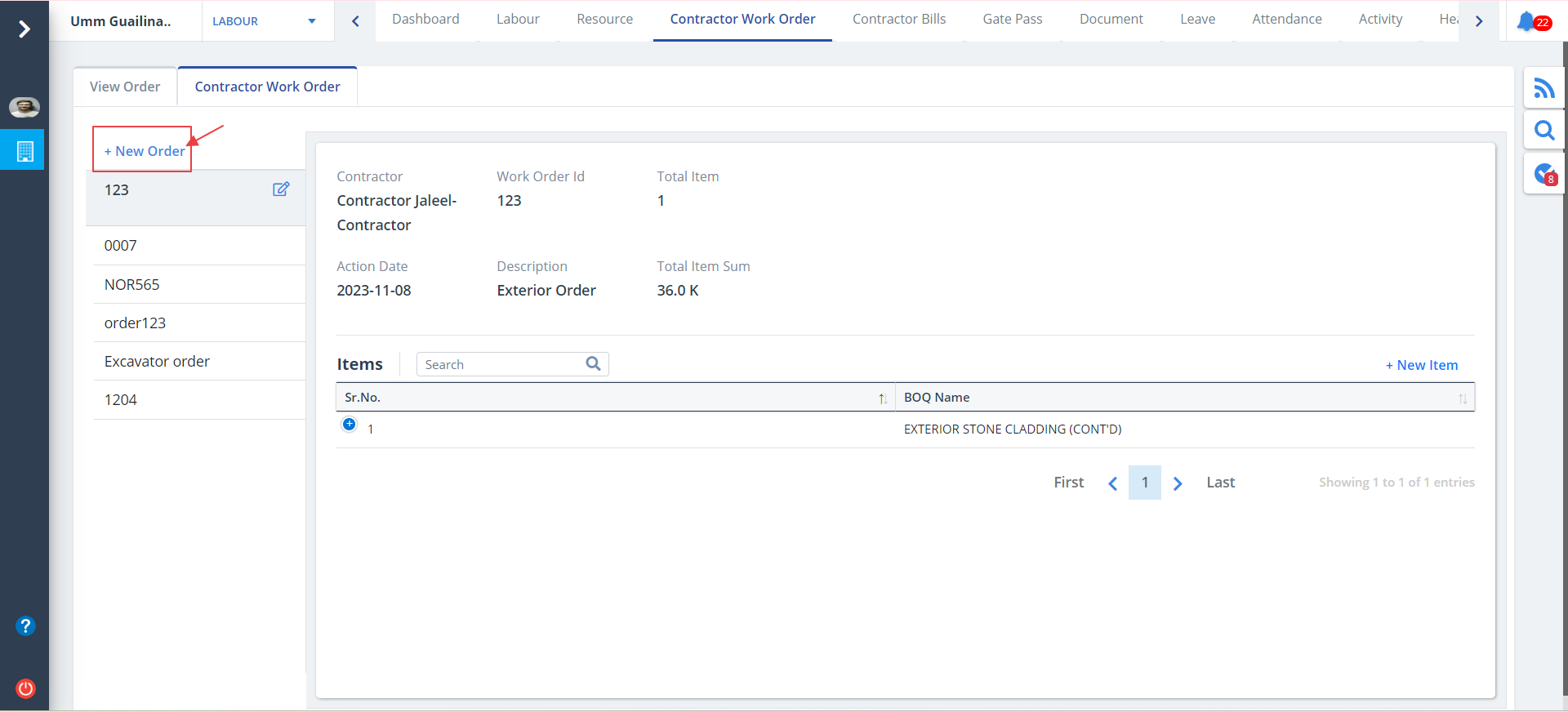
- Use the button as shown to edit an order.
- Modify data wherever required and click on Update.