Health Checkup List
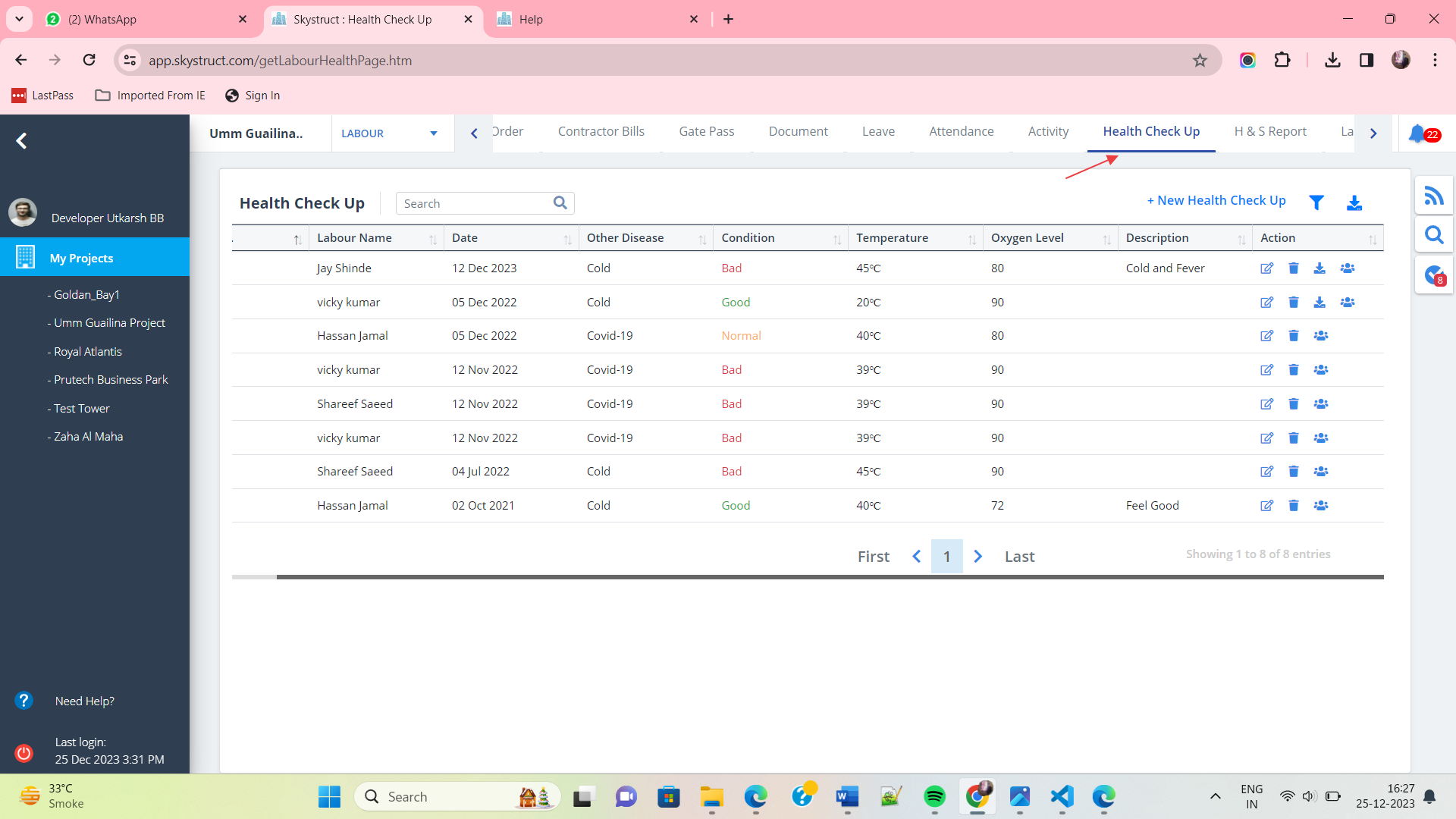
- Select Health Check Up from menu.
- Any labourer suffering from a disease will be listed here along with the current condition, temperature and oxygen level.
New Health Checkup
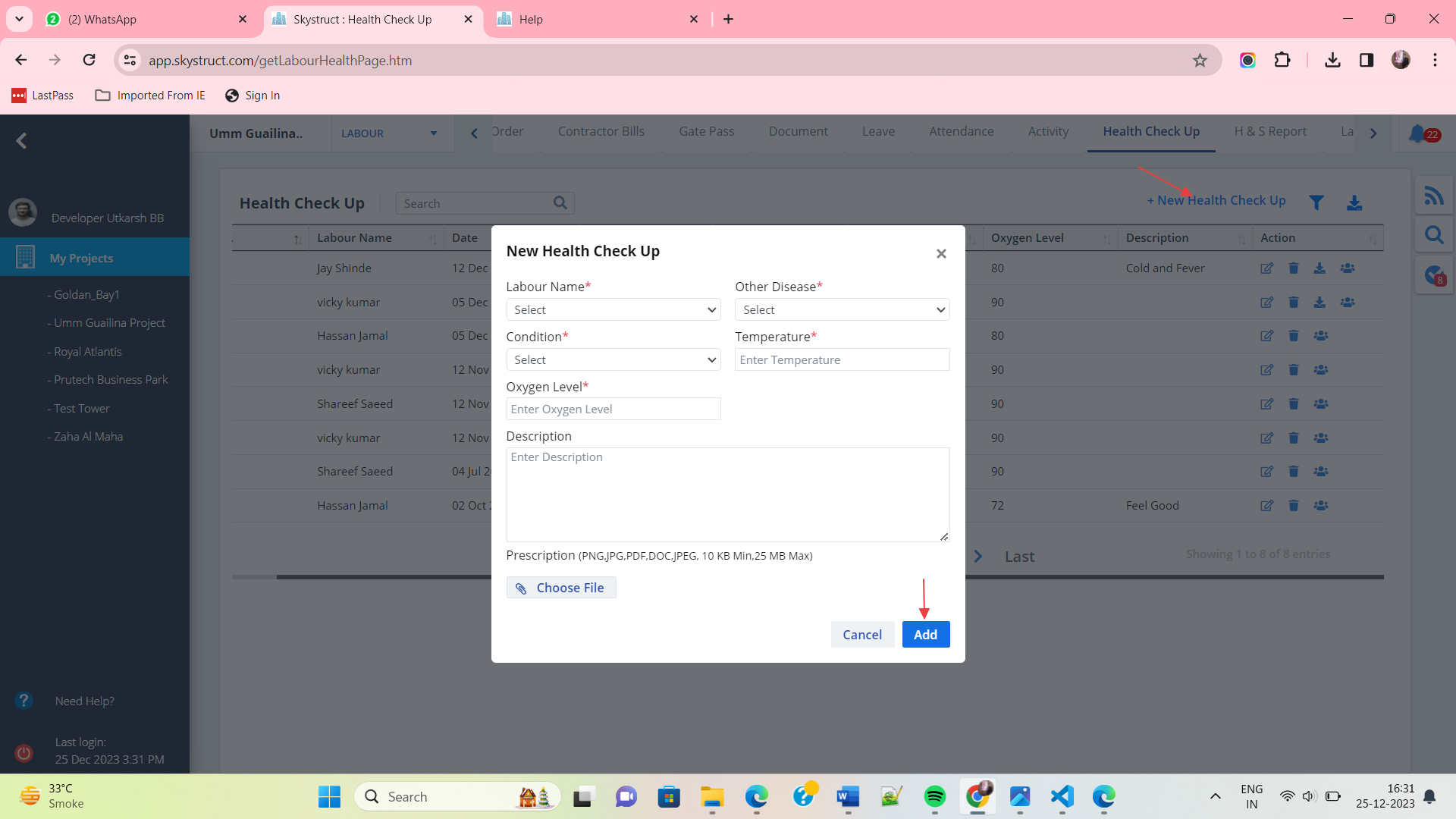
- To add a new health transcript, click on New Health Check Up.
- Select the labourer who got checked up and add other details including the disease and current condition.
- Ultimately click on Add.
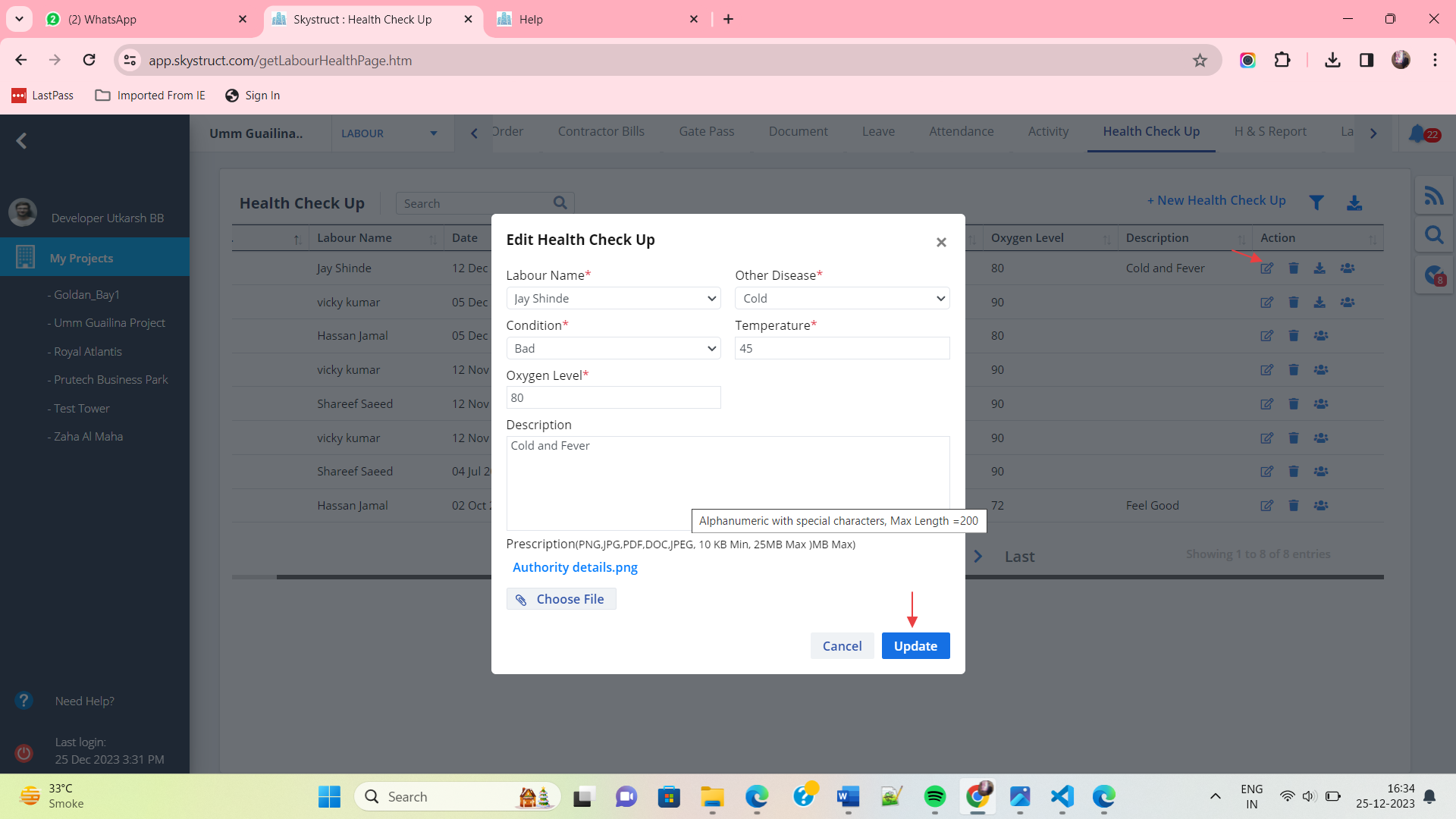
Edit Health Checkup
- Use the option under Action column to edit data.
- Make required changes and click on Update.
- Similary you can use Delete button to delete an entry.
- Next button can be used to download a particular checkup document.
- You can check the Audits too using the last button under Action. The functionality is same as discussed in Construction and Inventory services.
Filter and Download
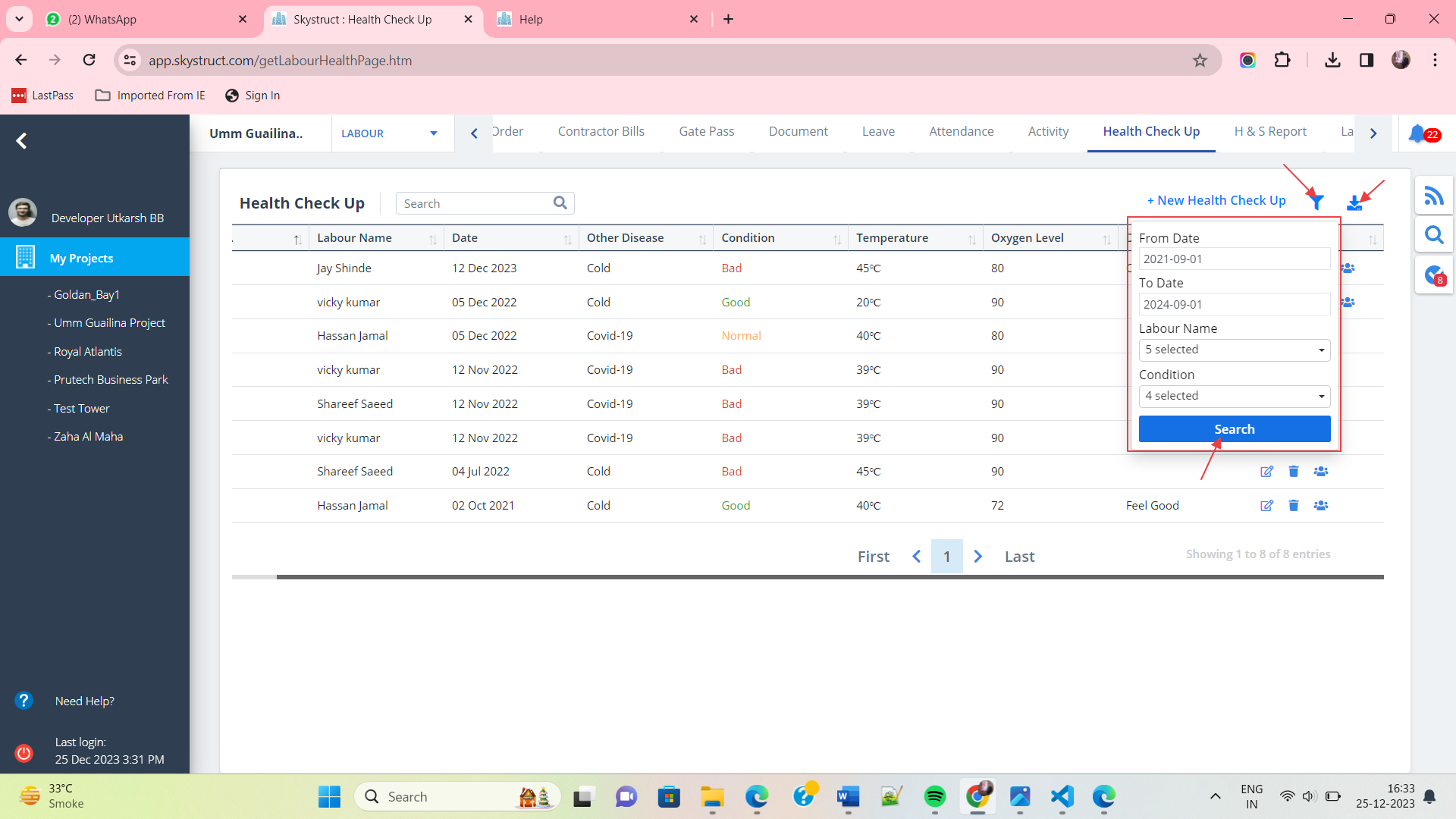
- Click on Filter as shown. Select dates, labour name and condition.
- Once you are done with selection, click on Search
- Next to filter is the Download icon. Click on it to download leave document locally.