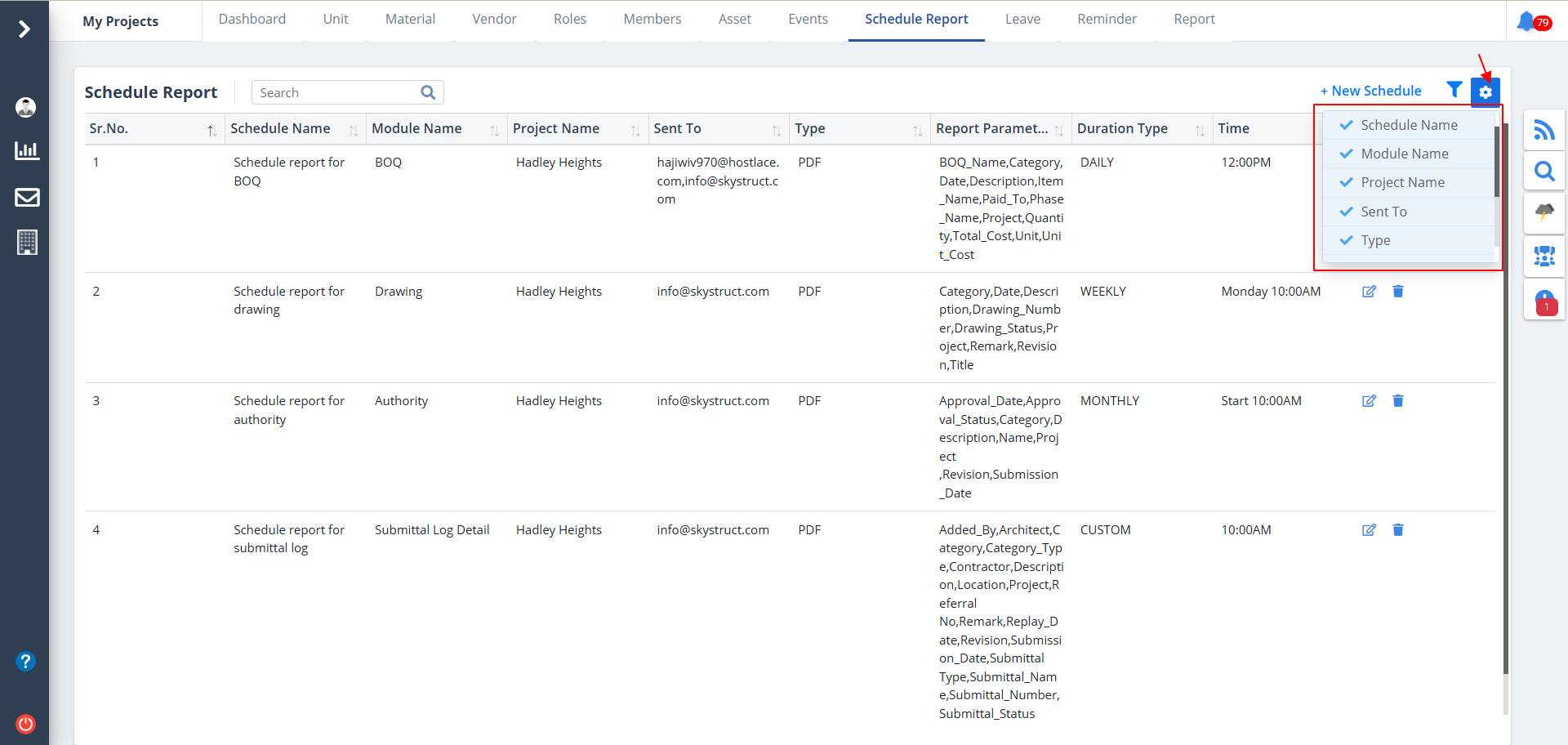
Report List
- This generates report on daily/weekly/monthly/custom basis.
- Custom generates report with a random duration.
- Use this module to know the actions performed on a particular module on the basis of mentioned duration.
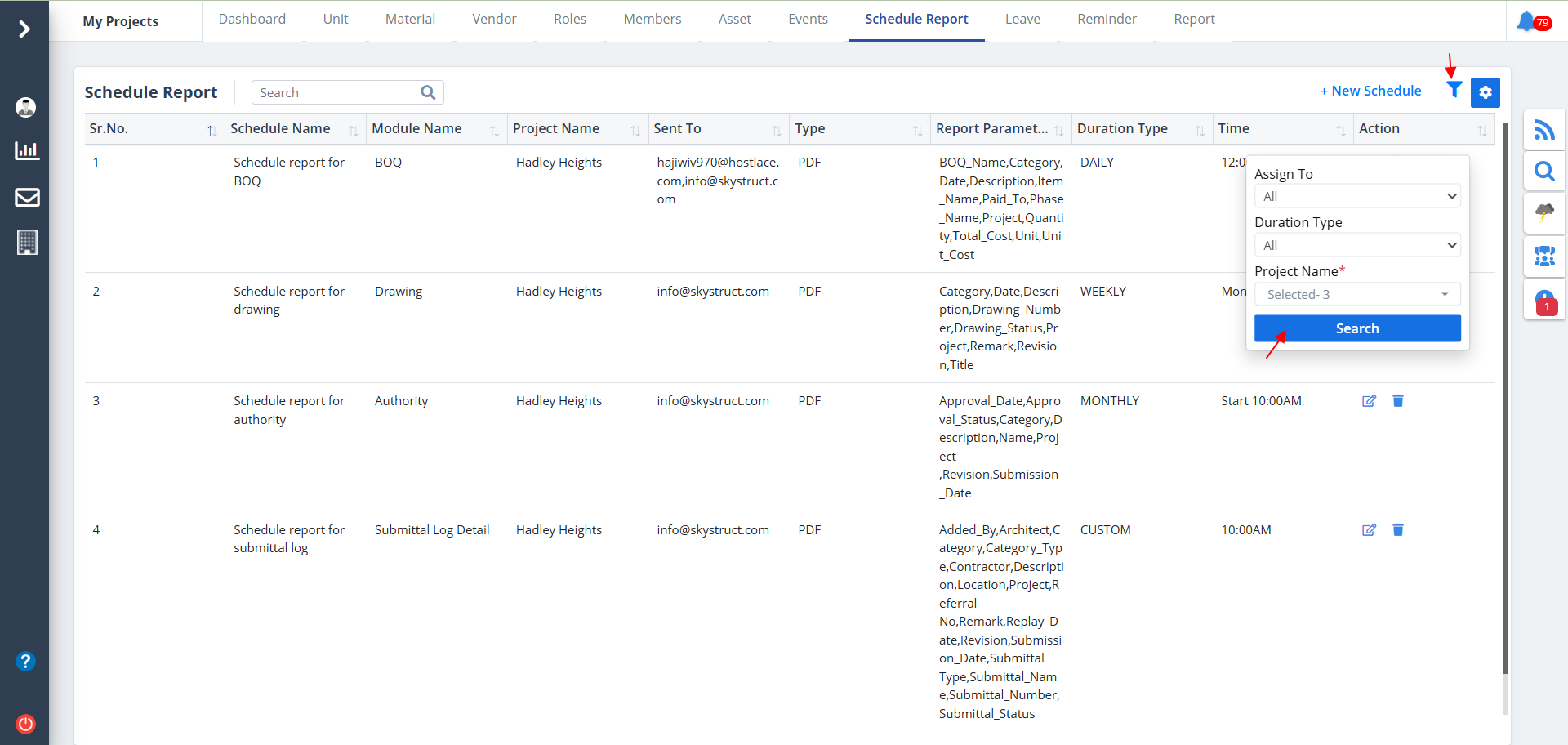
- Select Schedule Report from menu. If you have already scheduled any report, then it will be listed.
- Report Type can be Excel or Pdf.
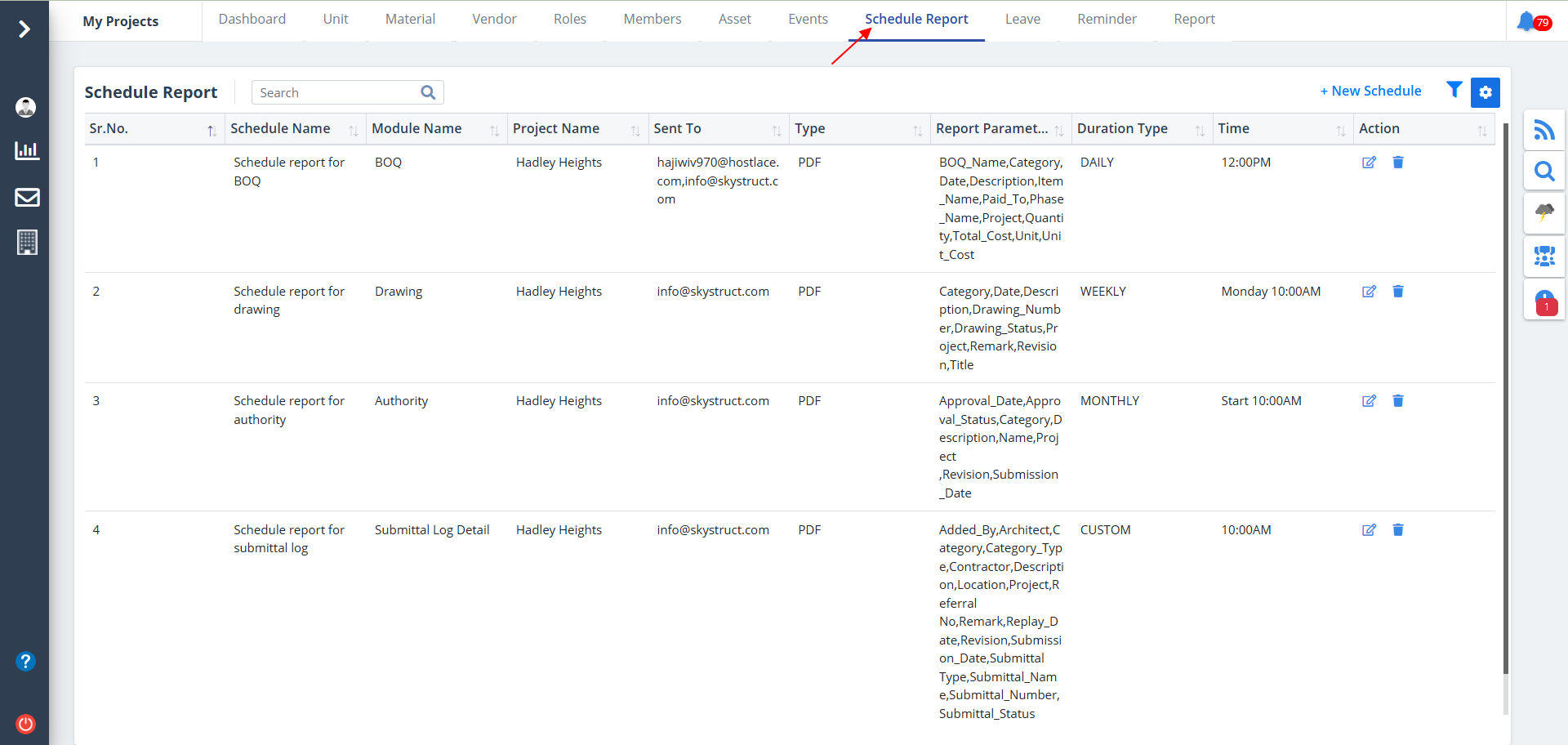
Add Schedule
To schedule a report, click on New Schedule. Fill the details and click on
Add Schedule Item. Duration Type can be:-
- To generate a report on a daily basis select DAILY.
- To generate a report on a weekly basis select WEEKLY.
- To generate a report on a monthly basis select MONTHLY.
- To generate a report on a random basis select CUSTOM.
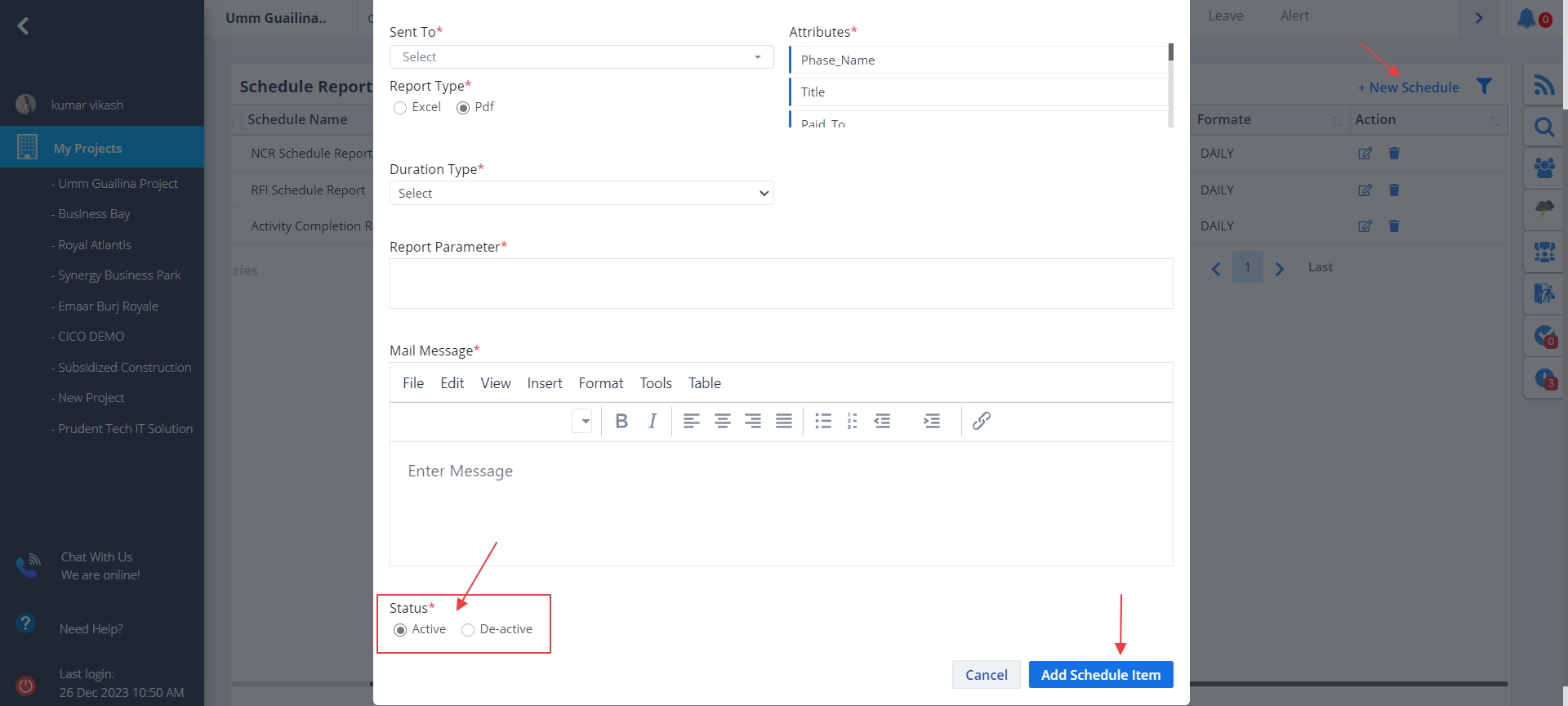
Edit Schedule
- To edit a schedule, use the option under Action column.
- Select the report type to be excel or pdf as per your requirement.
- It can be assigned to a single/multiple users.
- Select the report parameters you want in your mail message.
- Change required data and click on Edit Schedule Item.
- You can narrow ypur search by clicking on the Filter button as shown.
- Mention all seen inputs and click on Search.
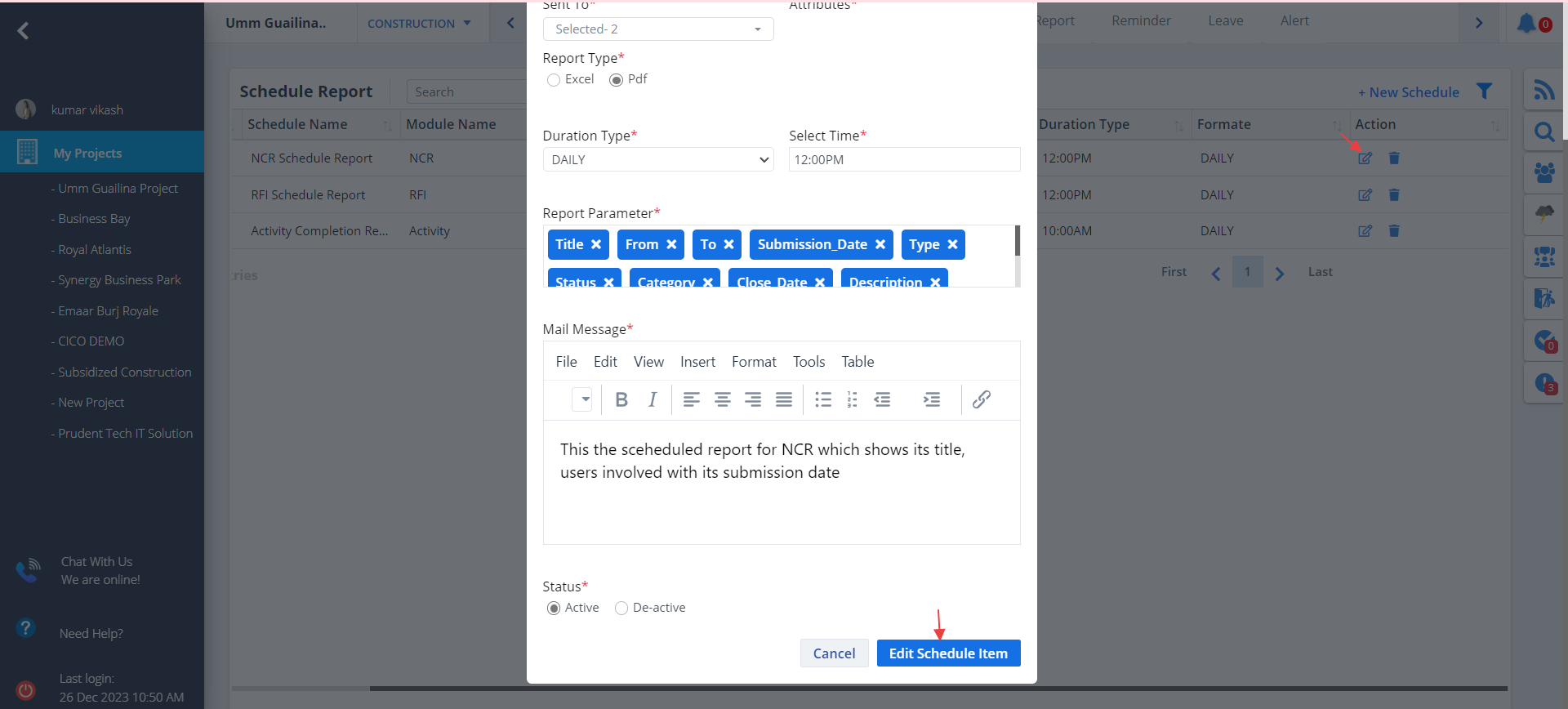
Column Visibility
- You can control what column you prefer to be seen.
- Just click on the Settings icon as shown in the below image.
- Tick the columns that you want to view and untick the ones you don't desire to view.
- In case you change your mind, you can tick the untick ones and vice-versa.