Project Timeline
- The inventory dashboard provides an end-to-end view to the customers specifically in terms of utilization of raw materials and commodities.
What is a Project Timeline?
A project timeline is a visual list of tasks or activities placed in chronological order,
which lets project managers view the entirety of the project plan in one place.
A project timeline typically takes the form of a horizontal bar chart, where each task is given a name
and a corresponding start and end date.
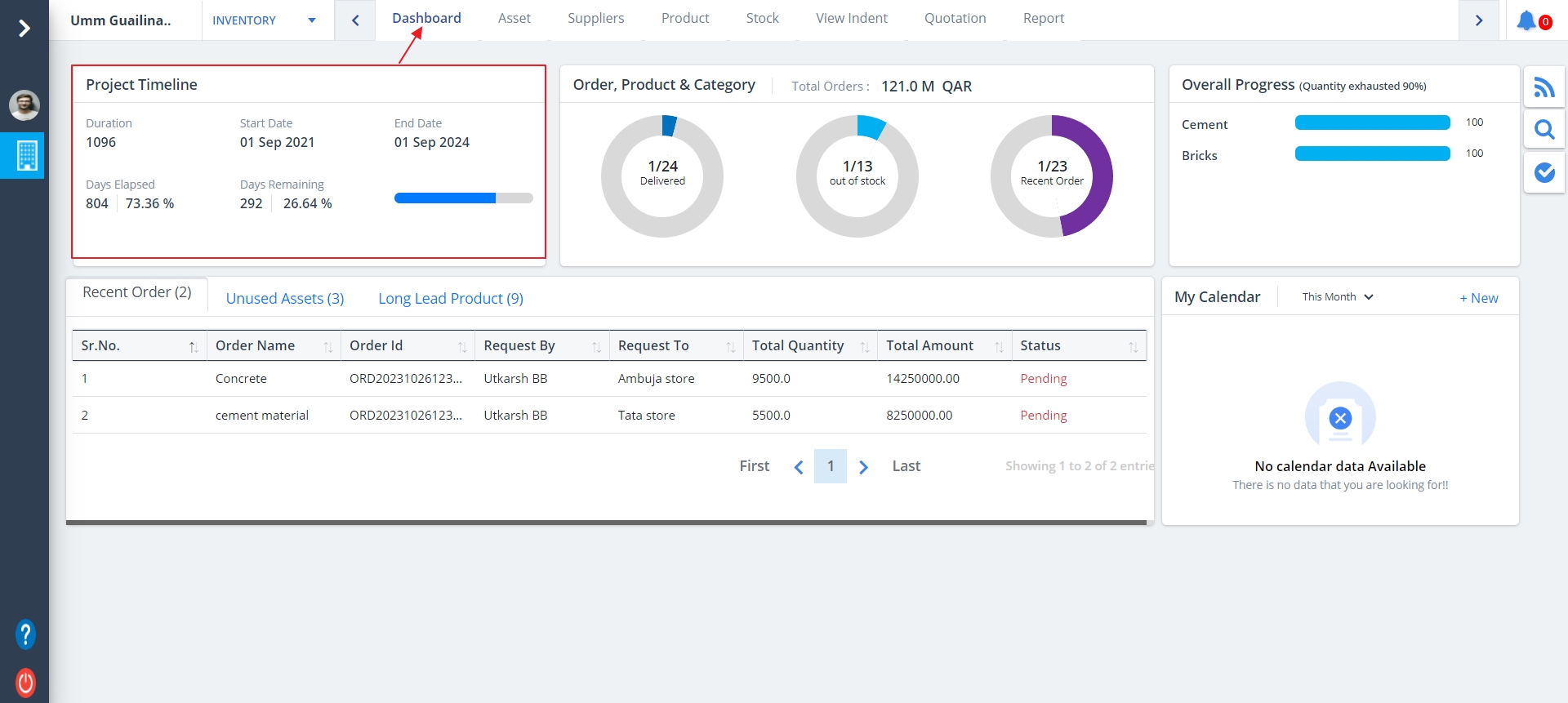
- Select Dashboard from menu.
- It is similar to the Construction Dashboard.
Project Timeline details are as follows:-
- Project Timeline can be noted in a nutshell.
- Paramount details are shown.
Project Progress
What is Project Progress?
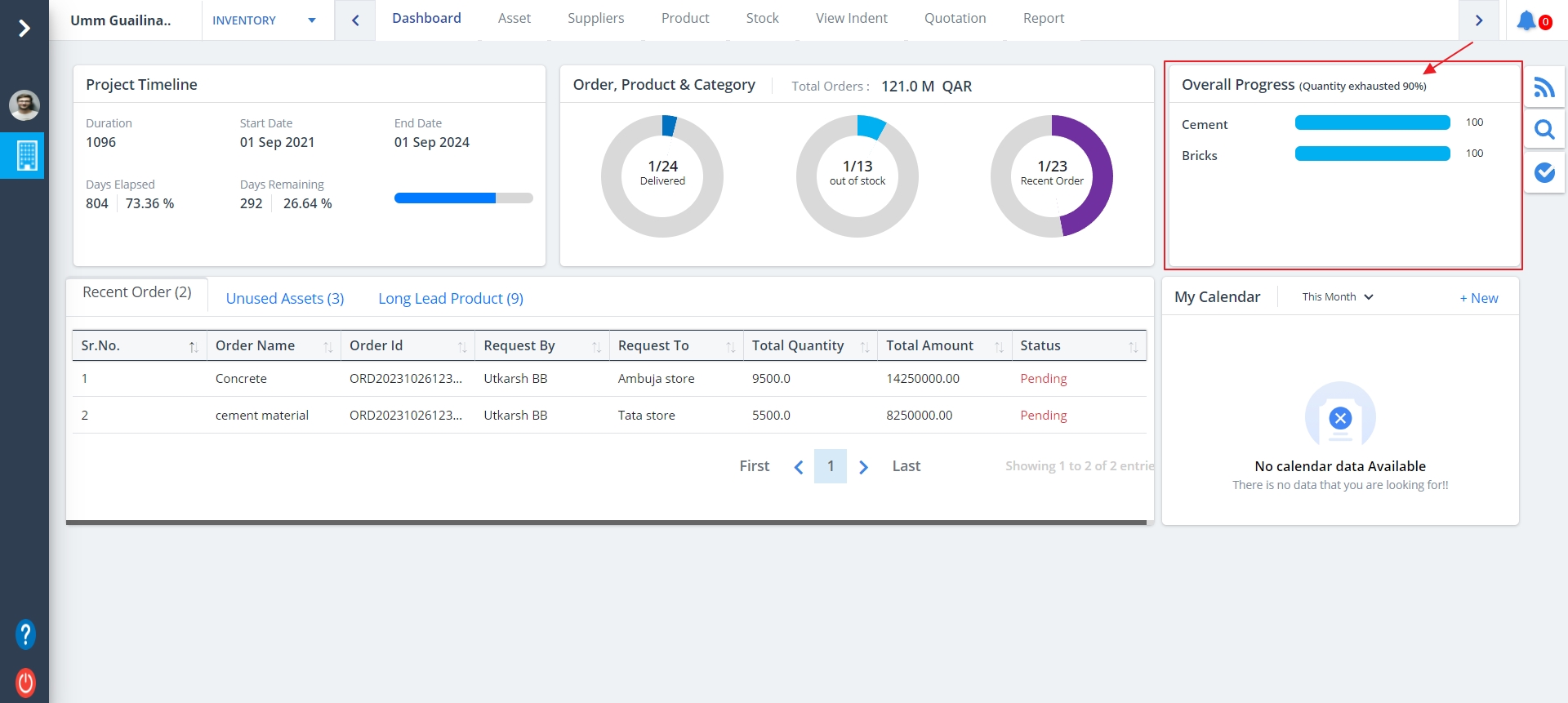
Project Progress means a degree to which a project is developed and completed up to a moment -
a progress achieved up to certain moment means a condition and amount of work recently completed.
It will show the progress of each and every required details.
Categories
- A real time display of inventory category and fulfilment status keeps the stakeholders onboarded on the platform aware of the information that is crucial for inventory management.
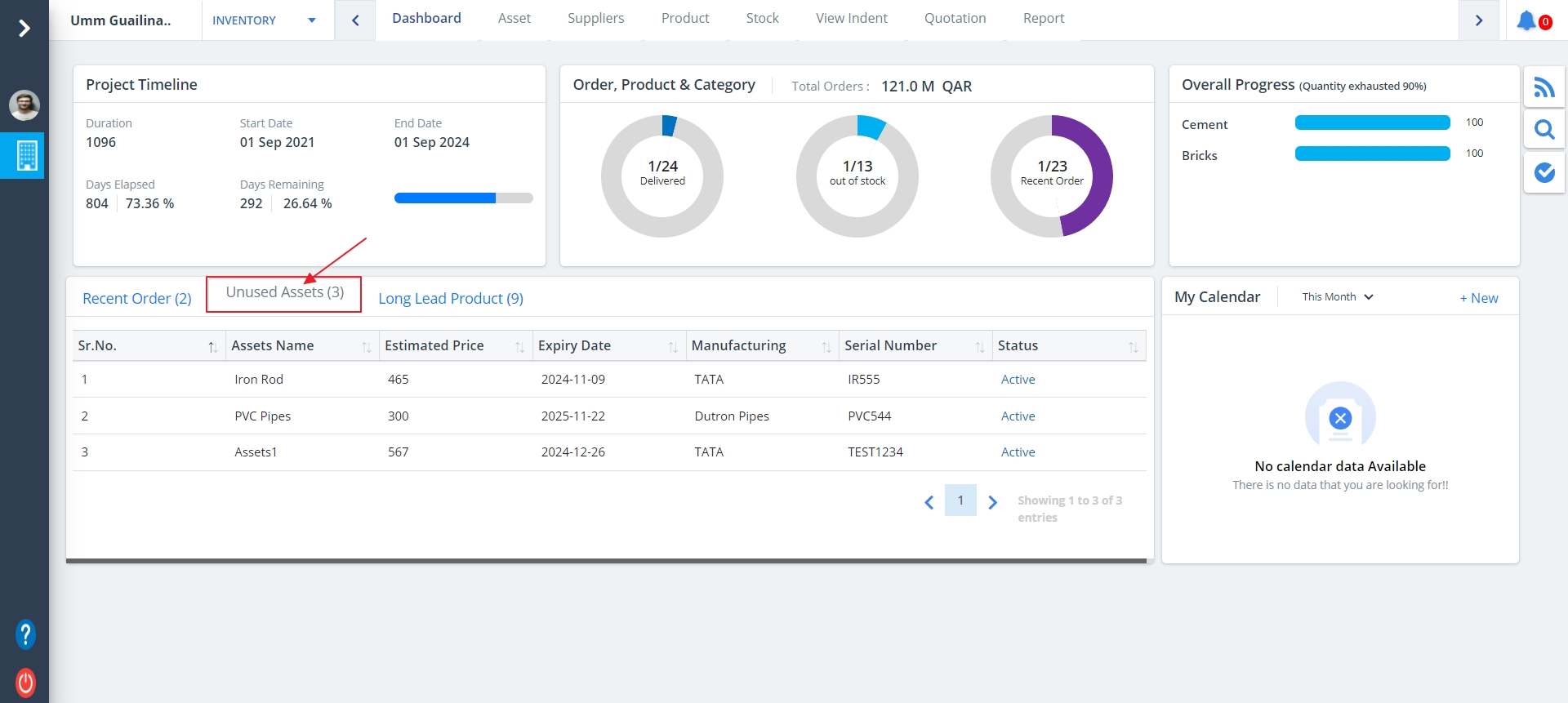
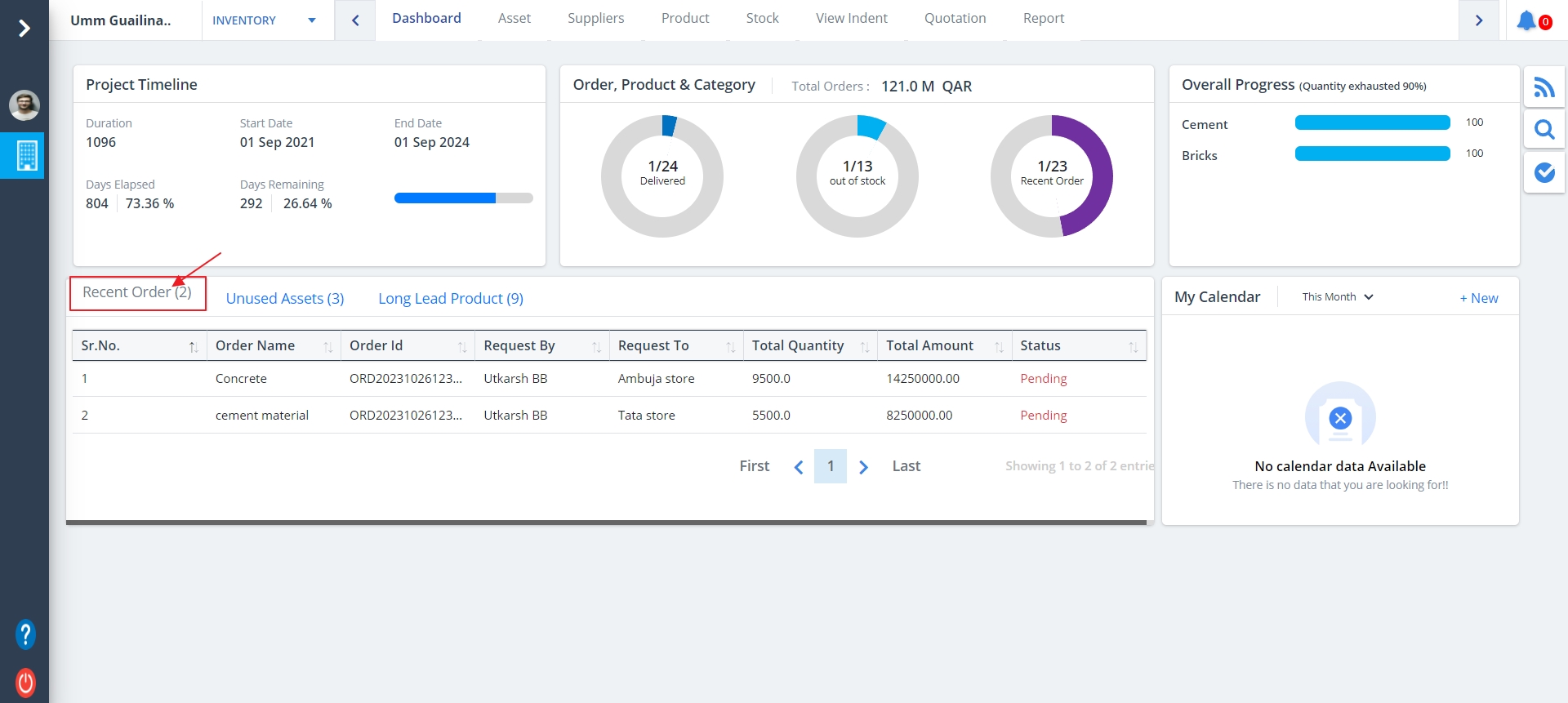
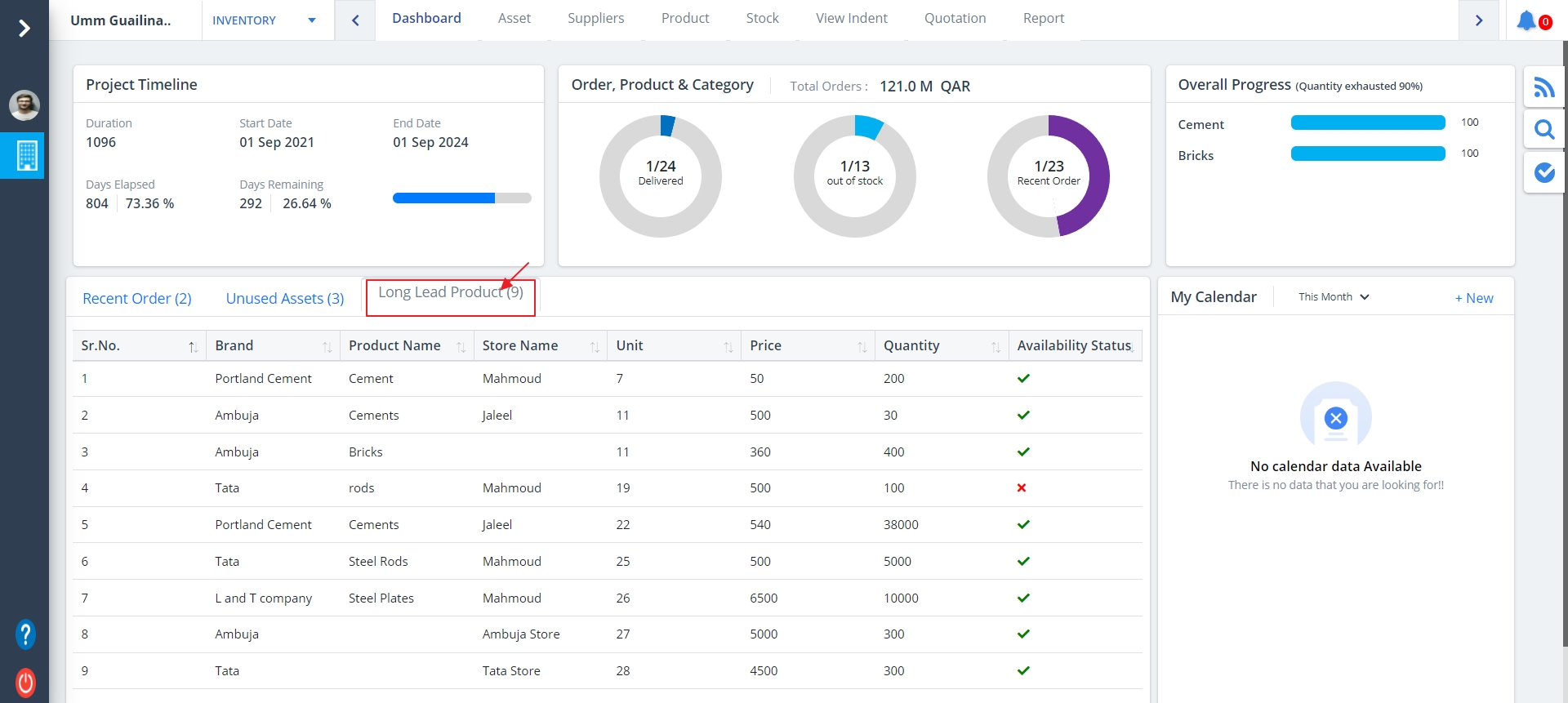
- In Inventory Dashboard 3 categories have been added named Recent Order, Unused Assets and Long Lead Product
- Click on any of those when you want to view them. Here we are highlighting Unused Assets primarily.
My Calendar
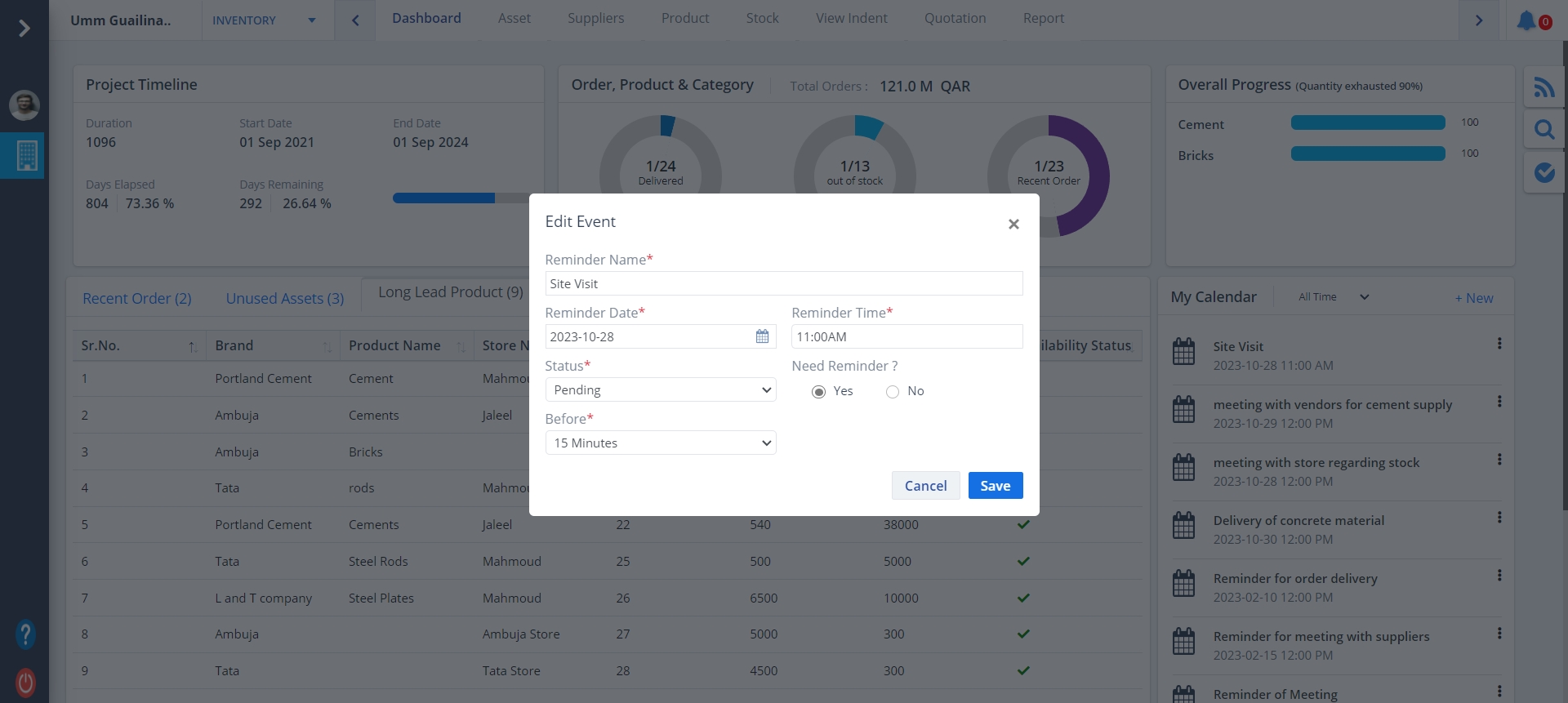
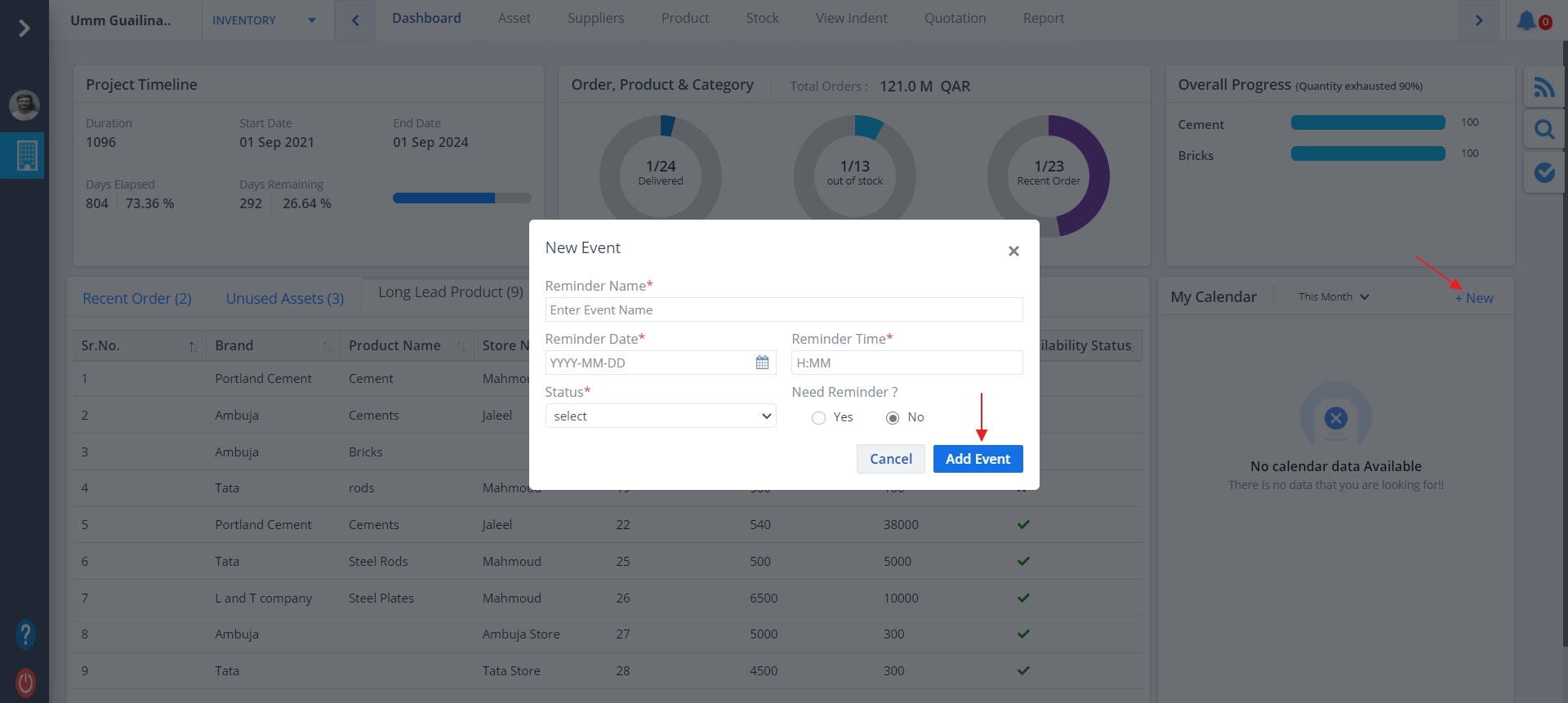
- My Calendar is used to define reminders.
- If reminder/reminders are already defined it will be visible.
- You can edit it by clicking on the Edit button.
- Update the data you wish to change and click Save.
- To add a new reminder, click on New.
- Fill data and click on Add Event.
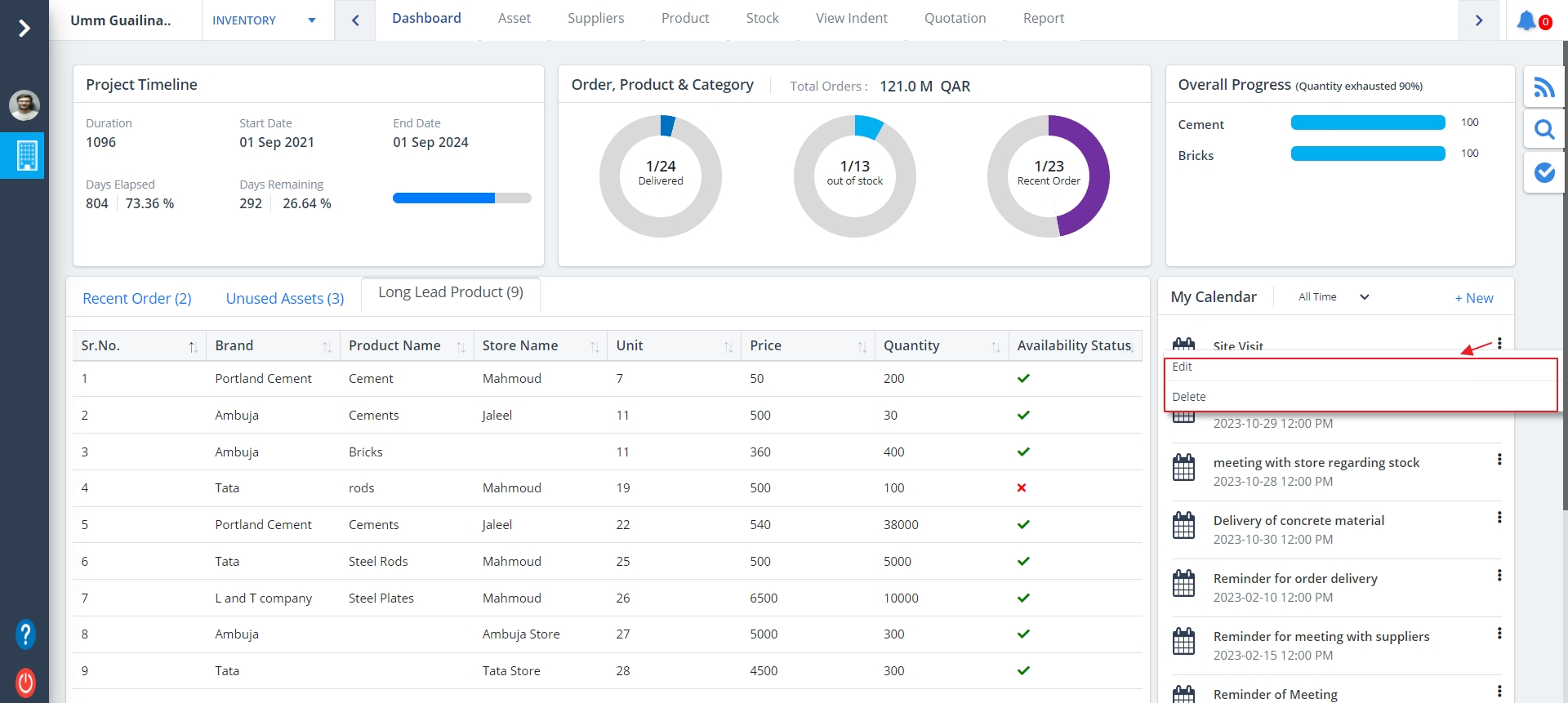
Kebab Menu
- Click on the Kebab Menu as shown.
- You can use this to edit (as discussed prevously) and delete the events.