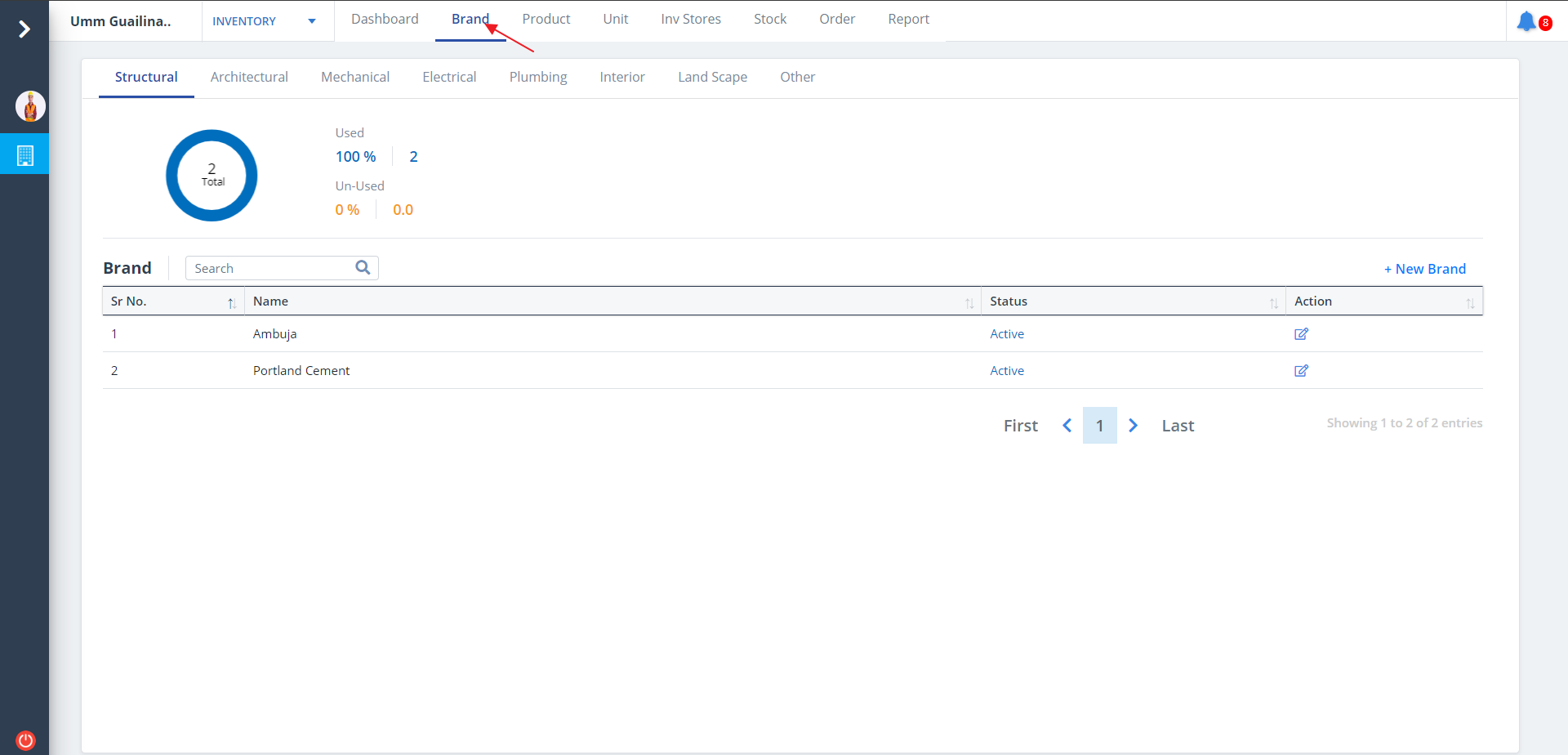
Brand List
Skystruct provides the customers with the avenues to track utilization of commodities of specific
brands during the construction phases. This information can be spread across the various phases of
the project.
The percentage of utilization of these brands and whether active or inactive provides substantial
data inputs for purchase considerations.
- Select Brand from menu.
- Brands will be listed category wise if already added.
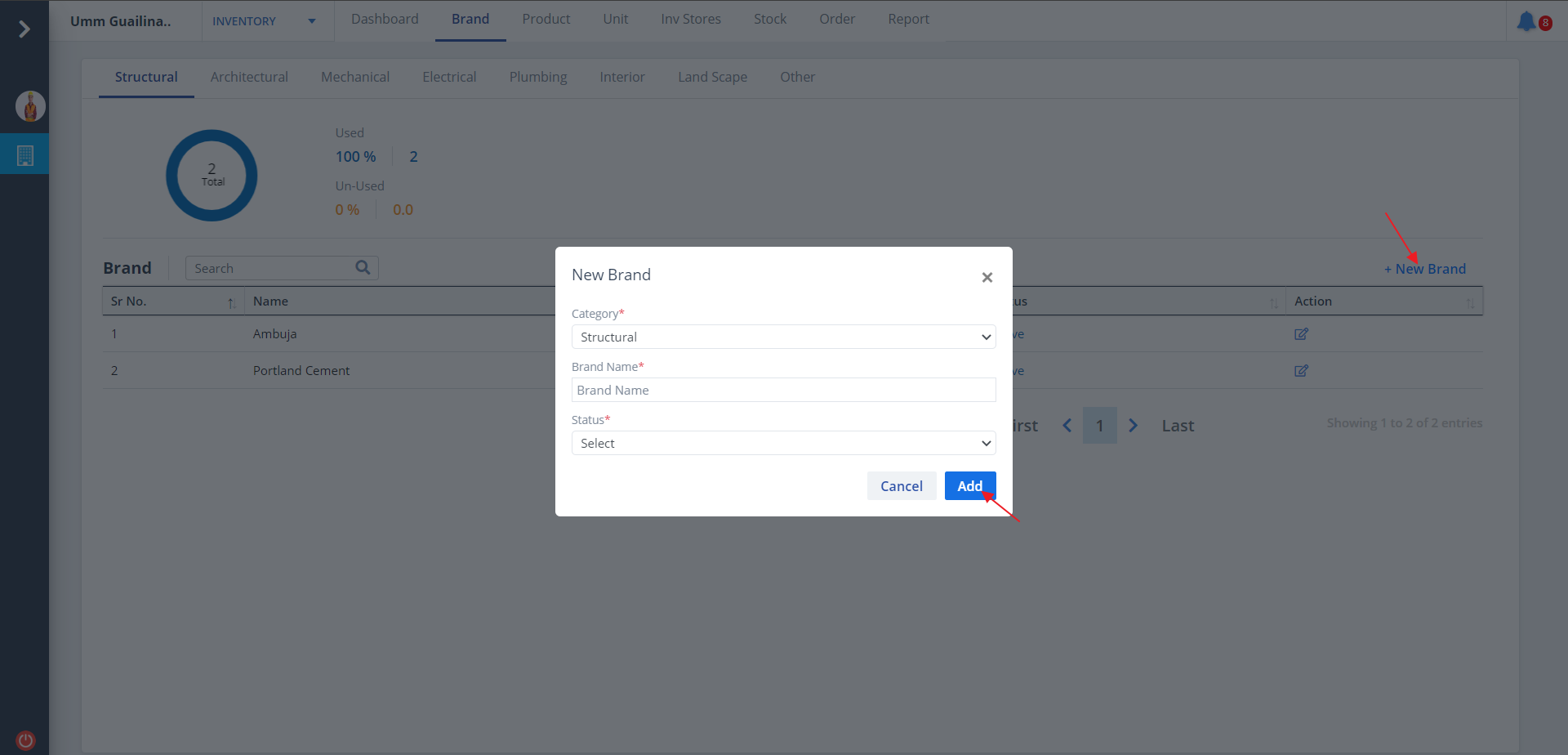
New Brand
- To add a new brand, click on New Brand.
- Select appropriate category and.
- Enter details, set the brand status to Active if you want to make it an ongoing one, else select De-Active.
- Ultimately click on Add
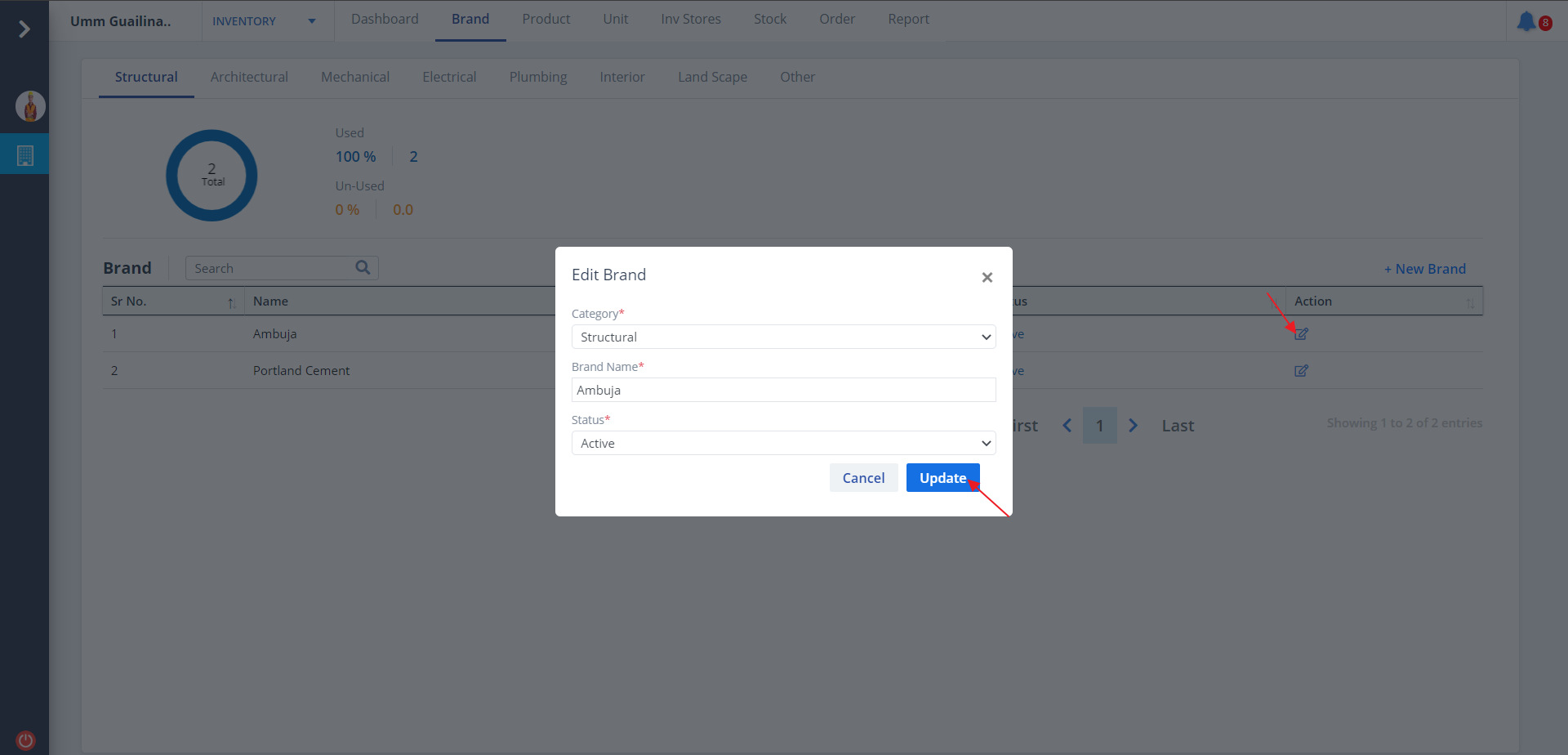
Edit Brand
- Click on Edit under Action column to update existing brand details.
- Select appropriate category and proper status.
- Ultimately click on Update/