Dashboard Analytics
In the post pandemic world, keeping track of construction milestones to avert schedule slippages has become all the more essential. Skystruct is a solution crafted with inputs from industry experts and our dashboard embodies all metrics that are vital for your project.
- Project Analytics
- Budget Payment and Activity
- Project Status & days elapsed
- Project List
- Cost Breakdown Structure
- Overall strength for a project
- Reminders
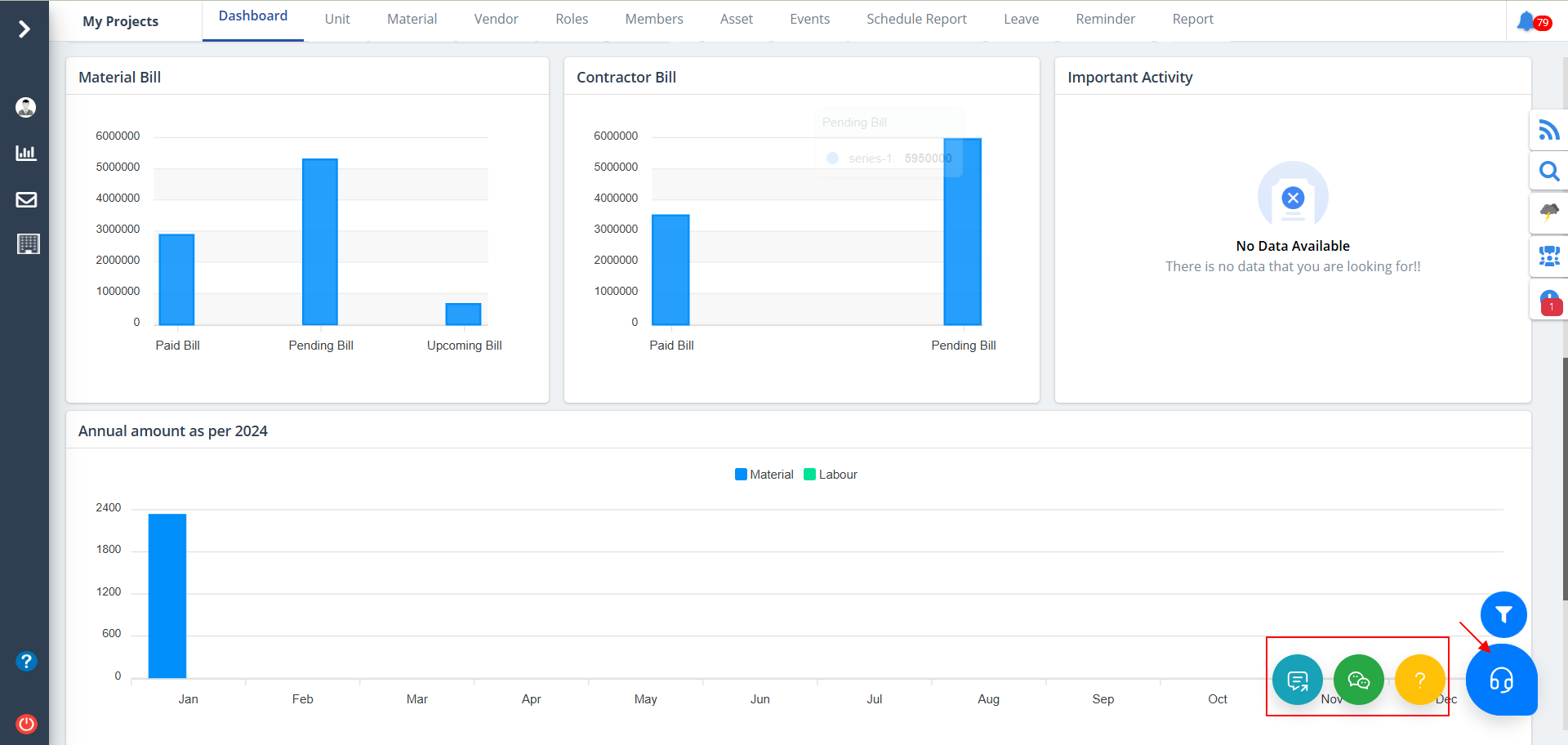
- Data Representation
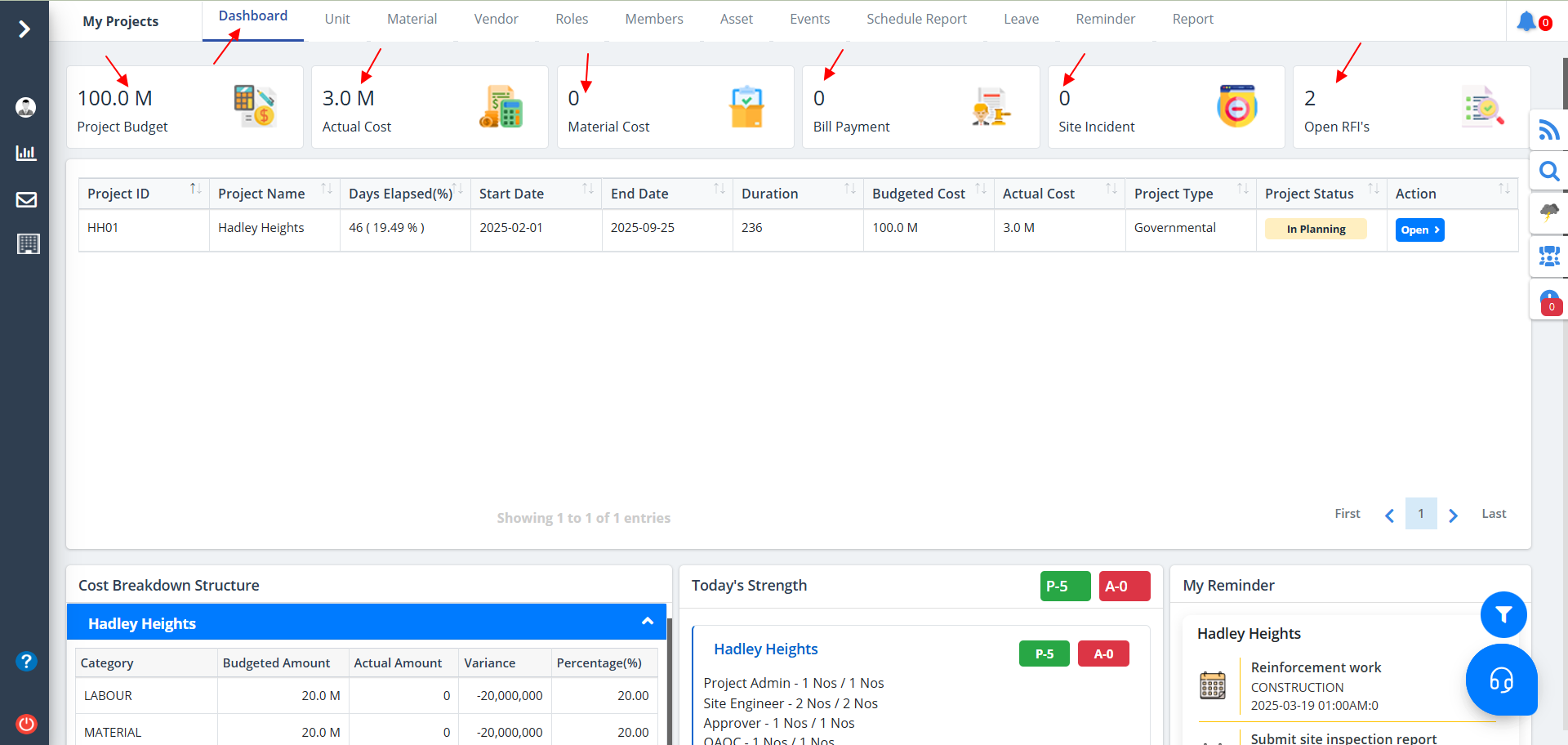
Analytics shows:-
- the overall project budget.
- actual cost for the project.
- the overall material cost.
- how much bill has been paid.
- the number of site incidents if any.
- the RFis where the status is Open.
Project List
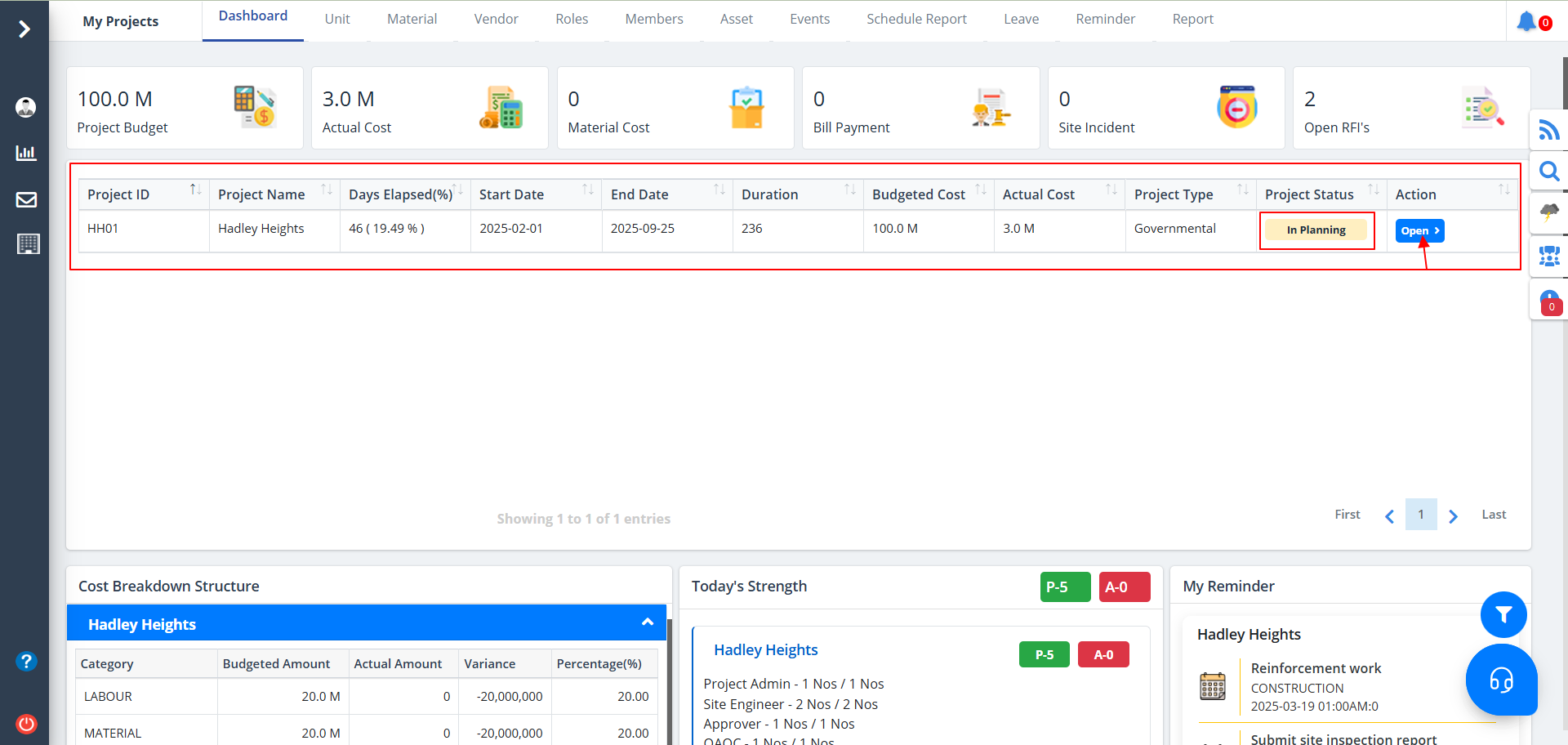
- Displays Project Information: The table provides an overview of ongoing projects, including key details such as project name, duration, budget, and costs.
- Tracks Project Progress: It shows how many days have elapsed since the project's start and the percentage of time completed.
- Compares Budgeted vs. Actual Cost: Helps in monitoring financial aspects by comparing the planned budget with actual expenses.
- Indicates Project Type: Differentiates between different types of projects, such as governmental or private.
- Shows Project Status: Provides a quick look at the current phase of the project, such as "In Planning", "Ongoing", "In Design", "In Tender", "Under Construction", "Completed", "On Hold" or "Cancelled".
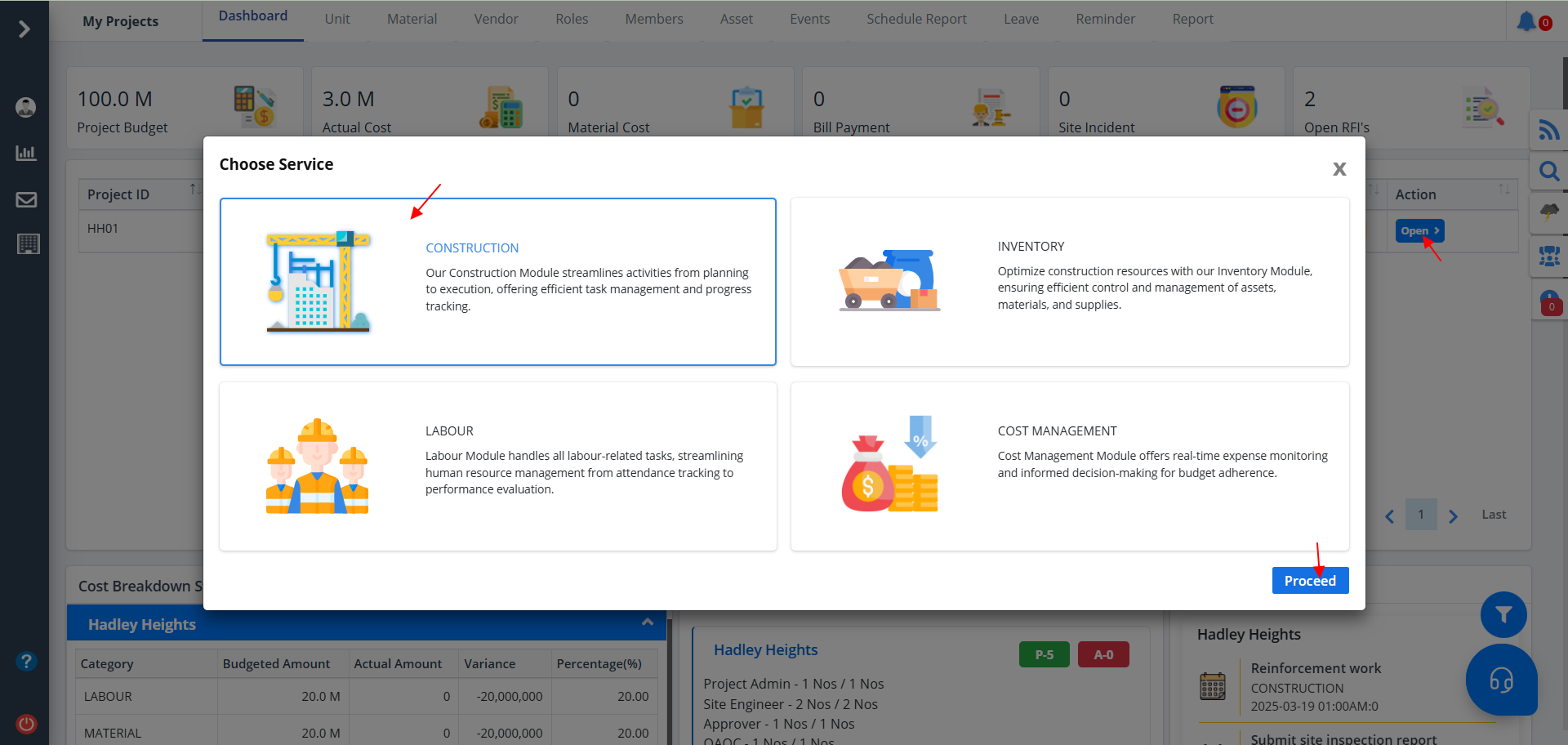
- Use the button under Action column to switch between services such as Construction, Inventory, Labour & Cost Management.
- Just select any of the desired services and click on Proceed. You will be redirected to the respective service.
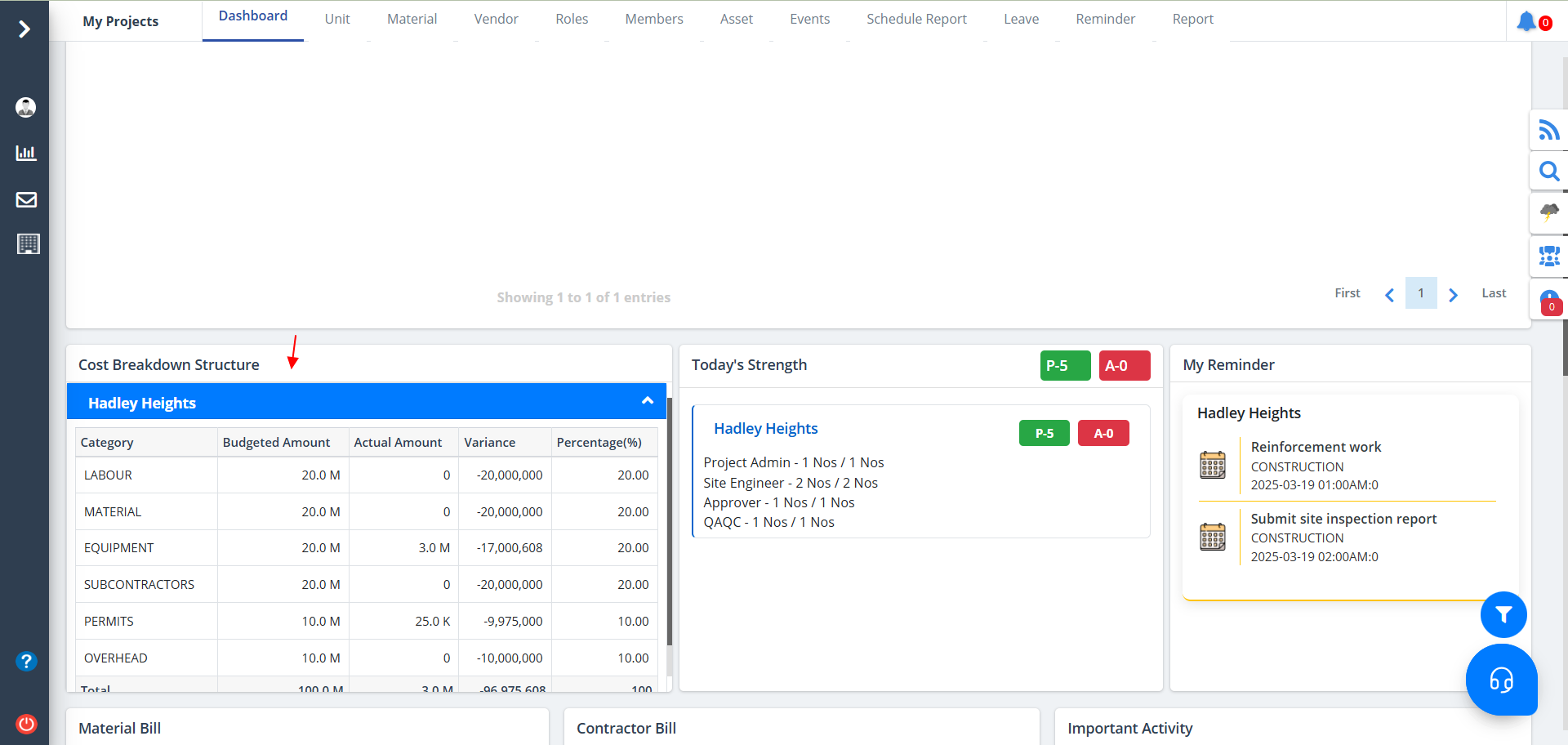
Cost Breakdown Structure
- Breaks down project costs into categories like Labour, Material, and Equipment.
- Compares budgeted vs. actual expenses to track spending.
- Shows cost variance to highlight overspending or savings.
- Displays percentage contribution of each category.
- Summarizes total project budget and actual costs.
- Helps in financial planning and decision-making.
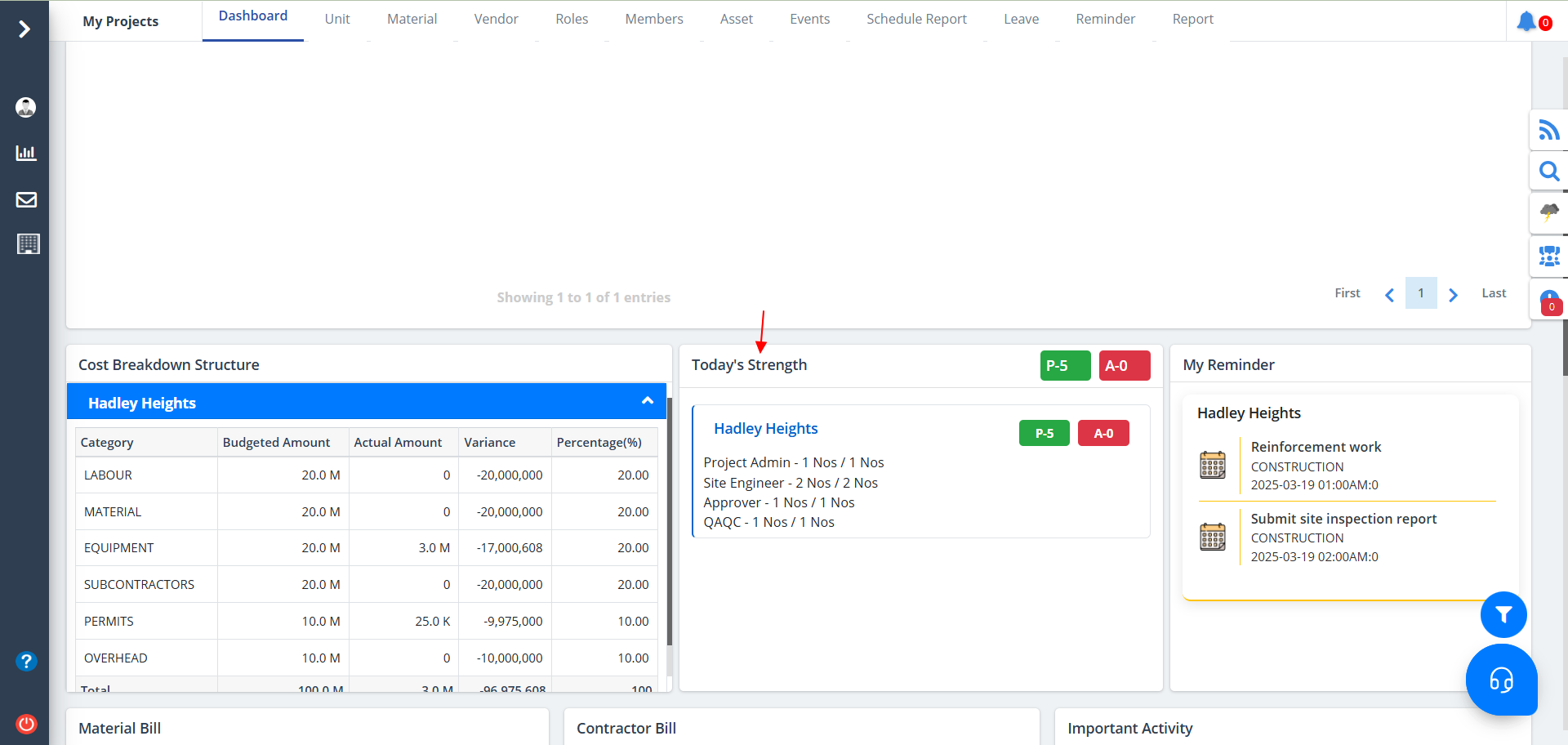
Project Strength
- Project-wise Strength: Displays workforce assigned per project.
- Roles & Count: Lists roles (Admin, Engineer, QA/QC) with assigned numbers.
- Present (P) Count: Number of personnel present.
- Absent (A) Count: Number of personnel absent.
- Workforce Monitoring: Ensures adequate staffing for project tasks.
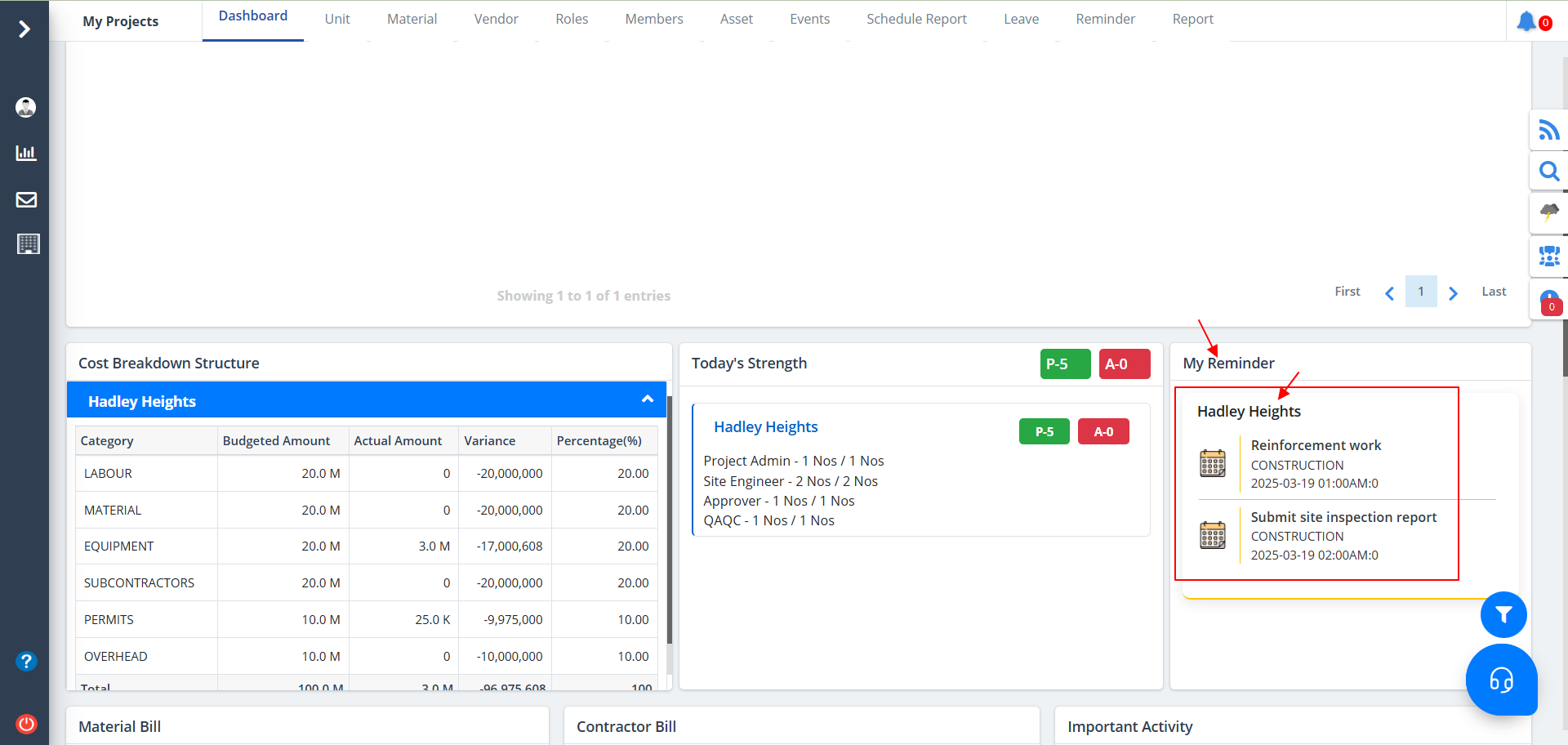
My Reminder
- Reminder shows any reminders added in Construction.
- The project for the same is also shown above the reminders. Shows the time and date of the reminder.
- Once the reminder expires the reminder section will automatically get updated.
Data Representation
- Material Bill: Tracks material expenses with three categories:
- Paid Bill: Amount already settled.
- Pending Bill: Unpaid dues awaiting clearance.
- Upcoming Bill: Future planned expenses.
- Contractor Bill: Displays payments related to contractors:
- Paid Bill: Completed payments to contractors.
- Pending Bill: Outstanding contractor payments.
- Annual Amount (2024): Provides a yearly financial overview:
- Monthly Breakdown: Shows expenses across months.
- Categories: Differentiates between Material and Labour costs.
- Budget Analysis: Helps track financial trends over the year.
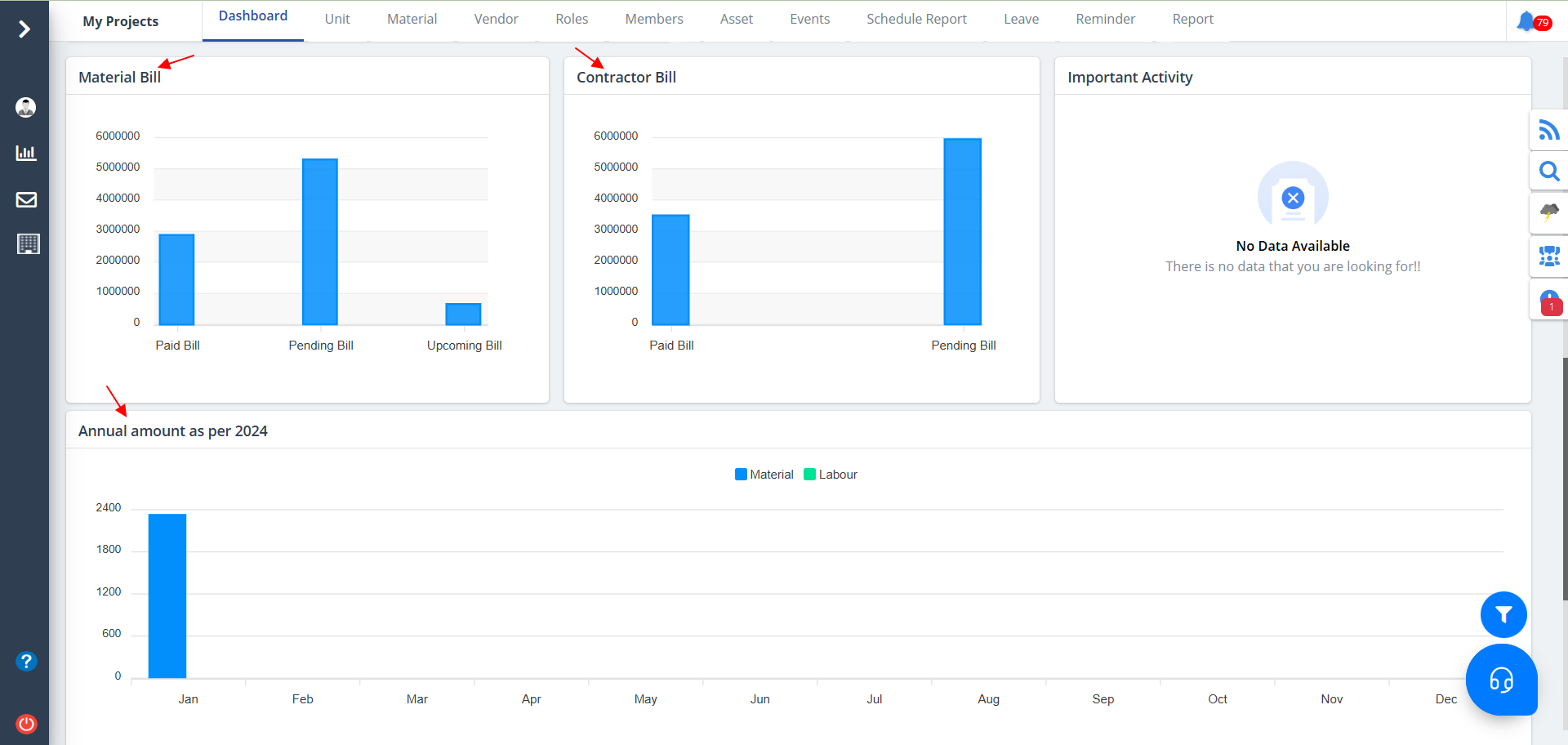
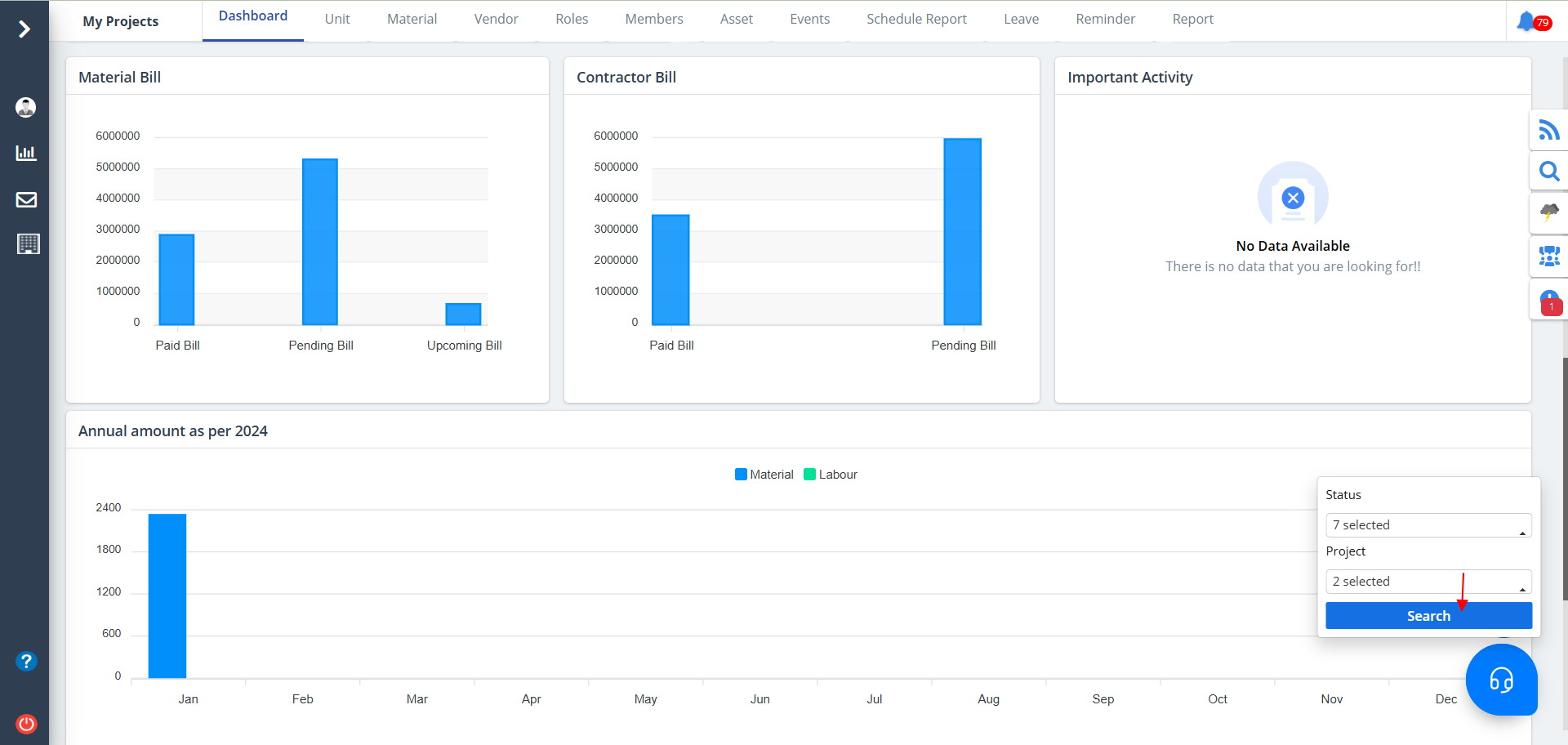
- Use the filter button at the bottom right to narrow your viewing options based on status and project.
- Select proper data and click on Search.
- When the highlighted button is clicked, you will be able to experience chat options which includes chat bot, group chat and support chat.
- Click on any of those to get started.