Inventory Store List
- Inventory Stores manage all the fulfilment centres which are the node points for the construction site that source the materials required to carry out activities.
- Adopting Skystruct as the tool to oversee all construction activities, the customers can leverage not just tracking the stores with their status, but also engage with the stores online which would have been an impractical proposition if pursued in an offline manner.
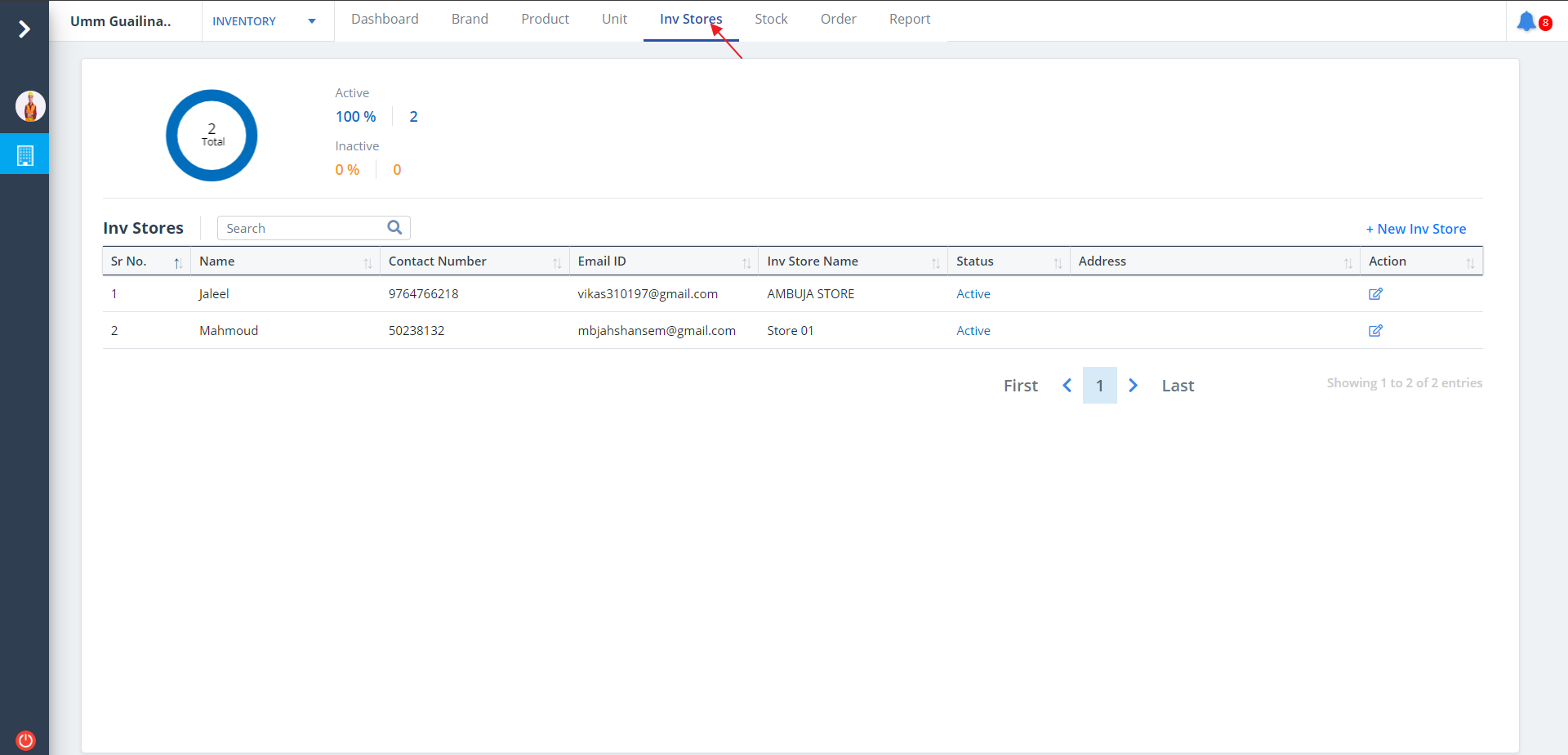
- Select Inv Stores from menu.
- Stores will be listed ordered by category, if they are already defined.
New Inventory Store
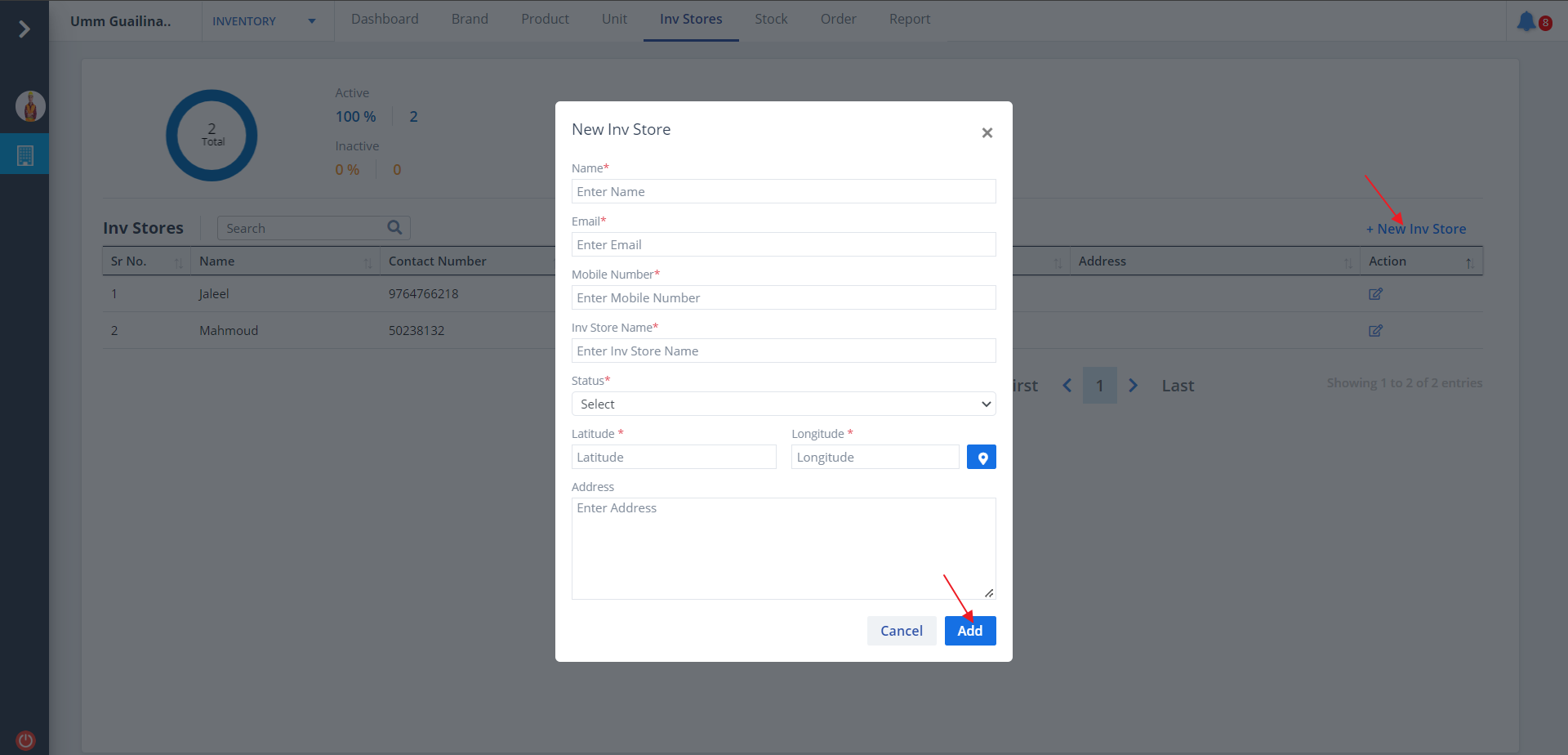
- To add a new inventory store, click on New Inv Store.
- Select appropriate status and enter proper latitude and longitude.
- You can also use the map to select latitude and longitude.
- Add data and click on Add.
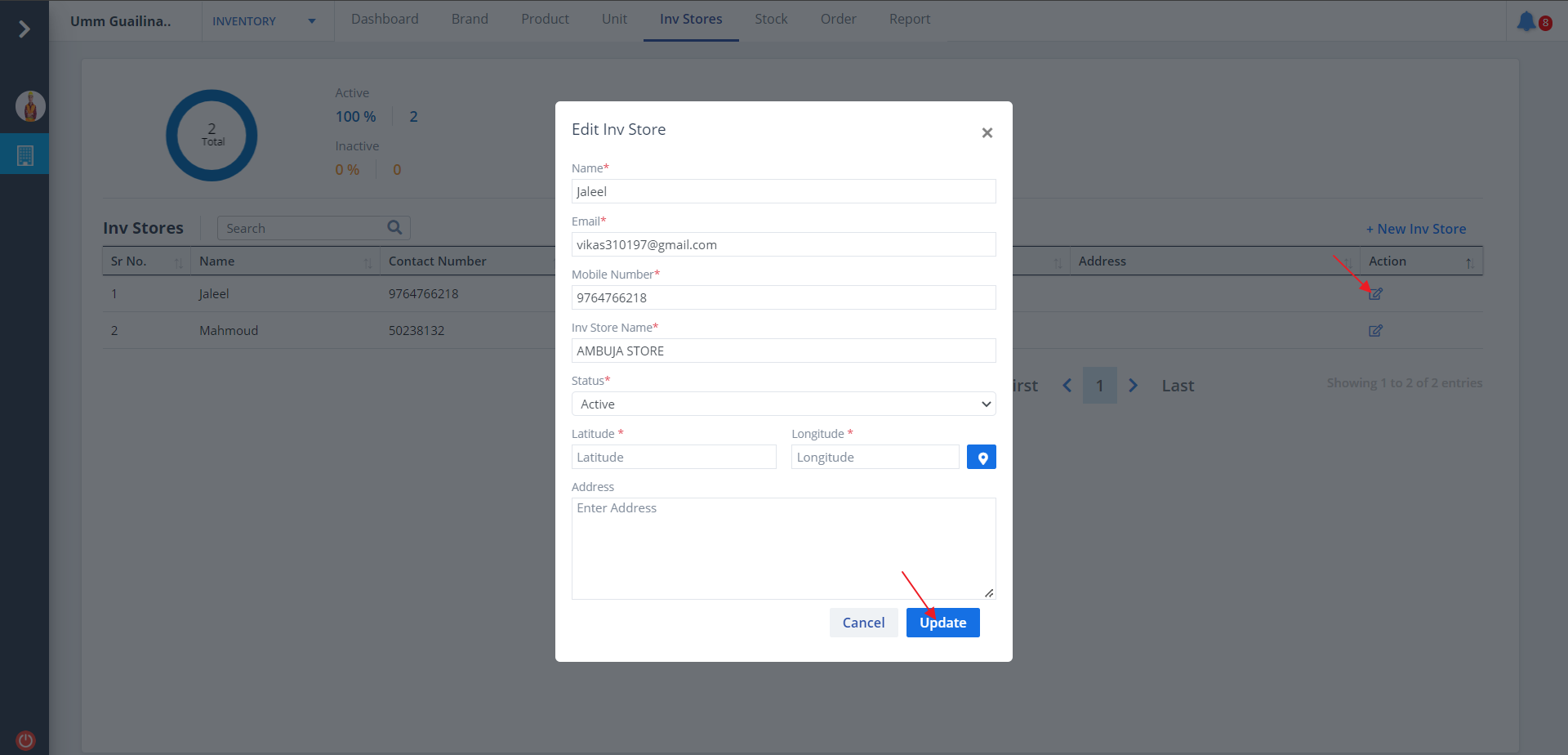
Edit Inventory Store
- Click on Edit under Action column to edit details.
- Select appropriate storage and select the latitude and longitude. You can also select the same using map.
- Now, click on Update.