Project List
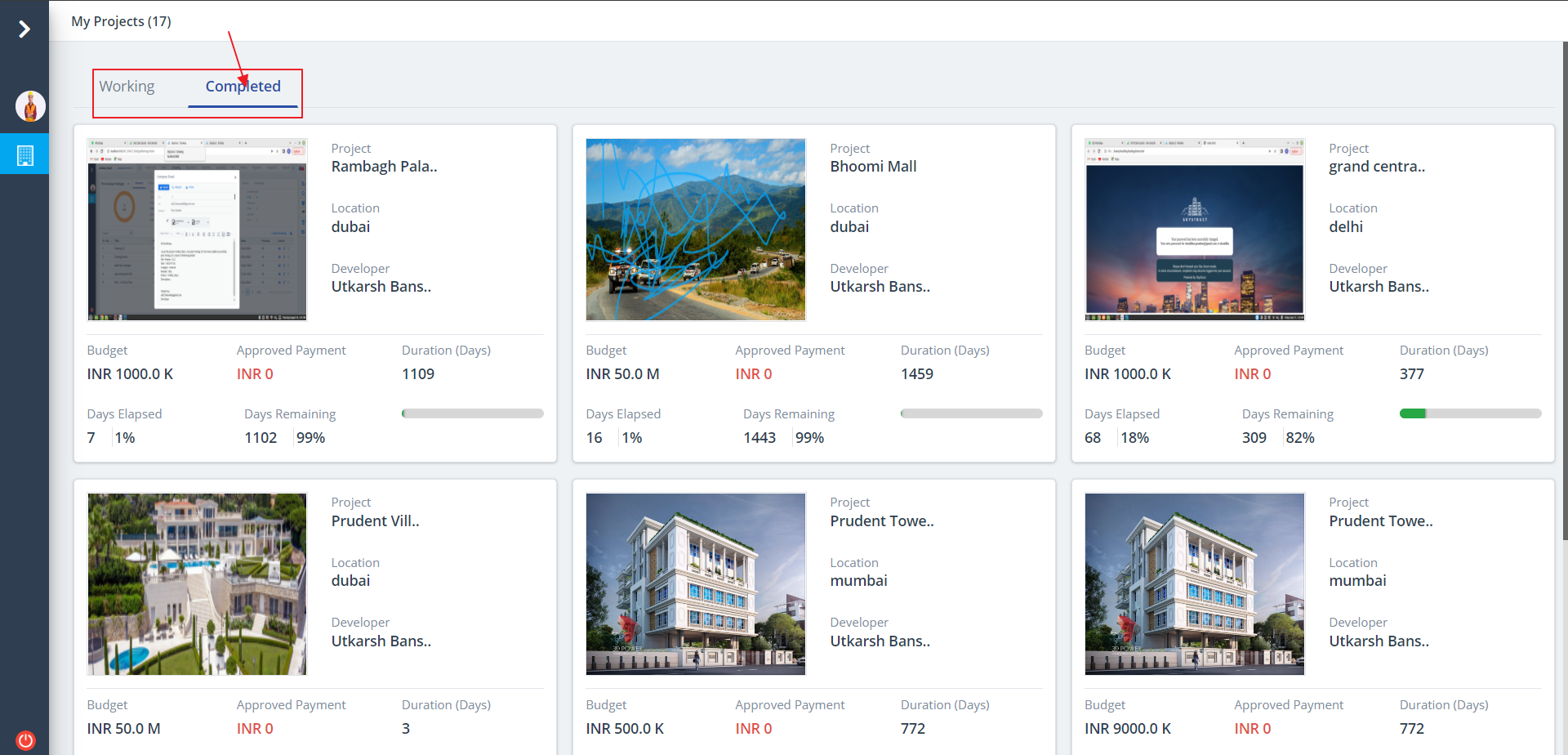
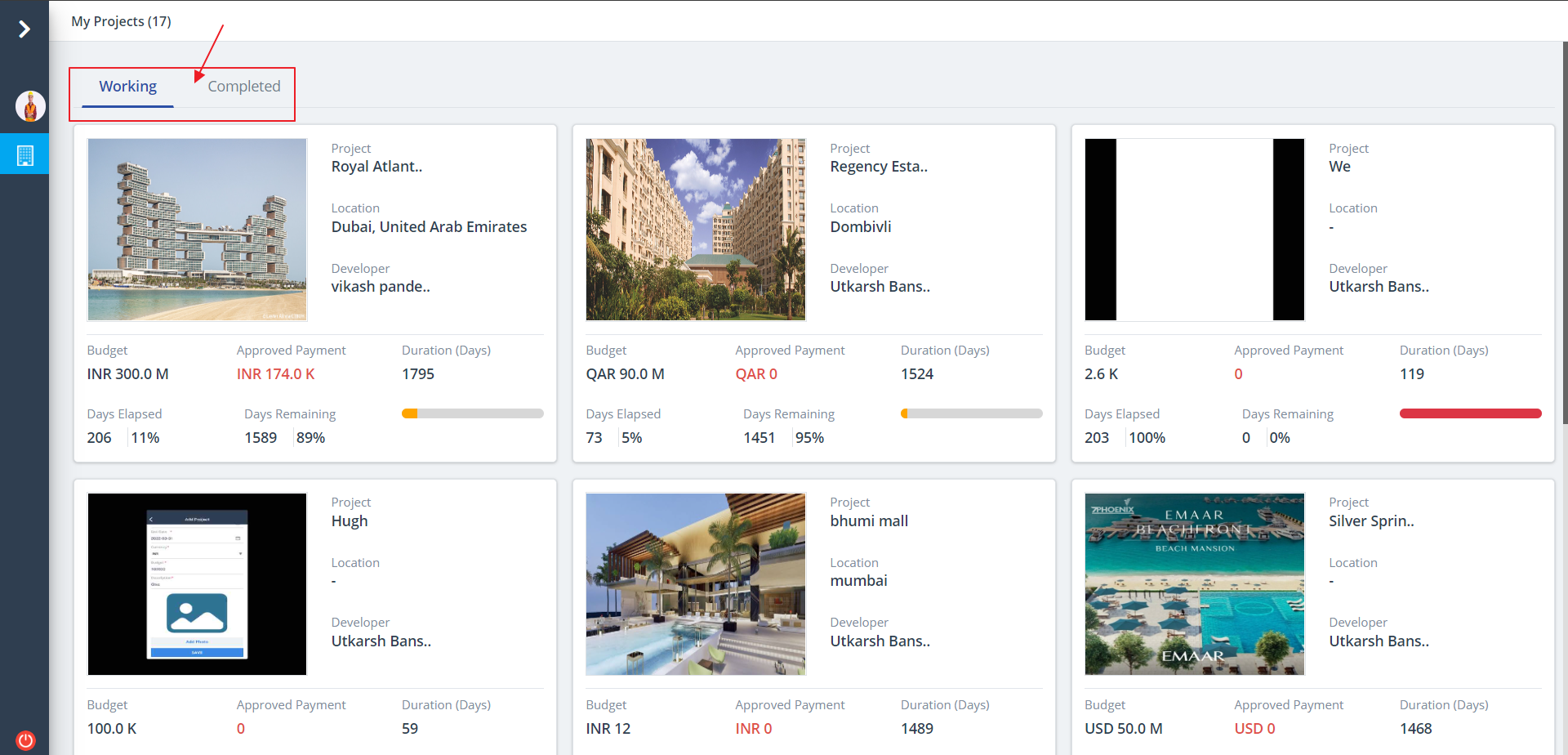
- A Project List will be displayed as shown below.
- You can see the projects under development as well as the projects which are completed.
- Click on any of the projects to view more options on the same.
Add Project
- Refer Project List for listing.
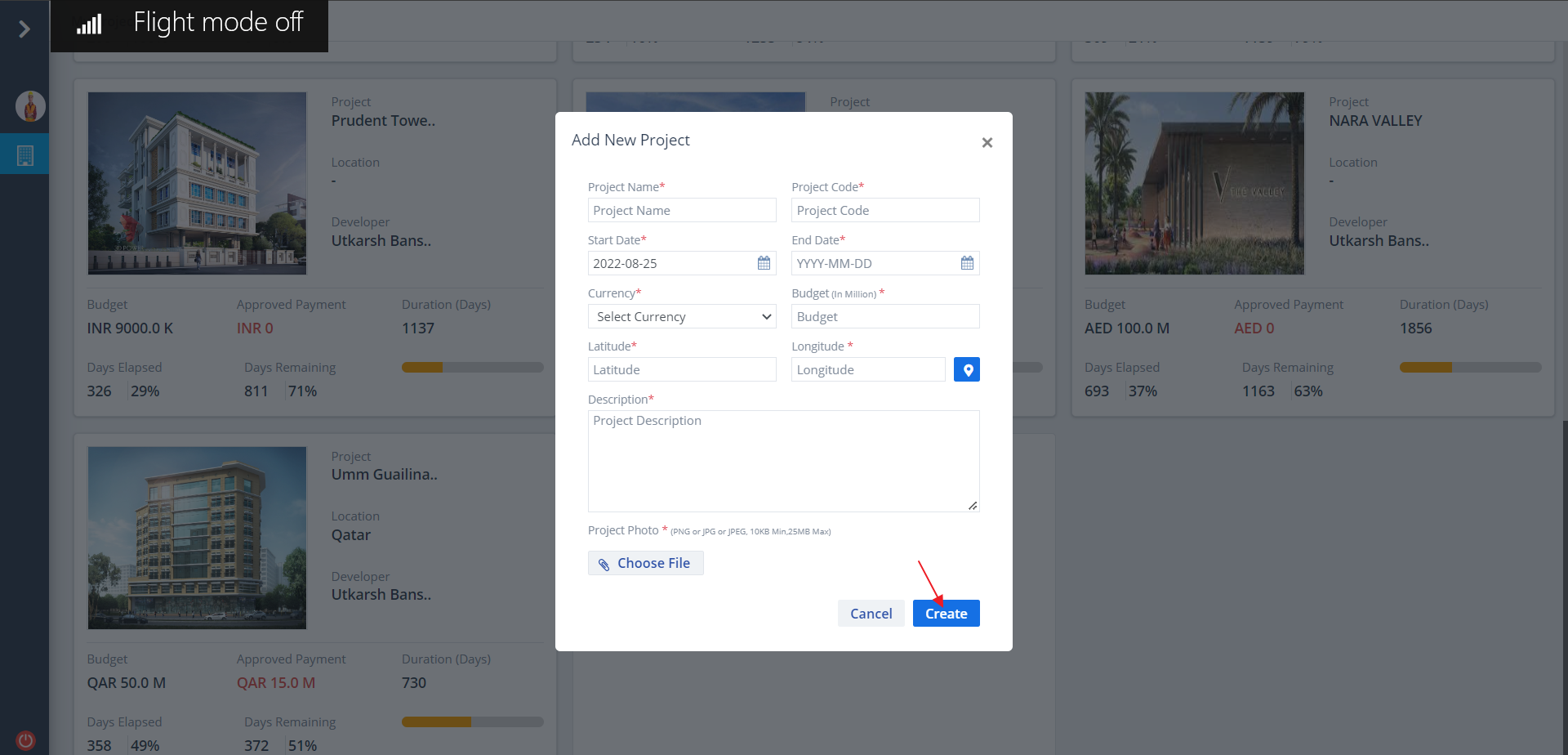
- Now scroll down to the end of the page and click on “+”.
- Add New Project popup box appears.
- Enter the required details and click on Create button.
Project Category
- Now click on any of the newly added projects.
- If the projects are completed, those will be mentioned under Completed, else it will be mentioned under Working.
- Projects completed on time as per budget are listed under Completed category.