Purchase Order List
- A Purchase Order is a formal document issued by the buyer to a supplier, outlining the details of materials, equipment, or services to be procured.
- It serves as a contractual agreement, specifying the terms, quantities, and agreed-upon prices for the items essential to the project's successful execution.
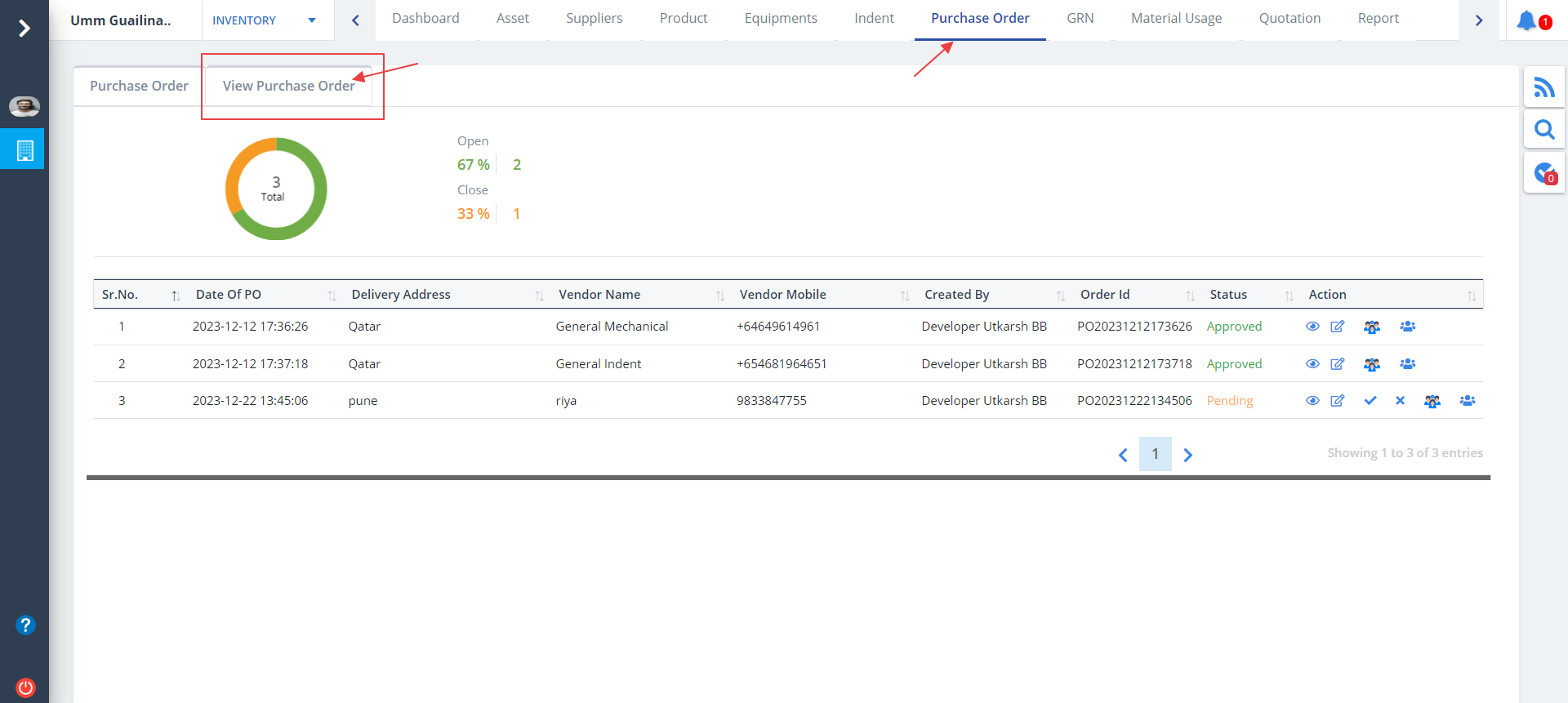
- Select Purchase Order from menu.
- You will come across 2tabs namely; Purchase Order and View Purchase Order. By default View Purchase Order is selected.
- Purchase Order details can be viewed in detail.
Edit Order
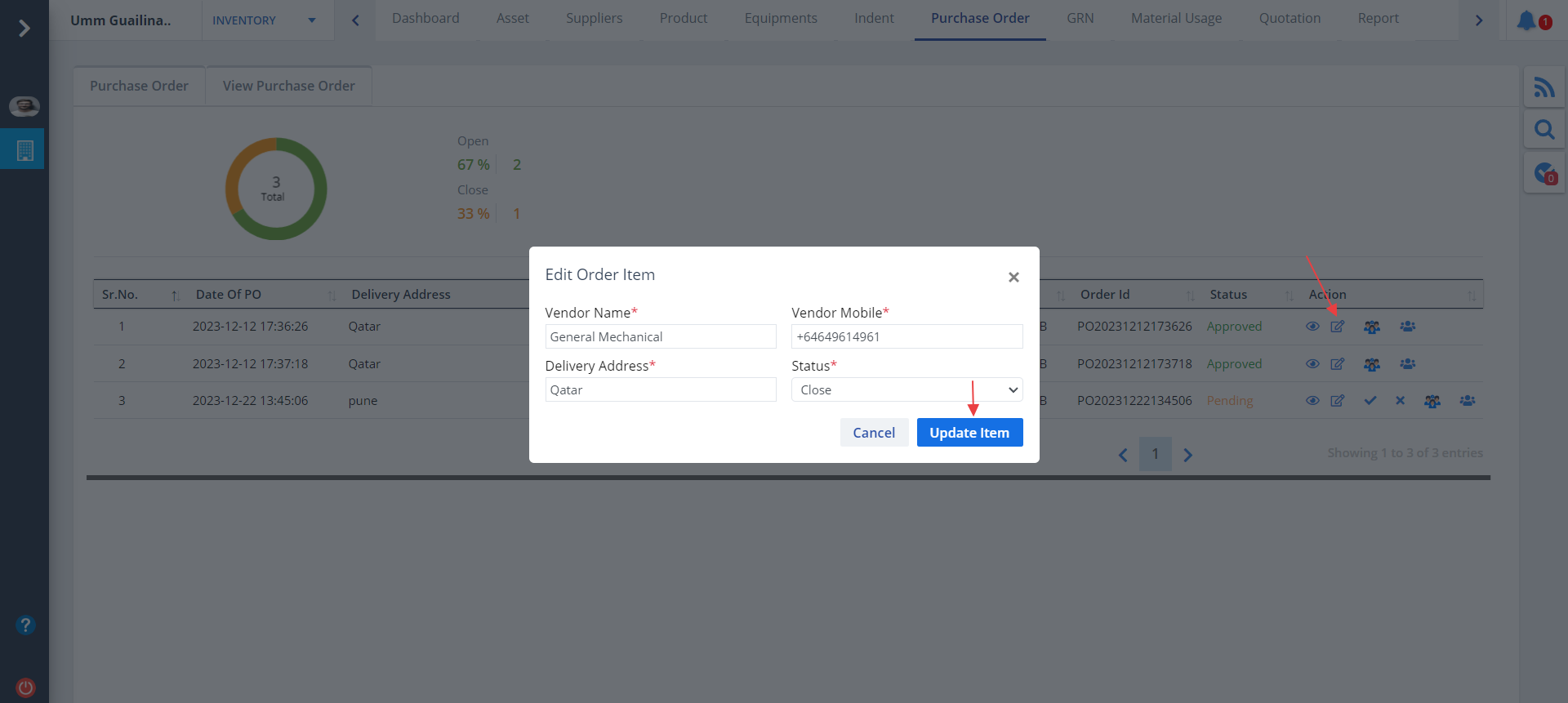
- Use the button under Action column as depicted.
- You can edit data as required and then click on Update Item.
- The buttons next to Edit can be used for auditing and viewing approval workflow.
- You can also approve and reject a particular purchase by using appropriate buttons.
View PO
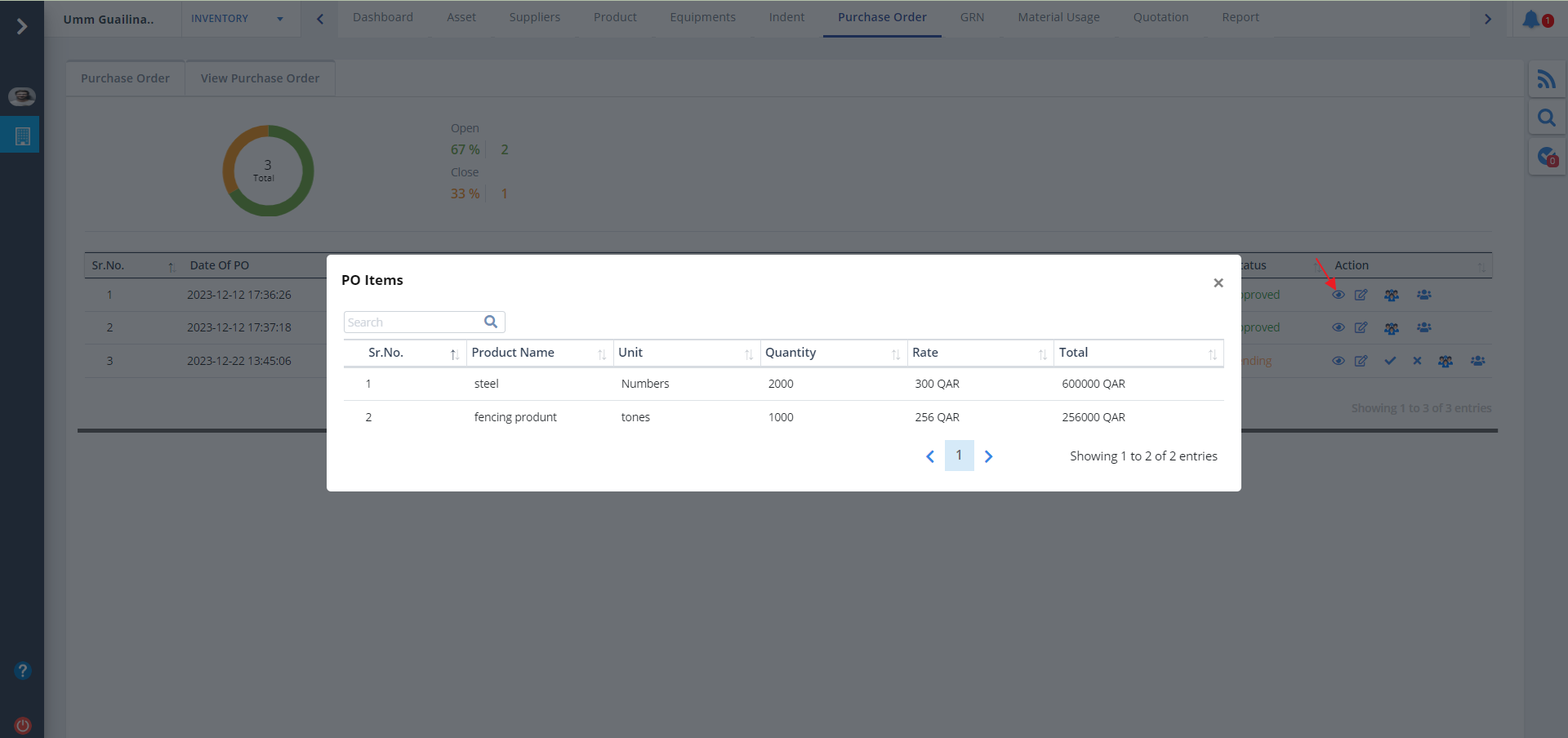
- Click on Eye button as shown to view the Purchase Order(PO).
- Now you can see the product details.
Purchase Order Tab
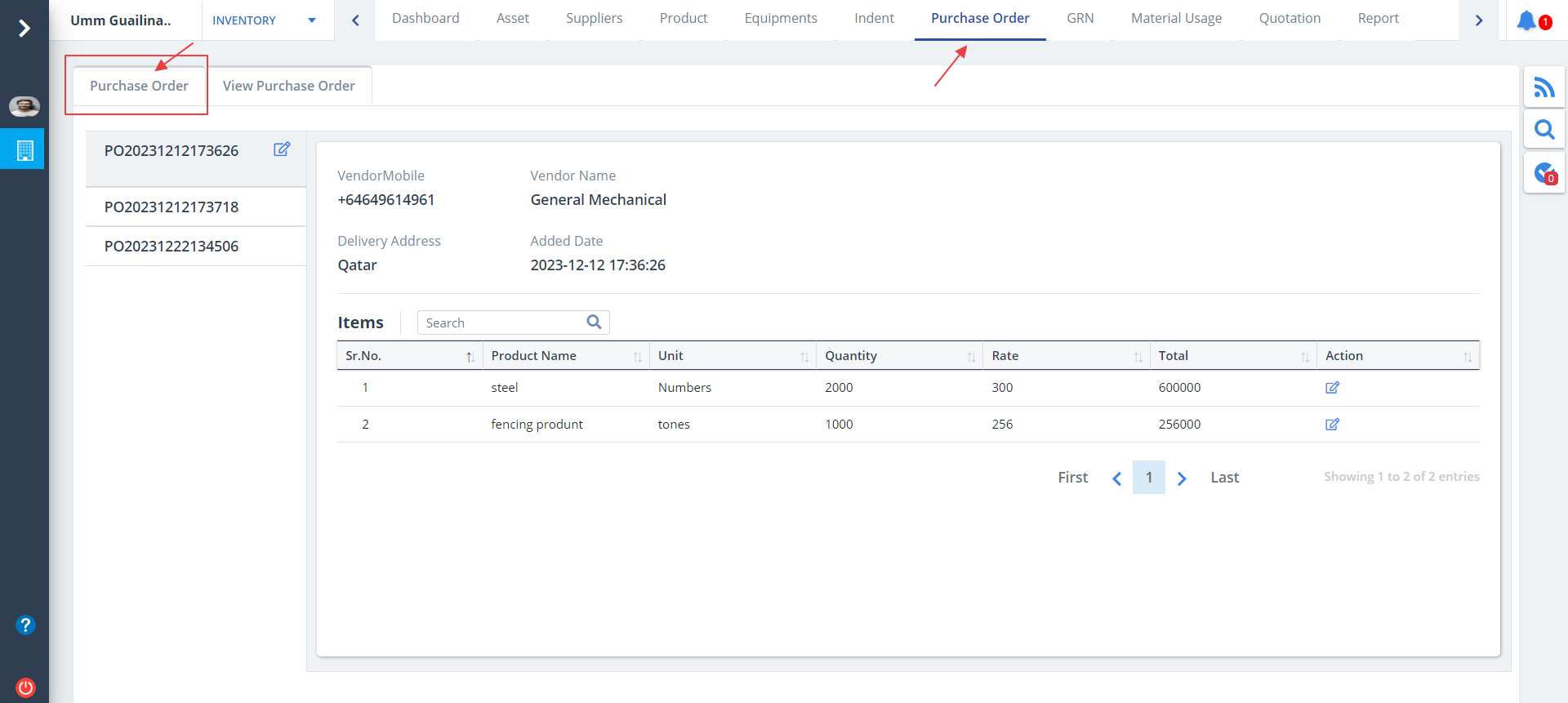
- Now lets switch to Purchase Order tab.
- You can get an exhaustive view of purchase order item.
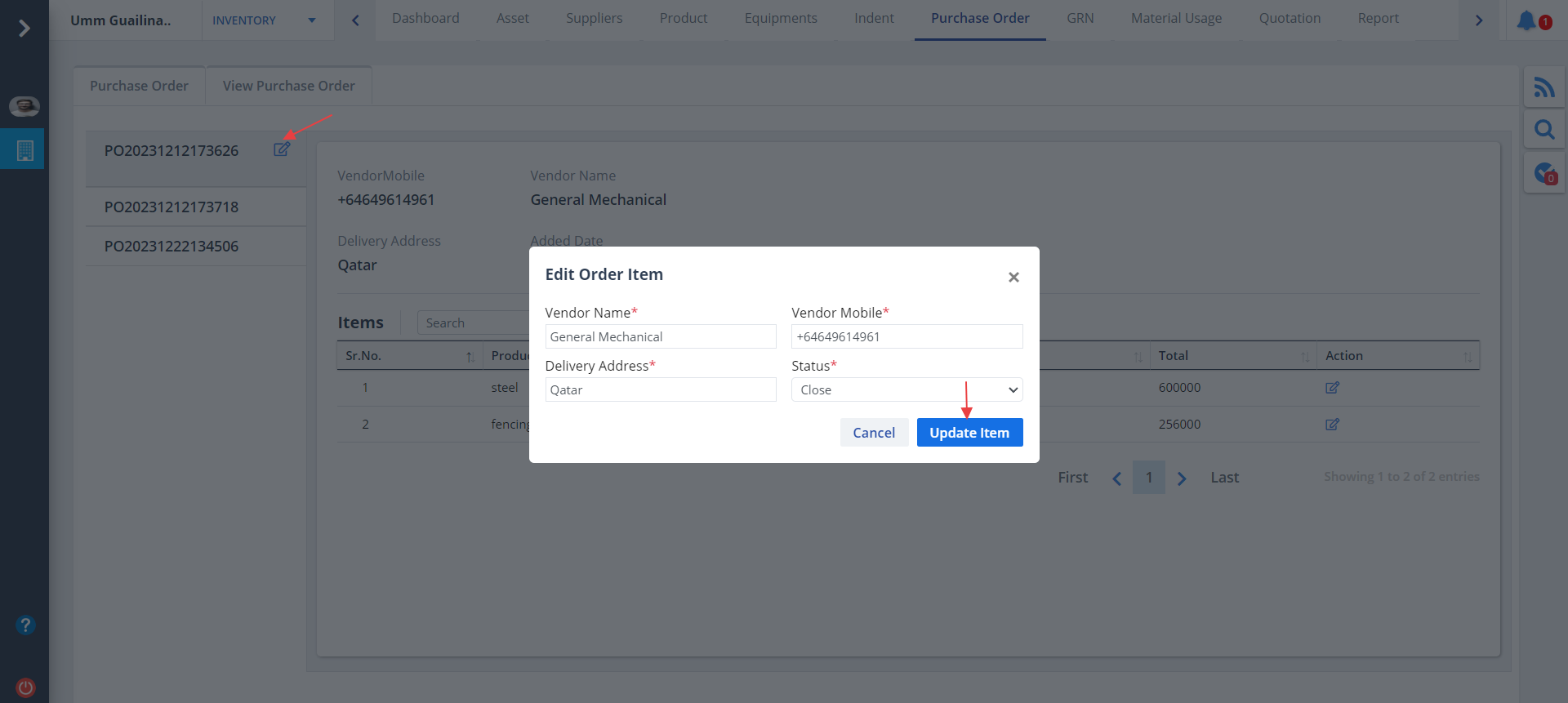
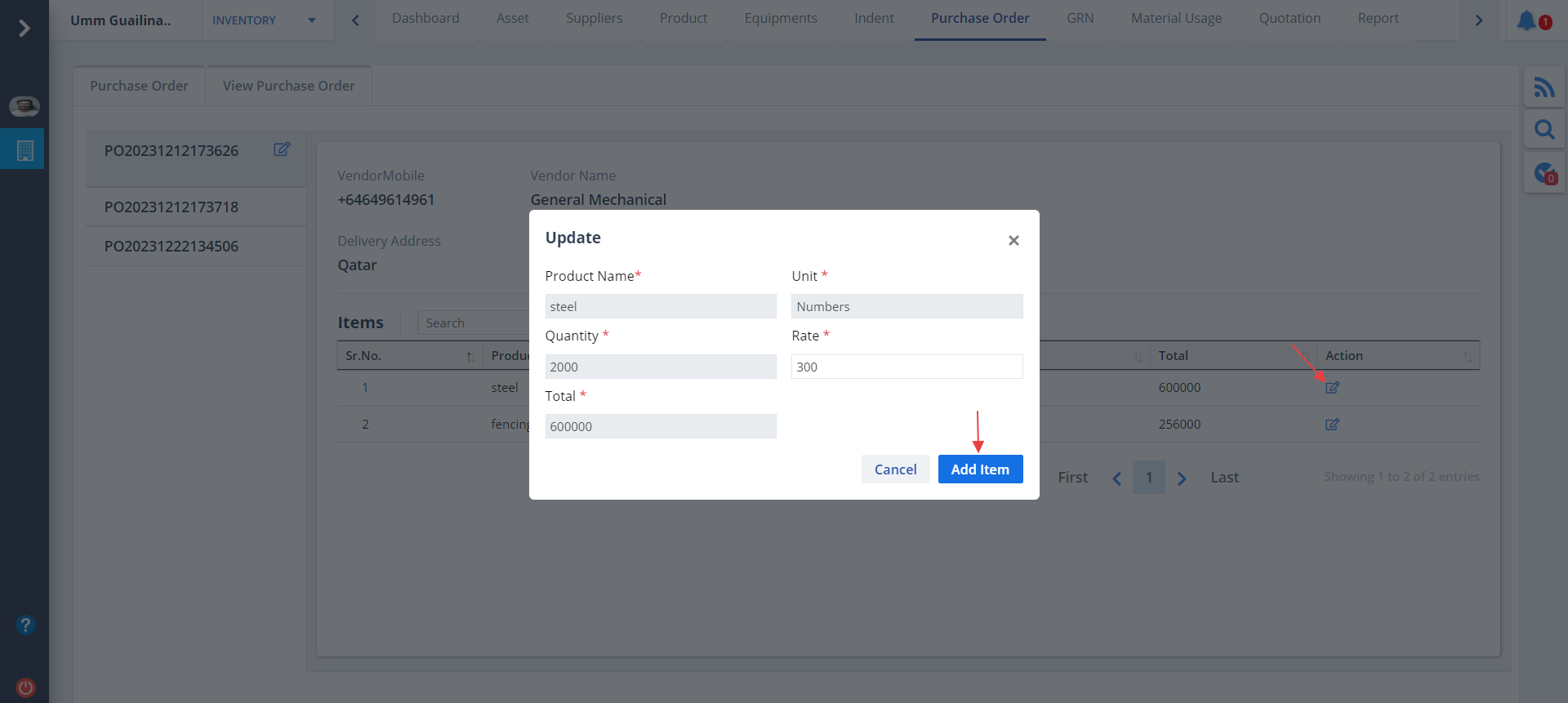
Edit Order and Item
- Click on Edit button as shown. Now modify details and click on Update Item
- Similarly you can update product details by clicking the button under Action as shown.