Gate Pass List
- Managing a construction site includes securing its premises with authorised access.
- Skystruct provides its users the provision to identify entry and exit points to the construction sites using Gate Numbers.
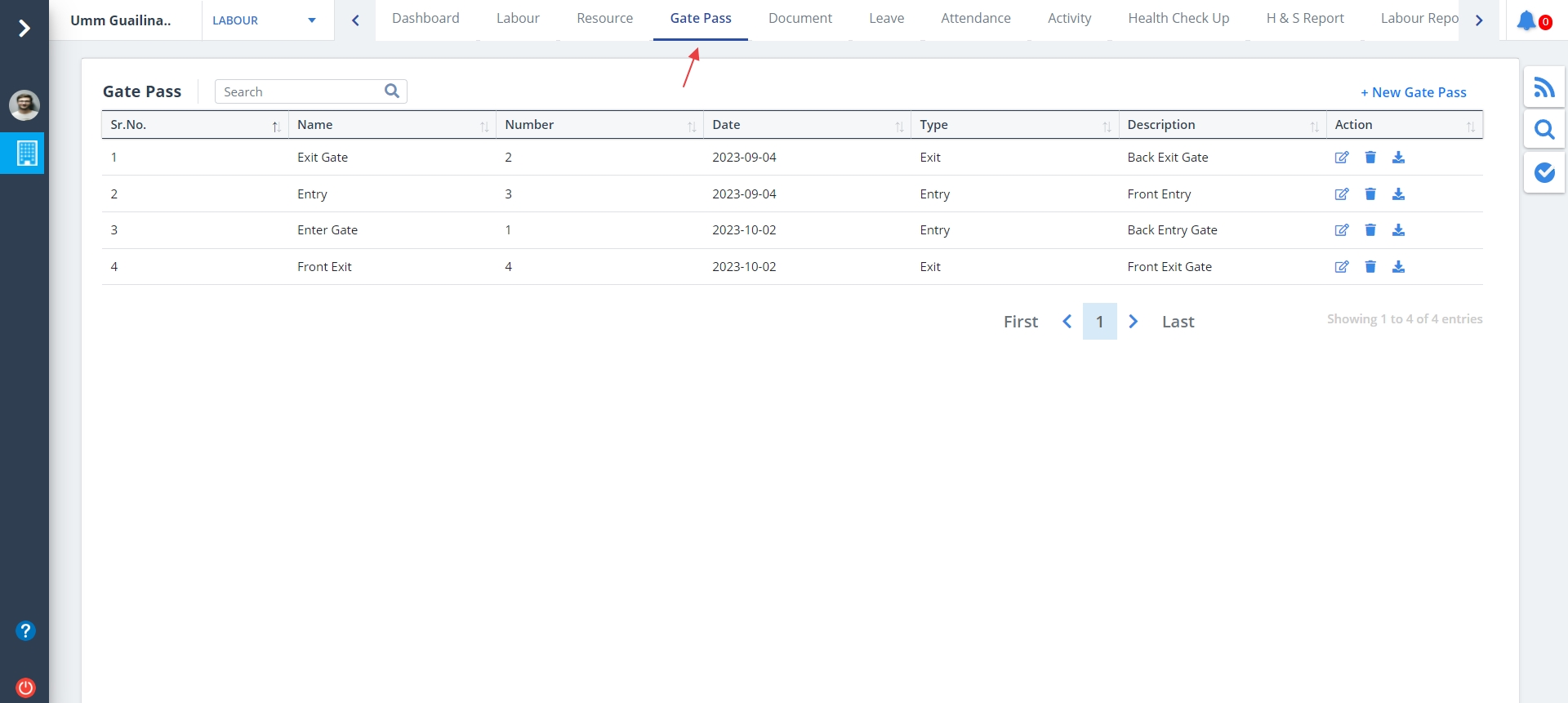
- Select Gate Pass from menu.
- Indicates the gate through which the labourers have passed or exited.
- Shows the gate names, if already added.
- Use the buttons under Action column to Edit, Delete or Download (Downloads an image of the gate).
New Gate Pass
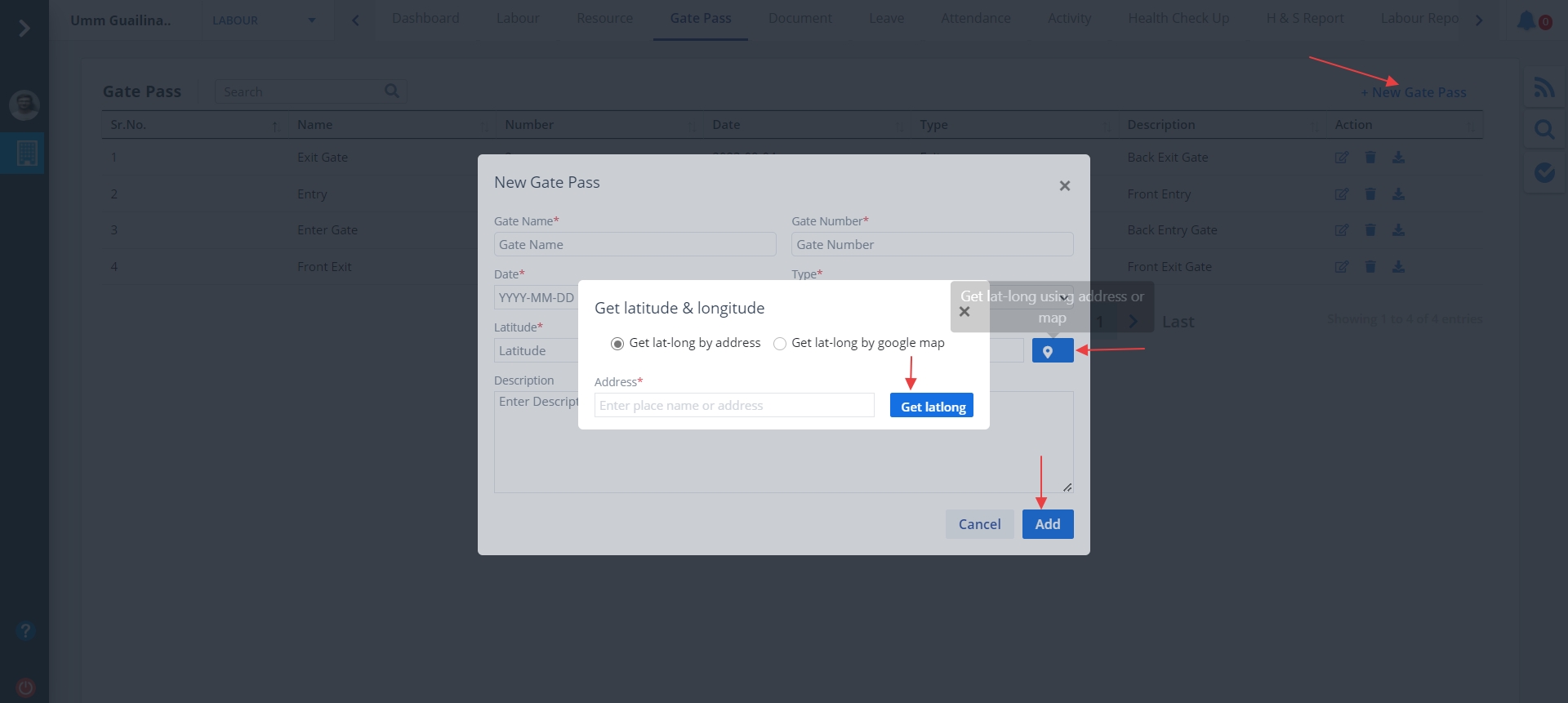
- To add a new gate, click on New Gate Pass.
- Enter details and click on Add.
- Select Entry, if the gate is used for entering, else select Exit.
Edit Gate Pass
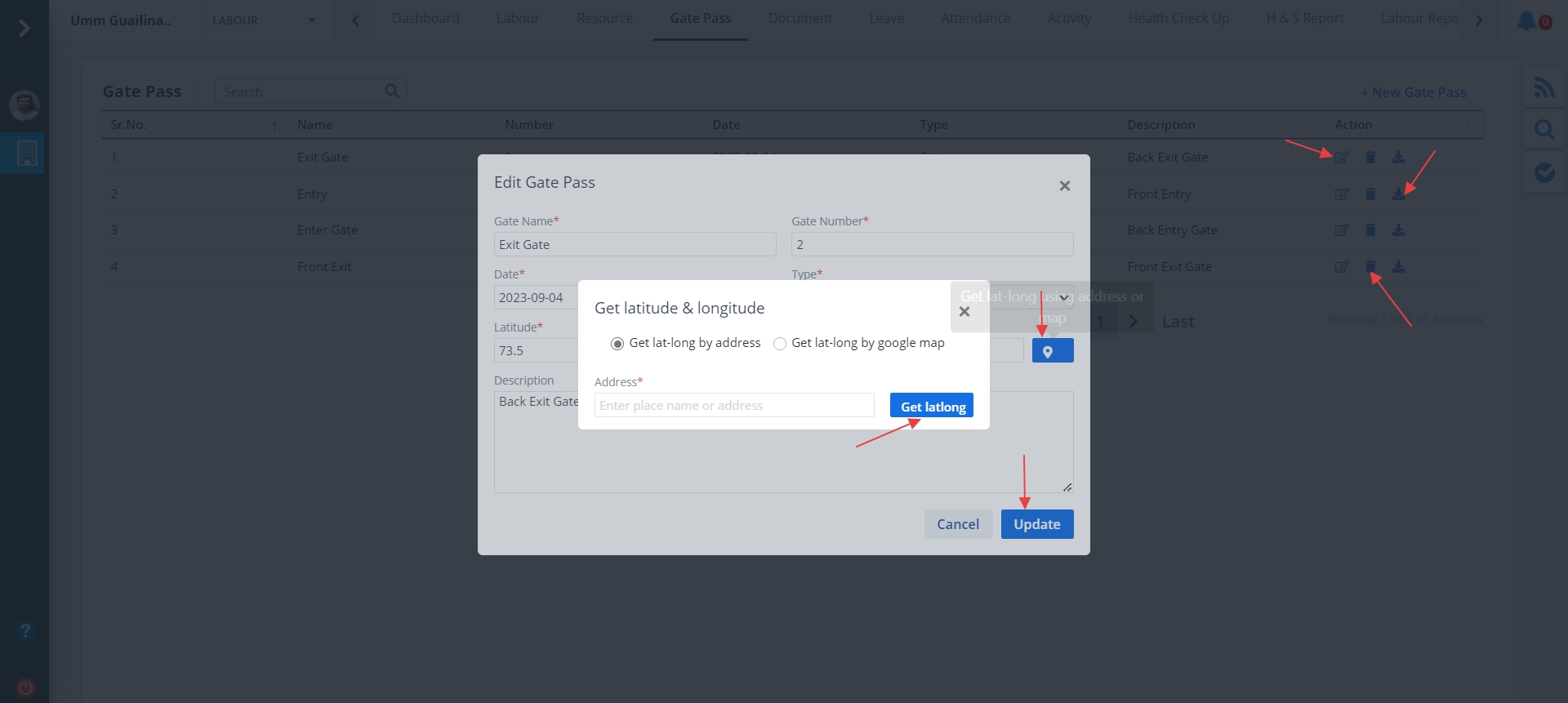
- Click on Edit under Action column and enter details.
- The type canbe exit or entry. Enter proper latitude and longitude or you can select the latitude and longitude using map.
- Ultimately click on Update.