Project Details
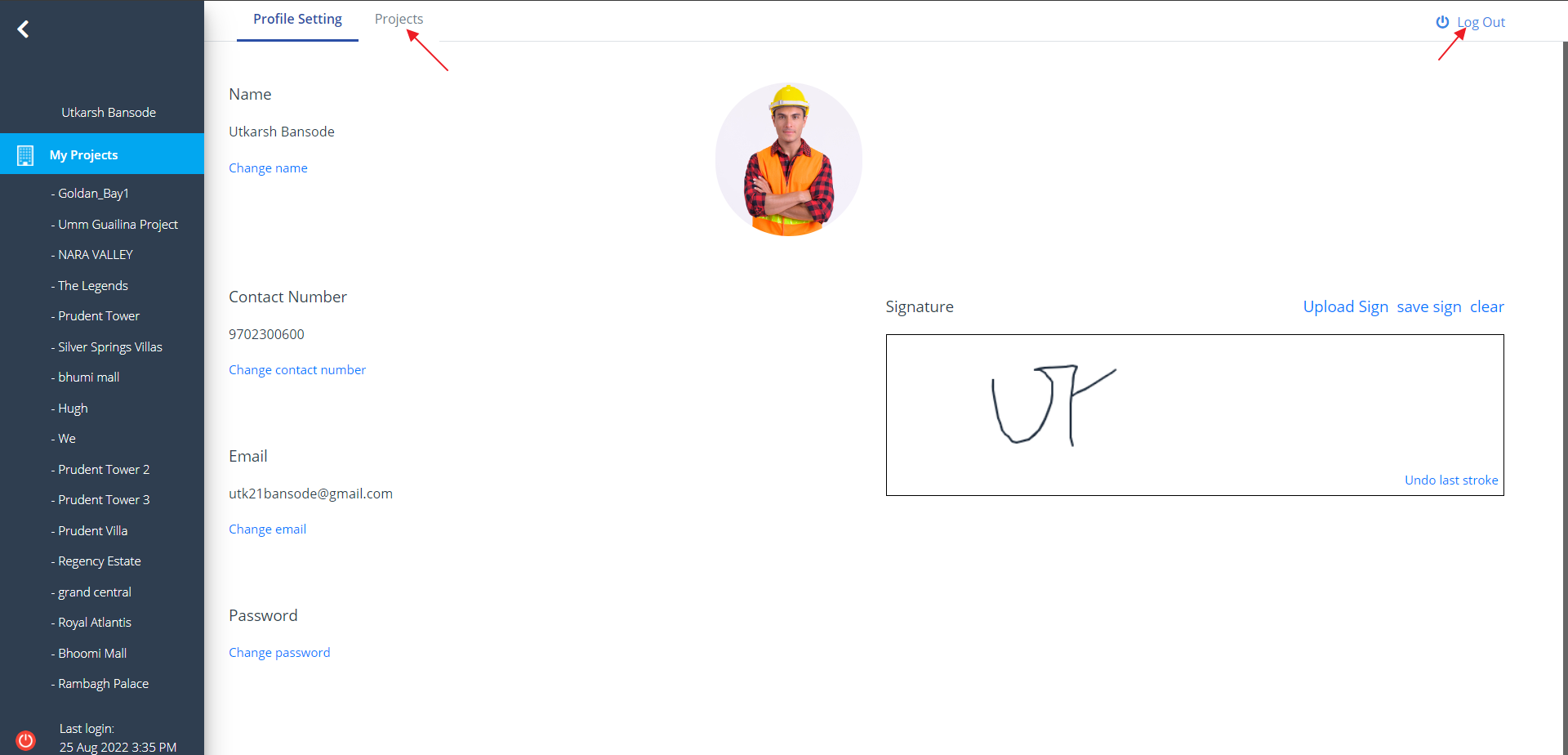
- Click on the Profile Setting Icon as shown below.
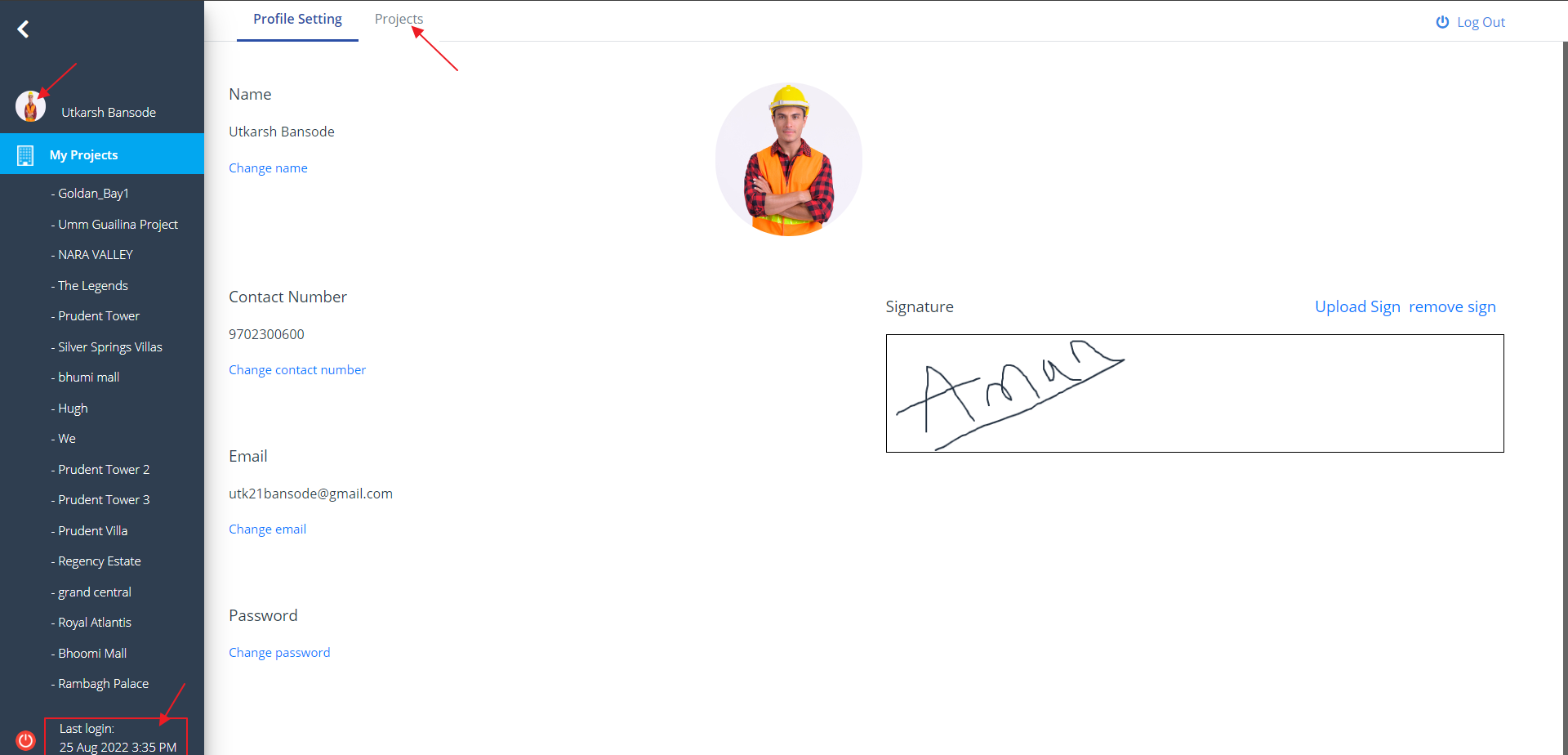
- You would see the entire profile details and list of options available.
- You can see the last login time and date on the bottom left of the screen.
- All the projects created under the particular user is listed here.
Profile Edit
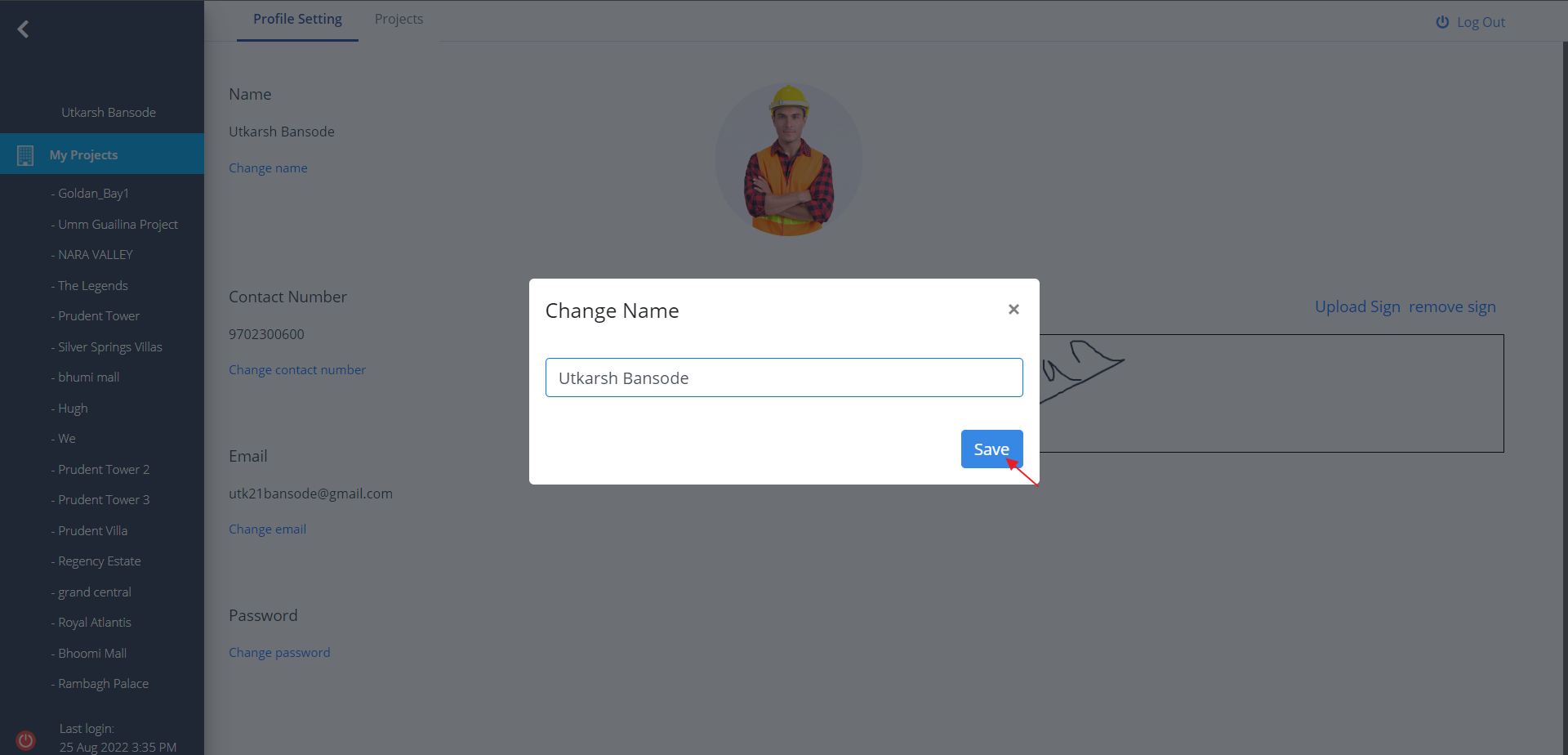
- Once you open the profile setting you can edit the profile.
- Click on the Change name link to change the name and click on Save.
- Likewise, click on the other links as well, as highlighted.
Upload Sign
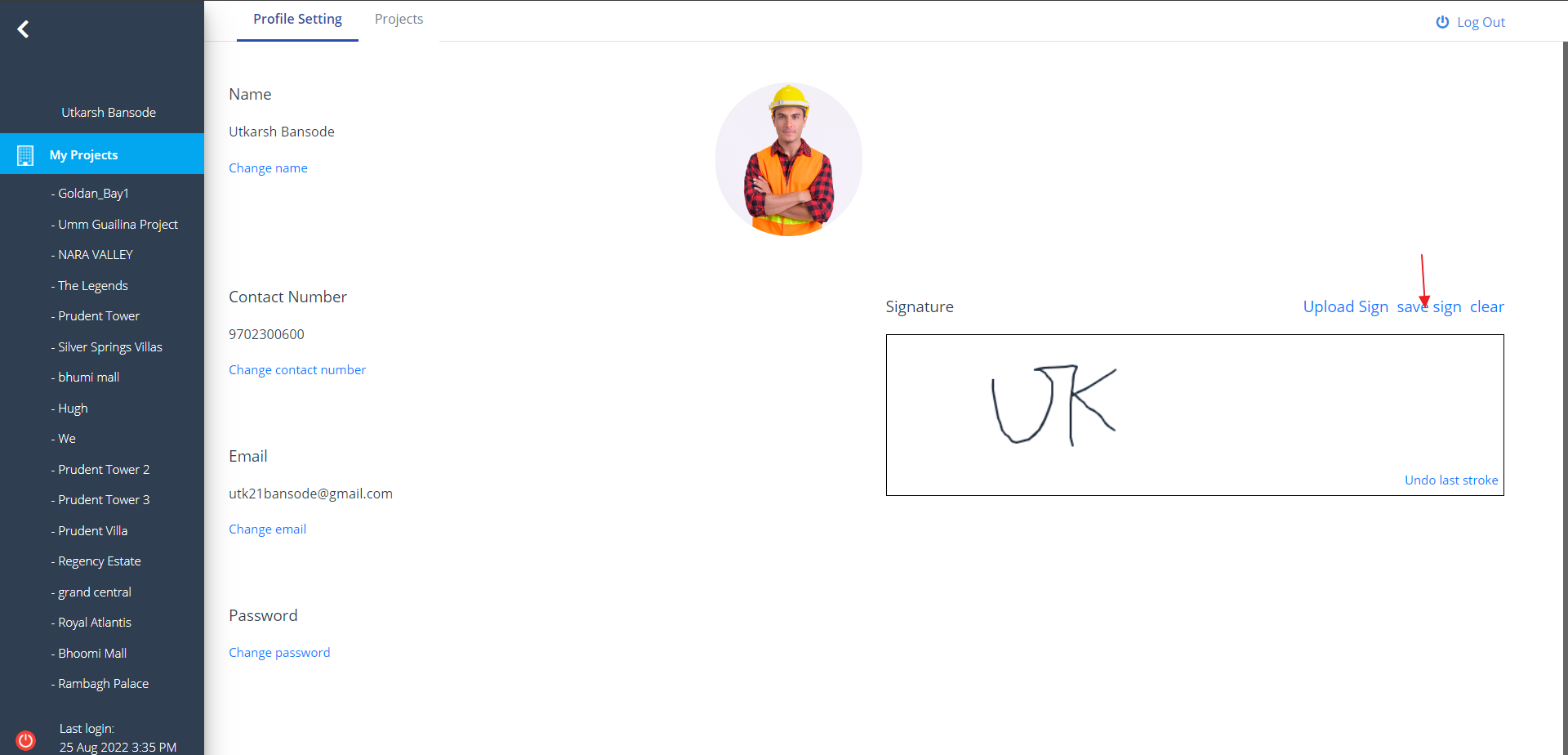
- Use the signature box to Sign and click save sign to save it.
- You can use your initial as well.
- Use the Upload Sign when you want to upload a sign. Sign automatically gets adjusted after upload.
Remove Sign
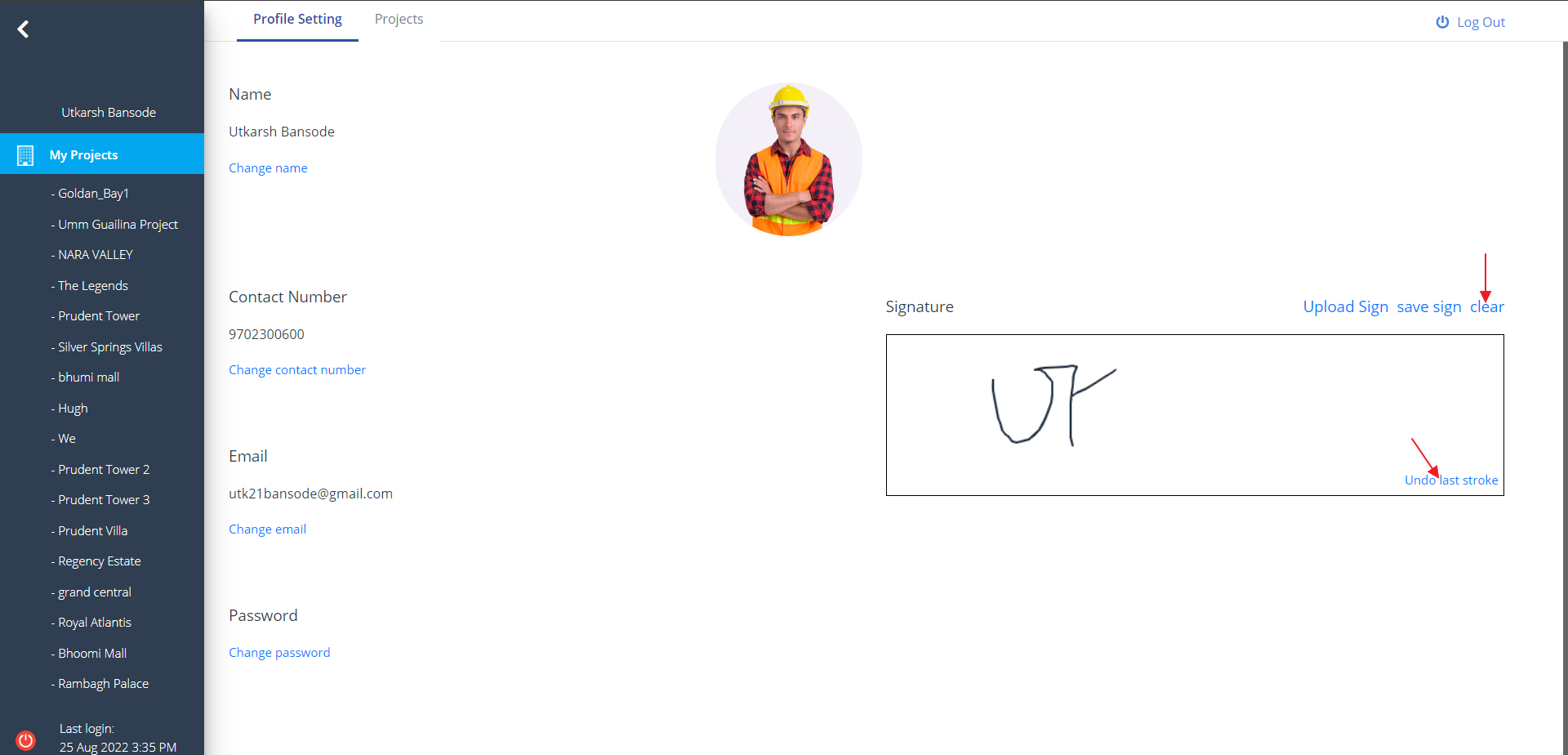
- Click clear to undo your sign.
- You can also undo your last stroke if you accidently signed it wrong.
- Just click on Undo last stroke.
Log Out
- If you want to log out from this page, click on Log Out on the top right of this screen.
- You can also logout by clicking on the bottom left icon of the screen.
- You can switch to the previous section once again. Select Projects from menu.