Members List
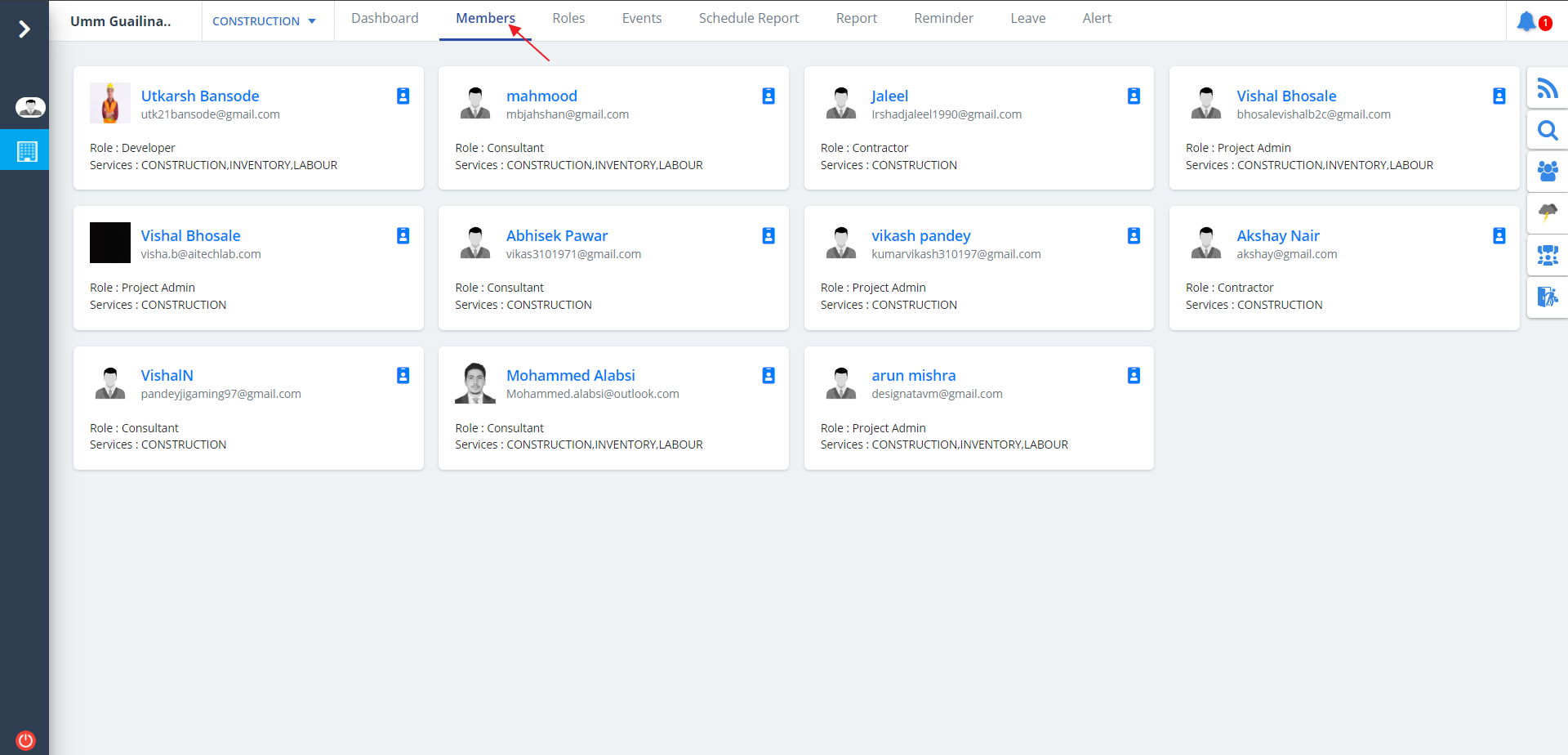
- Select Members from menu. Members list will be visible as shown below.
- All the users/members will be listed along with their roles and services.
Invite Member
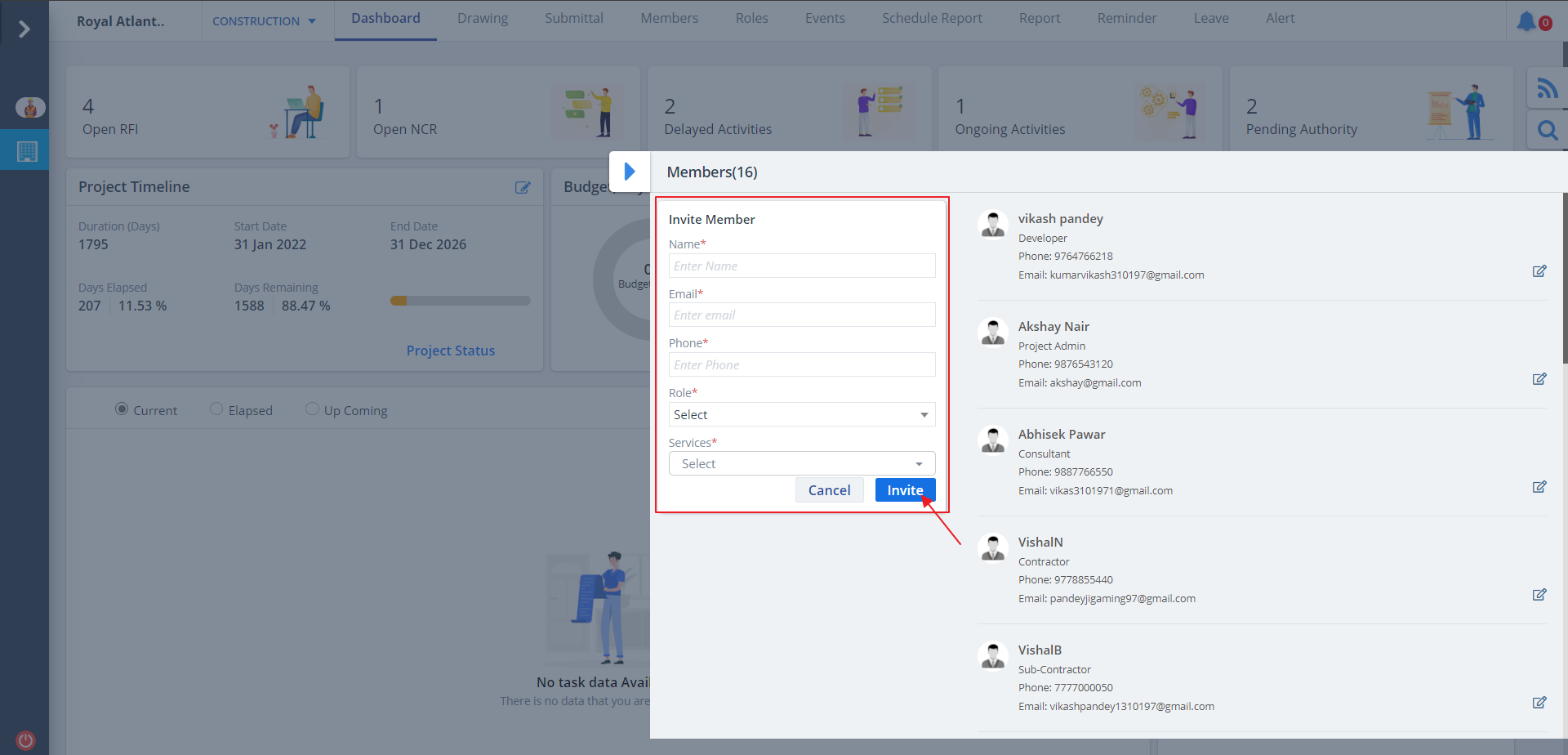
- Fill the details as prompted.
- Ultimately click on Invite button to invite a member with a specific role.
- Services dropdown allows you to select the relevant service for the member.
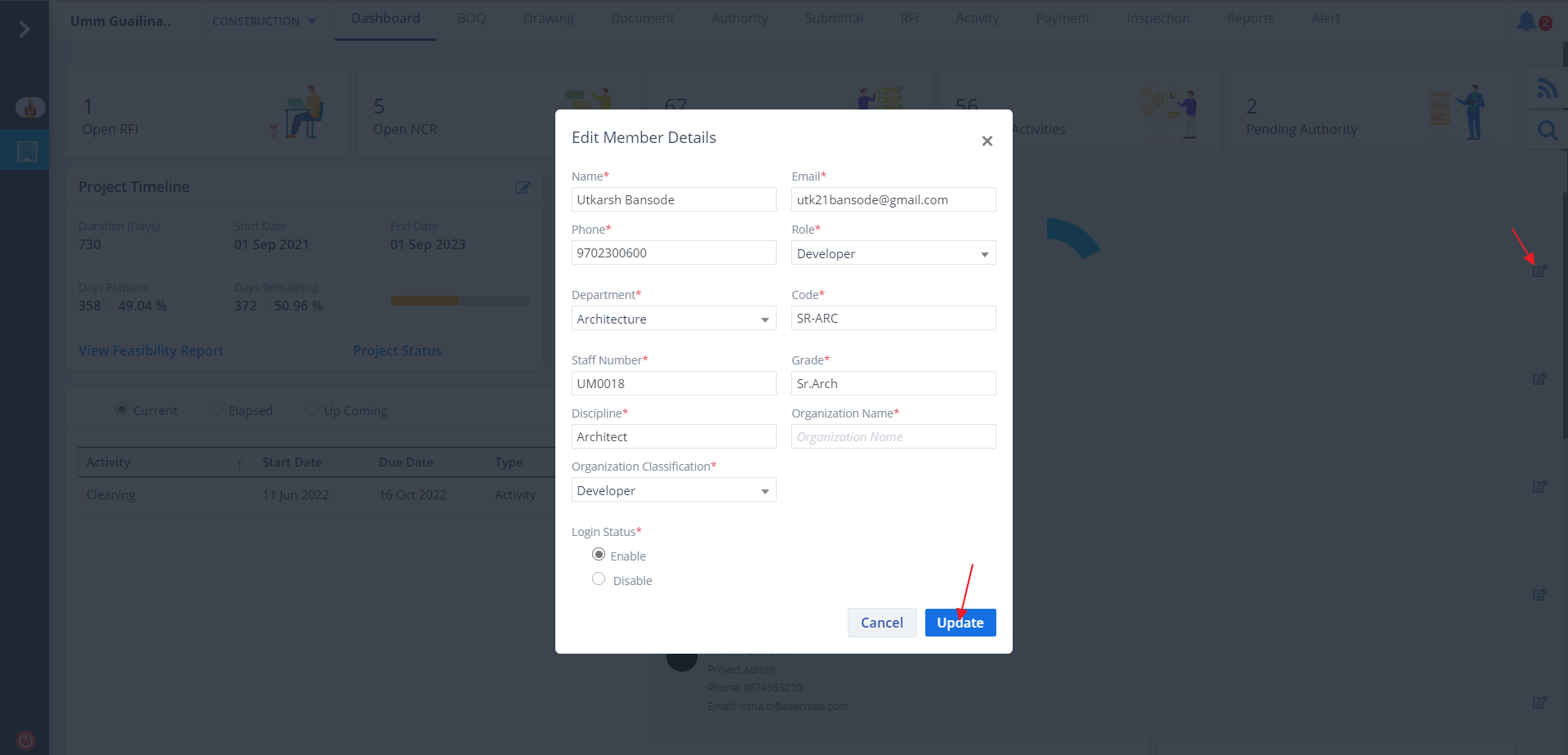
Edit Member
- Click on the icon next to member name to edit a specific member.
- Select proper role, department, organization application and login status.
- Edit details as required and click on Update button.