Attendance List
- Tracking daily presence at the construction site is an essential daily activity which is handled by Skystruct.
- The inputs used for registering attendance include type of access to the site i.e. entry or exit and the Gate number.
- Skystruct as an all in once solution caters to the aspect of daily traction of the workforce in the expected manner efficiently.
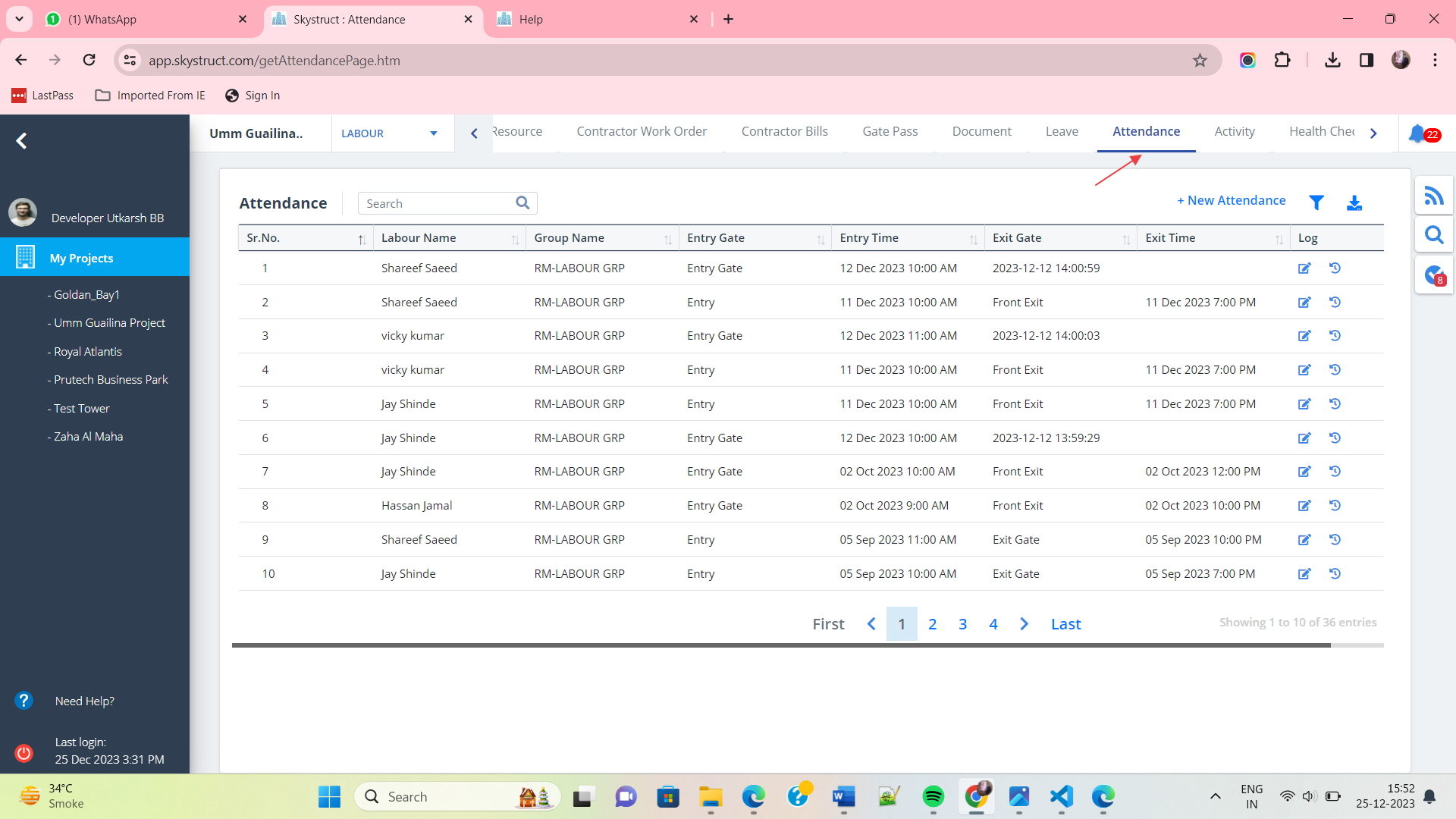
- Select Attendance from menu.
- Shows the attendance of the labourers which includes Gate through which the labourer has entered.
- To see logs, click on the option below Log column.
New Attendance
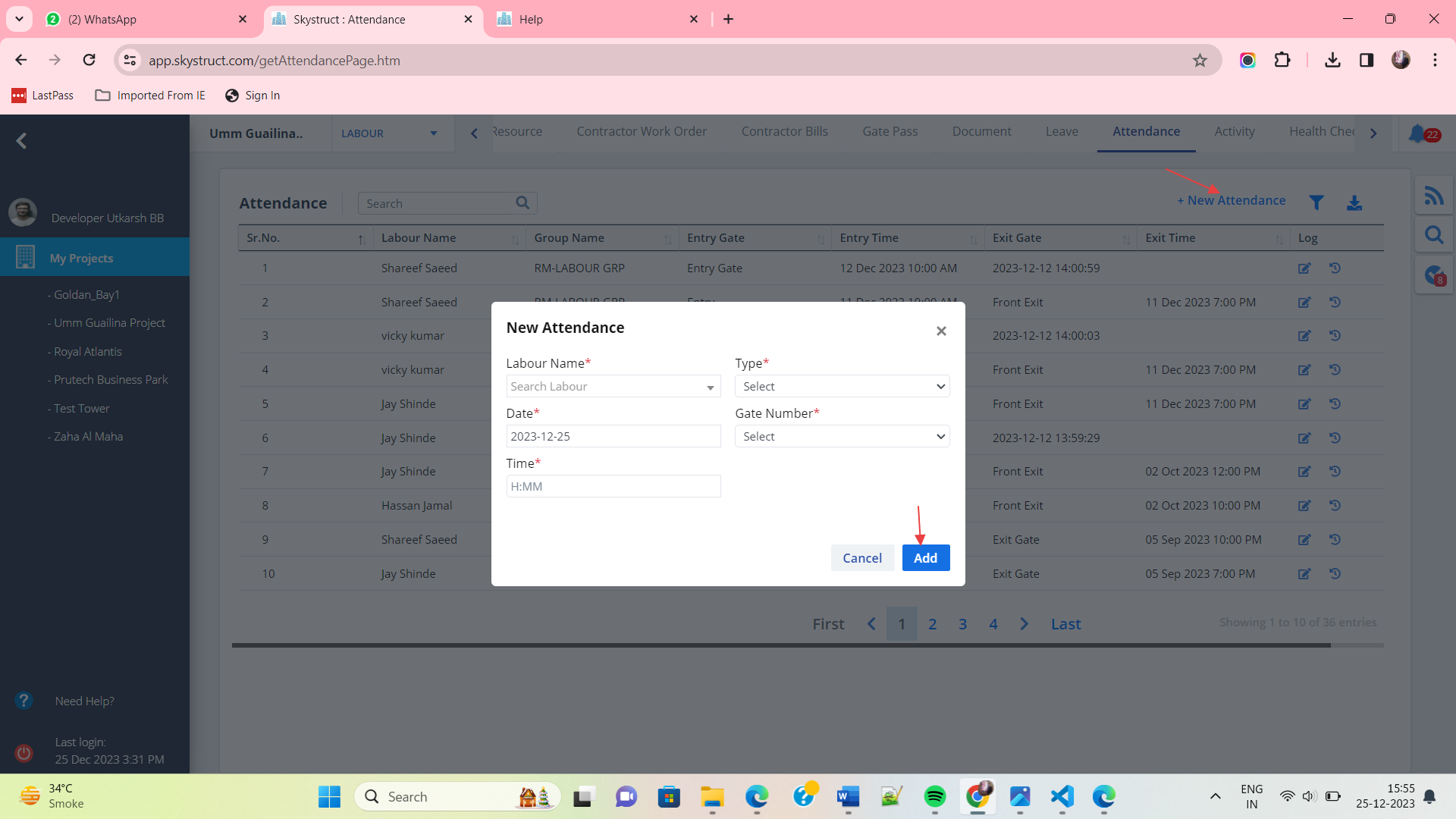
- To register a new attendance entry, click on New Attendance.
- Select the type and gate number correctly.
- Select the labourer whose attendance you want to register and click on Add.
Edit Attendance
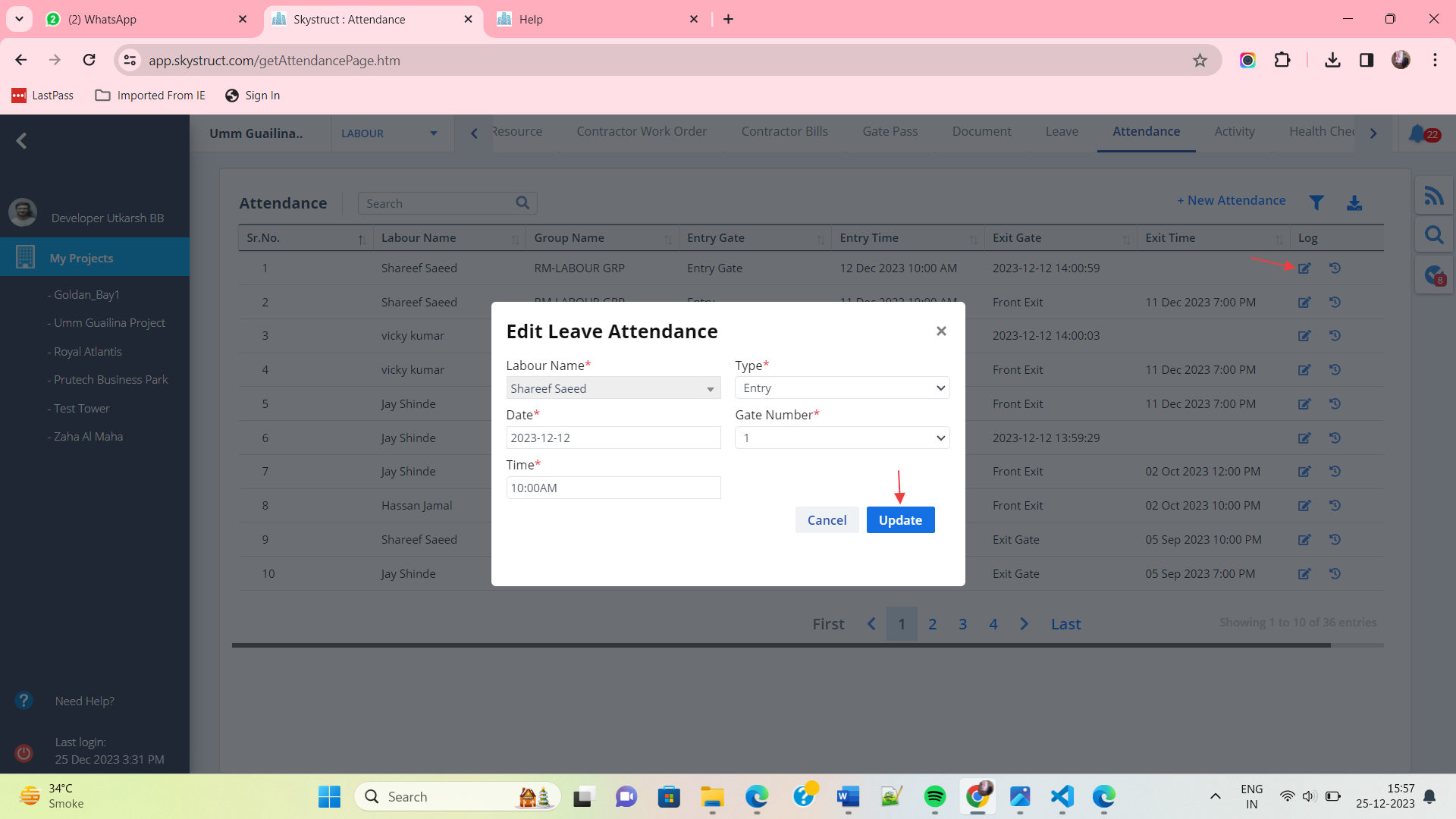
- Use the button under Action column to edit a particular attendance.
- Edit required data and click on Update.
Attendance Log
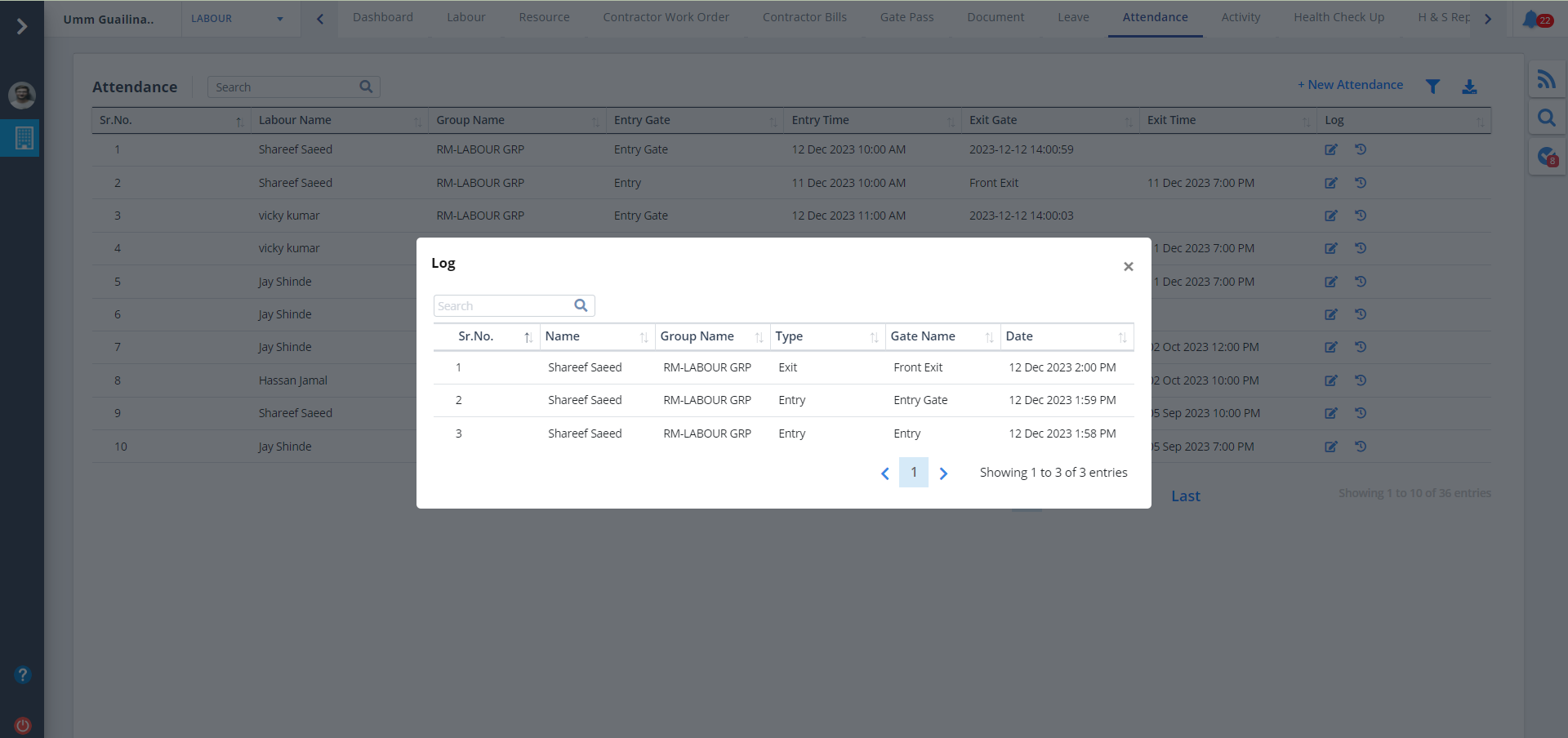
- To see logs, click on the option below Log column.
- You can now see the log details.
Filter and Download
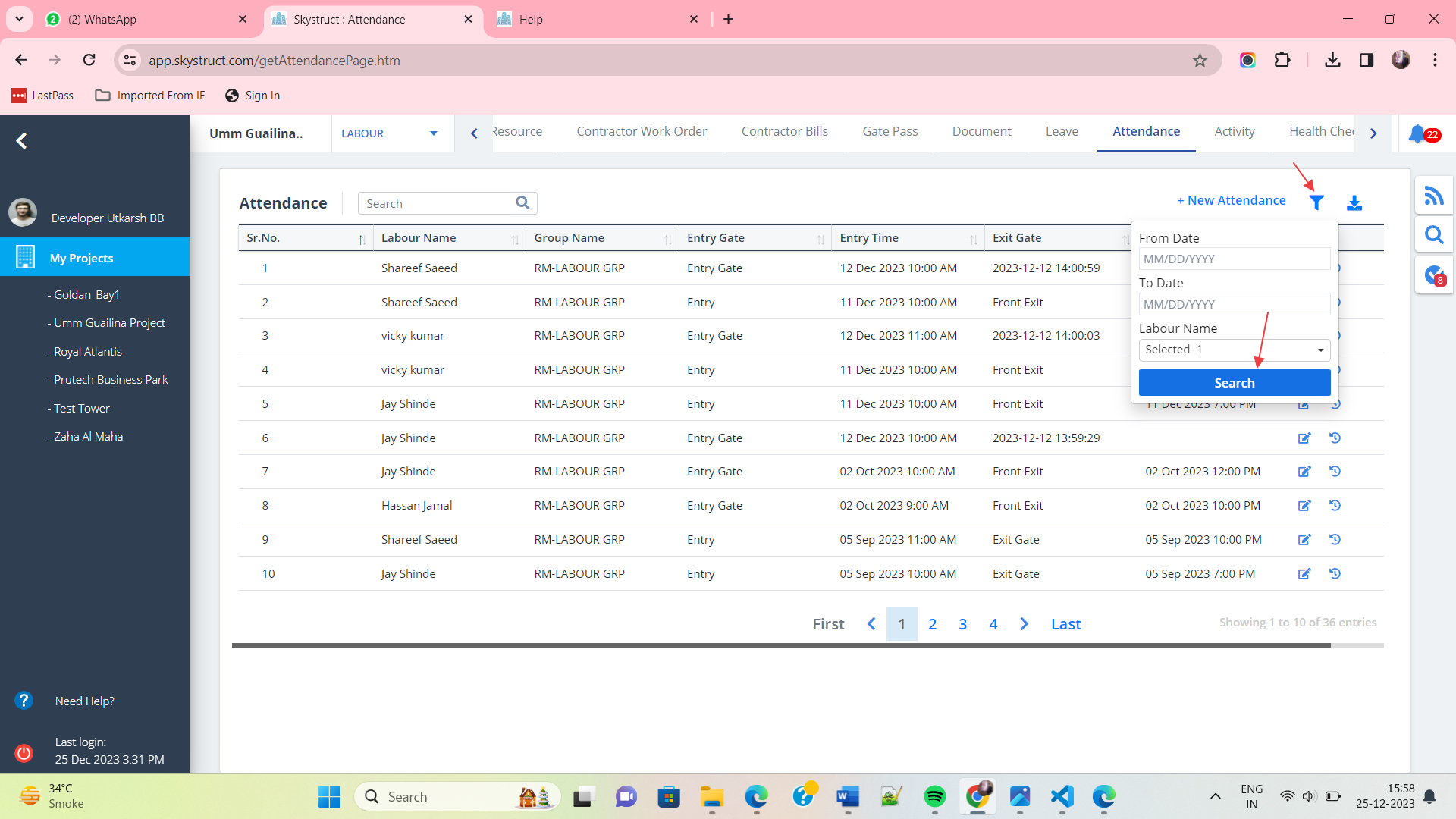
- Click on Filter as shown. Select dates and labour name.
- Once you are done with selection, click on Search
- Next to filter is the Download icon. Click on it to download attendance document locally.